

One bot plan runs any bot type, and you can change the type at any time on the same plan, at the same price. Open Change server type with Change what runs on the Bot page, pane Code, pick the new type, and leave Delete my existing files and start clean. unticked to keep your bot files.
The types you can switch between
| Your own code | Ready-made bots |
|---|---|
| Node.js Bot, Python Bot, Java Bot, .NET Bot (C#), Bun Bot, Deno Bot, Go Bot, Rust Bot | Discord Tickets, AI Chat Bot, Red, JMusicBot, Ree6, Bastion, Game Server Monitor, matterbridge |
Two need a bigger plan, and smaller plans do not offer them: Ree6 needs 1 GB of memory or more, Bastion 2 GB or more. To get them, move up on My plan, Change plan.
A Lavalink music node has its own plan and is not one of these types: How to host a Lavalink music node.
Where to start the change
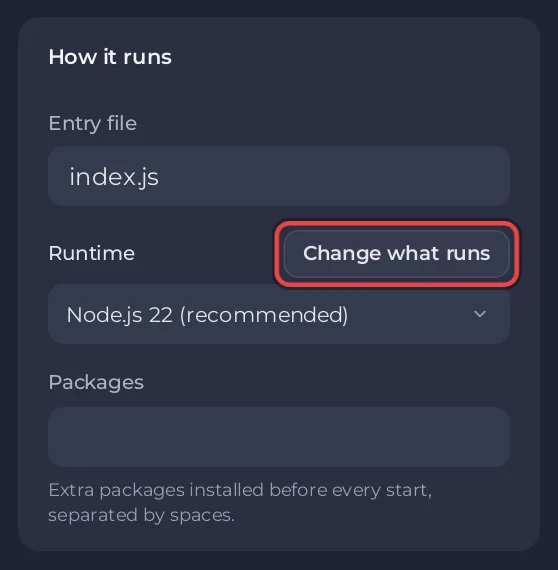
- On the Bot page, on any screen: pane Code, the Change what runs button next to Runtime.
- On a computer: click the type label at the top of the server page, for example Node.js Bot.
- In the setup card: on Overview, the Set up your bot card has Change what runs in its first step, What runs. In its last step it also says when it found code in another language, for example We found bot.py, a Python file, but this server runs JavaScript., with a Change what runs button.
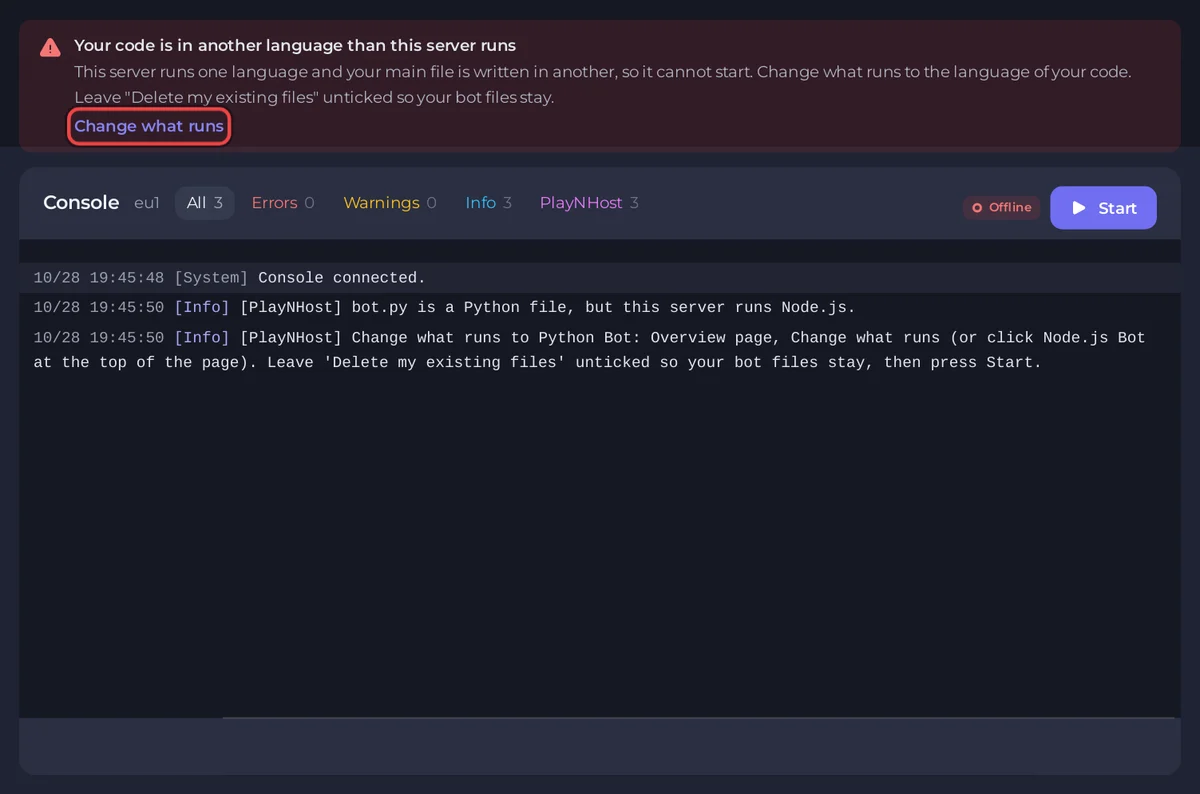
- From the console: when your code is in another language than the server runs, the banner Your code is in another language than this server runs has a Change what runs button.
Change the type
- In Change server type, under Choose a server type, pick the new type and click Next step.
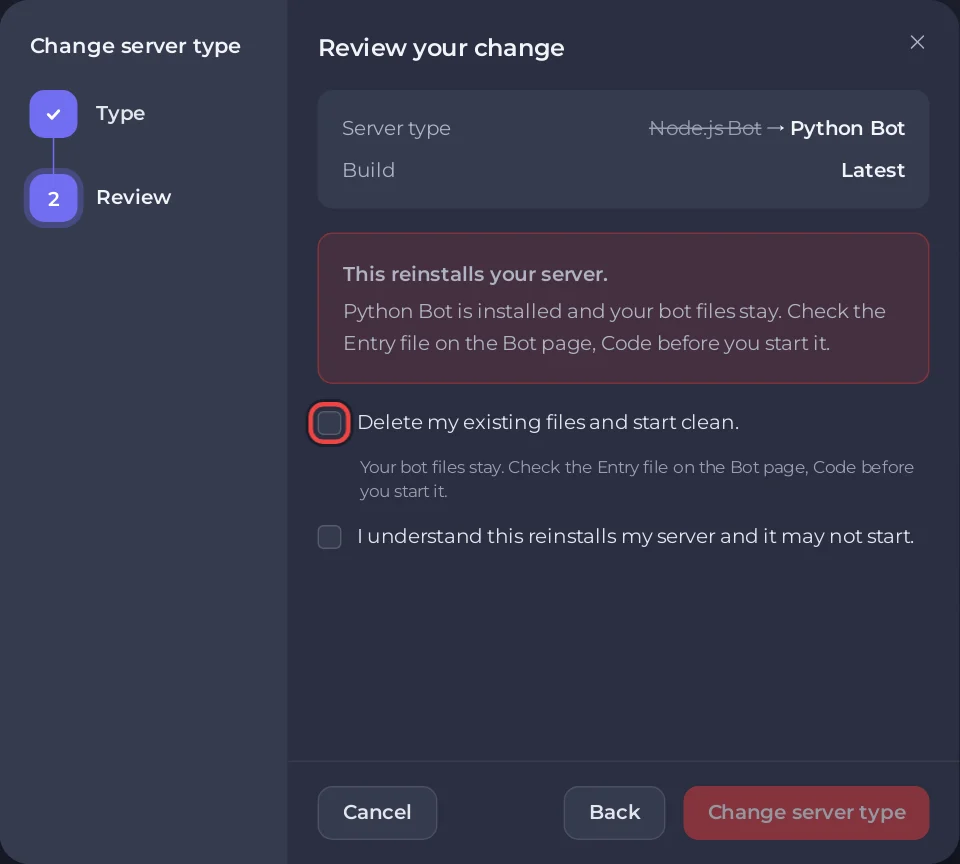
- Read the review. It says This reinstalls your server.
- Leave Delete my existing files and start clean. unticked to keep your bot files. The dialog then says the new type is installed and your bot files stay. Tick it only if you want an empty server; your files are deleted, so download anything you want to keep first.
- Tick the box that confirms you understand, then click Change server type.
- Wait for the install to finish, then check the Bot page, pane Code: each type has its own Entry file and default (
index.jsfor Node.js,bot.pyfor Python,bot.jarfor Java,index.tsfor Bun,main.tsfor Deno,botfor Go and Rust). Set it to your file, then press Start.
Choosing the type the server already runs is blocked: it would reinstall without changing anything. To run the install again on the same type, for example to get the newest start script, use the Reinstall card at the bottom of the Code pane instead.
What stays the same
- Your token. It is saved once for the server and handed to the new type under the name that type reads, so you do not paste it again.
- Your environment variables under Environment.
- Your plan: memory, storage, database and price. A type change is not an upgrade.
To be safe, take a backup before a big change: How to create, download and restore backups. Running two bots at once needs two bot servers.
Guides for each type
Node.js, Python, Java, C# (.NET), Bun, Deno, Go, Rust. Ready-made bots: How to set up a ready-made music bot, Red, JMusicBot, Discord Tickets, AI Chat Bot, Ree6, Bastion, Game Server Monitor, matterbridge.


