

To choose PvP or PvE on a V Rising server on PlayNHost, pick a Game Settings Preset in Settings, Game Settings, for example StandardPvE or StandardPvP, and a Game Difficulty Preset, then restart. Do it before the world is created: the panel itself warns that some settings may not apply after the save file is first created.
Set the preset for a new world
- Open your server in the panel and click the Settings tab.
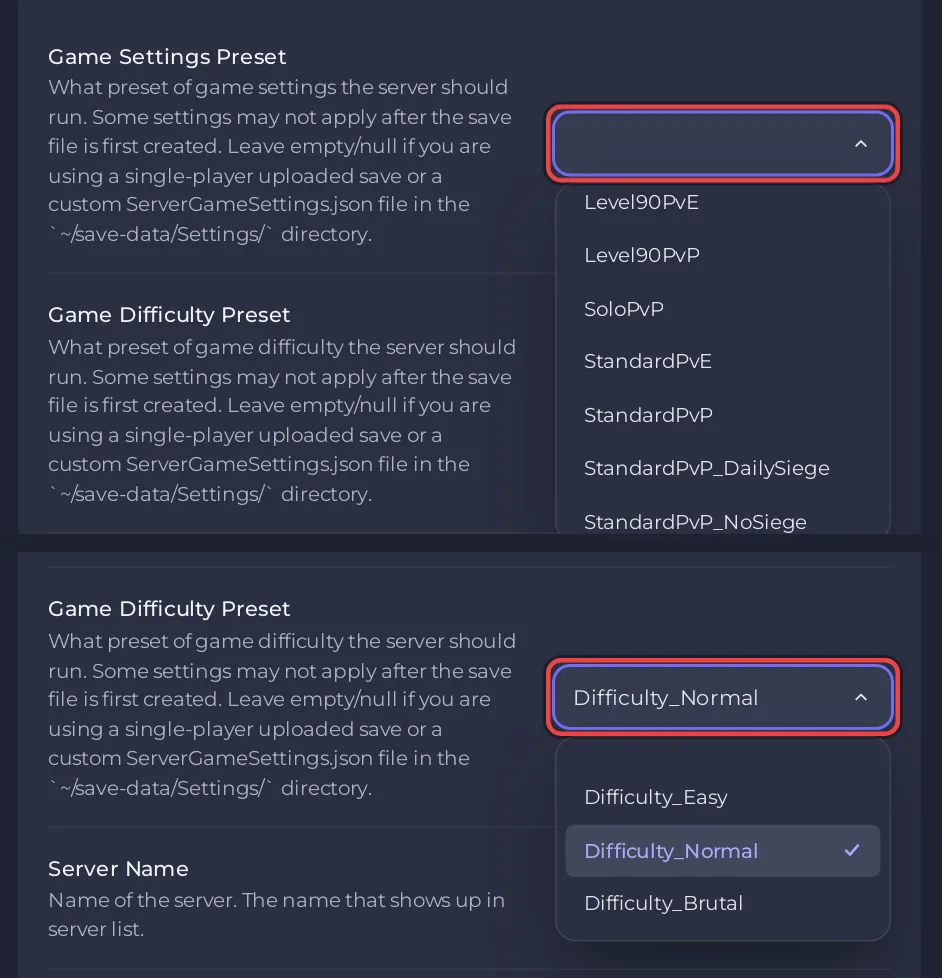
- On Game Settings, open Game Settings Preset and pick one. The PvE presets are
StandardPvEandLevel30PvEtoLevel90PvE. Every other preset is PvP. - Open Game Difficulty Preset and pick
Difficulty_Easy,Difficulty_NormalorDifficulty_Brutal. - If the server has already created its world, give Save Name a new name, for example
world2, so the server creates a new world with these rules. The old world stays on disk. - Restart the server. The new world is created with the preset you picked.
To switch back to the old world later, set Save Name back to its name: How to start a new world on your V Rising server.
Which presets are there?
The panel offers the 31 presets the server type lists:
| Kind | Presets |
|---|---|
| PvE | StandardPvE, Level30PvE, Level40PvE, Level50PvE, Level60PvE, Level70PvE, Level80PvE, Level90PvE |
| PvP | StandardPvP, StandardPvP_DailySiege, StandardPvP_NoSiege, StandardPvP_WeekendSiege, SoloPvP, DuoPvP, DuoPvP_DailySiege, DuoPvP_NoSiege, DuoPvP_WeekendSiege, TrioPvP, TrioPvP_DailySiege, TrioPvP_NoSiege, TrioPvP_WeekendSiege |
| Hardcore PvP | HardcorePvP, HardcoreDuoPvP, HardcoreTrioPvP |
| Level PvP | Level30PvP, Level40PvP, Level50PvP, Level60PvP, Level70PvP, Level80PvP, Level90PvP |
Each preset is a file from Stunlock Studios on your server. To read exactly what one sets, open Files and go to VRisingServer_Data/StreamingAssets/GameSettingPresets, where Stunlock's server instructions say the presets are kept. Difficulty presets are beside it in GameDifficultyPresets.
What does an empty preset mean?
A new PlayNHost server starts with Game Settings Preset empty. Then the server uses the game's default rules from VRisingServer_Data/StreamingAssets/Settings/ServerGameSettings.json, or your own file in save-data/Settings if you made one. Open the default file under Files to see which game mode it sets.
Leave the preset empty in two cases, as the setting's own description in the panel says:
- you uploaded a world from single player and want its own rules: How to upload your own V Rising world
- you wrote your own
ServerGameSettings.json: How to change game rules on your V Rising server
A preset you pick takes priority over those rules, which is why it must be empty for them to count.
Changing the preset of a world you already play
You can change the preset and restart, but some of its settings will not apply to a world that already exists. If the server must play by the new rules from the start, start a new world as in the steps above, or wipe the current one: How to wipe your V Rising server. Take a backup first: How to back up and restore your V Rising world.
Plans and features: V Rising server hosting.


