

To start a new world on your V Rising server on PlayNHost and keep the old one, give Save Name a new name in Settings, Game Settings, for example world2, and restart. The server creates a fresh world in its own folder. The old world stays on disk, and setting Save Name back loads it again.
Start a new world
- Open your server in the panel and click Backups in the left menu. Click Start backup, so the current world is safe.
- Click the Settings tab.
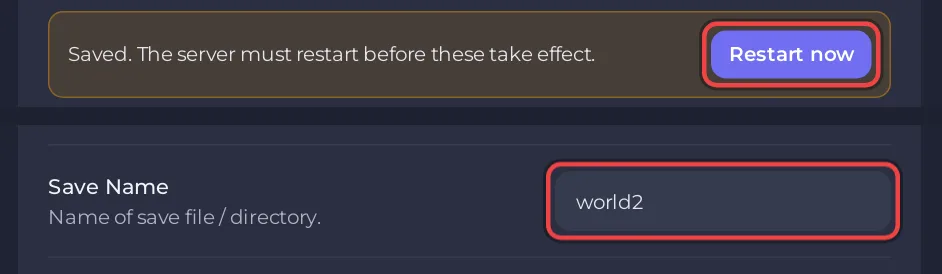
- On Game Settings, type a new Save Name, for example
world2. Use a name that is not already a folder insave-data/Saves/v4. - Pick the Game Settings Preset and Game Difficulty Preset the new world should have. They are applied when the world is created: How to choose PvP or PvE on your V Rising server.
- Click Restart now. The server creates
save-data/Saves/v4/world2and players start fresh.
Switch back to the old world
- On Game Settings, set Save Name back to the old name, for example
world1. - Restart. The server loads that world from its newest autosave.
To see which worlds exist, open Files and look in save-data/Saves/v4: each folder is one world.
Keep or delete old worlds?
Old worlds stay until you delete them. Each one takes disk space and makes every backup larger. To remove one, open save-data/Saves/v4 in Files and delete its folder, never the folder of the world in Save Name. To delete every world at once and start over, use the World Wipe task: How to wipe your V Rising server.
Good to know
- Admins, bans and your own game rules are in
save-data/Settings, so they apply to every world on the server. - A name that already exists loads that world, it does not reset it.
- To play a world from your PC instead: How to upload your own V Rising world.
Plans and features: V Rising server hosting.


