

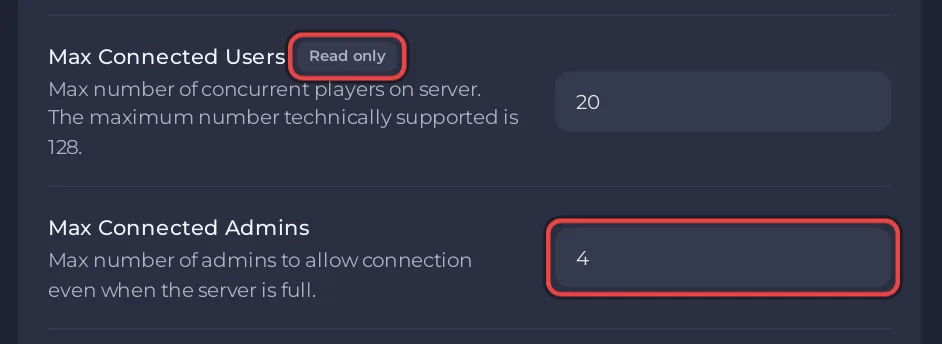
A V Rising dedicated server supports up to 128 players at once: Stunlock Studios calls 128 "the maximum number technically supported". On PlayNHost, the number your server accepts is the player slots of your plan, shown as Max Connected Users in Settings, Game Settings. Admins can still join a full server, up to Max Connected Admins (4 by default).
See your server's limit
- Open your server in the panel and click the Settings tab.
- On Game Settings, read Max Connected Users. It is read only, because your plan sets it.
- Read Max Connected Admins below it. You can change that one.
The server card on the Overview page shows the same number in its Slots row. Where the panel can change it, a pencil next to Slots changes the slots within your plan's limit: How to rename your server and change player slots.
How do admins join a full server?
Max Connected Admins is the number of admins the game lets in even when the server is full, as Stunlock's server instructions describe it. An admin is a player whose SteamID is in save-data/Settings/adminlist.txt: How to become admin on your V Rising server.
Is a clan the same as the player limit?
No. The player limit counts everyone online. Clan rules are game rules, set by the preset you pick or by your own rules file. Open a preset under Files in VRisingServer_Data/StreamingAssets/GameSettingPresets to read what it sets: How to choose PvP or PvE on your V Rising server.
Where do the player slots come from?
From your plan: each plan has its own number of player slots, written into Max Connected Users for you. Changing plans is explained in How to change your plan or billing cycle.
Memory use with players online: How much RAM does a V Rising server need?. Plans and features: V Rising server hosting.


