

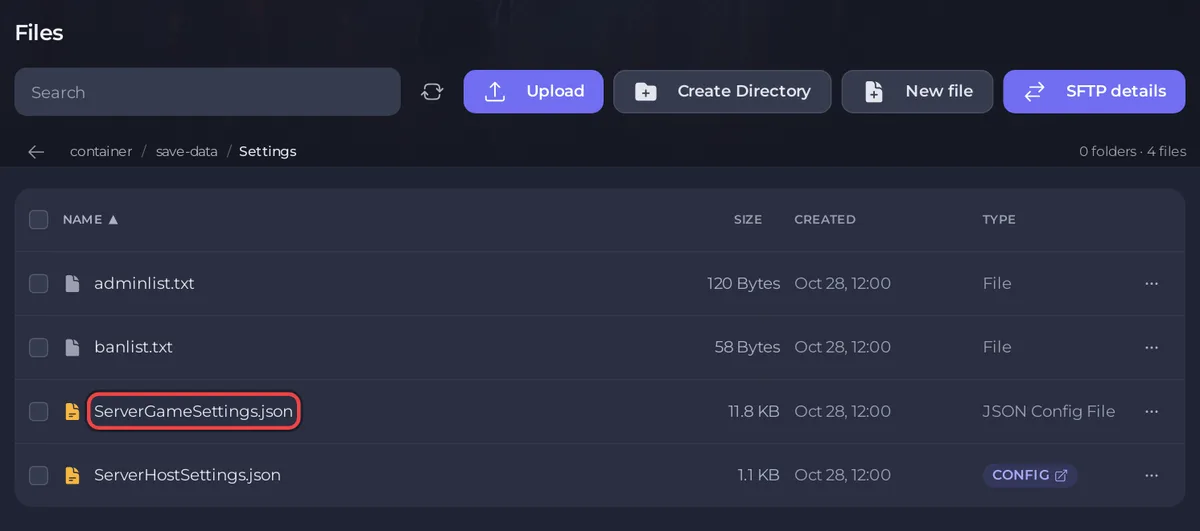
V Rising keeps its game play rules in ServerGameSettings.json, the file Stunlock describes as the one for game play related settings. To change them on a PlayNHost server, copy the game's default file into save-data/Settings, edit the values there, set Game Settings Preset to empty and restart. Your file survives a world wipe.
Make your own rules file
- Open your server in the panel and click Stop. Wait for the badge to say Offline.
- Click the Files tab and open
VRisingServer_Data/StreamingAssets/Settings. - Open
ServerGameSettings.json. This is Stunlock's default. Select all of its text and copy it. Do not save changes here: Stunlock advises against editing the default files, and a game update can overwrite them. - Go back to the top of Files and open
save-data/Settings. If aServerGameSettings.jsonis already there, open that one instead, change the values you want, click Save content and go on at step 7. - Click New file, paste the text, and change the values you want. Change only values: keep every quote, comma and bracket as it is.
- Click Create file, type
ServerGameSettings.jsonas the File name, and click Create file again. - Click the Settings tab and set Game Settings Preset to the empty choice at the top of the list.
- Click Start.
Stunlock's server instructions describe this as the local override: the server loads the default file first, then your file in the Settings folder. You can put a full file there, as above, or only the settings that differ from the default.
Which rules are in the file?
Open the default file to see every key and its value: Stunlock does not publish a list of them, and the file itself is the reference for your game version. Stunlock's patch notes name several of these server settings, among them how fast a castle heart uses blood essence (a castle whose heart runs dry starts to decay), the day and night cycle, the damage vampires receive, how many castle hearts a clan may own (new in 1.1) and the interval between Mortium Rift events.
Why must the preset be empty?
A Game Settings Preset loads one of Stunlock's ready-made rule sets, and it takes priority over your file. The setting's description in the panel says to leave it empty when you use your own ServerGameSettings.json. Game Difficulty Preset is a separate setting for difficulty: How to choose PvP or PvE on your V Rising server.
When do the new rules apply?
At the next start. The panel's own warning applies here too: some settings may not apply after the save file is first created. If a rule does not change in your current world, it is one of those, and it takes a new world to change it: How to start a new world on your V Rising server.
Does a wipe delete my rules?
No. The panel's help for V Rising says game rules in save-data/Settings survive wipes: the World Wipe task deletes only the worlds in save-data/Saves. See How to wipe your V Rising server.
If the server does not start or ignores your rules
Check that the file is still valid JSON: a missing comma, quote or bracket breaks it. Stunlock's help center names a broken ServerHostSettings.json or ServerGameSettings.json as the most likely cause when a server you host shows "Unknown Status": Cannot Connect to Server, or Unknown Server Status. Stop the server, open save-data/Settings/ServerGameSettings.json and compare it with the default file, or delete it to go back to the default rules, then start again. Take a backup before big edits: How to back up and restore your V Rising world.
Editing files in the panel: How to upload, edit and manage your server files. Plans and features: V Rising server hosting.


