

When players cannot join a Sven Co-op server on PlayNHost, the server is most often not Online yet, or the player typed the address without its port. Check the badge on Overview, then have the player paste the whole address the Join button copies into connect.
Check these in order
- Open your server in the panel and look at the badge next to the name. It must say Online. Starting means the server has not printed
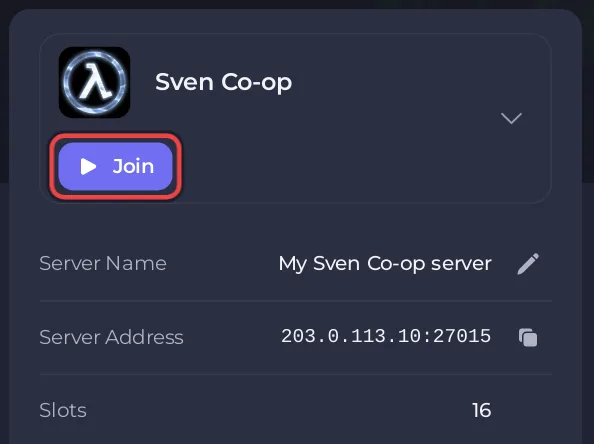
Connection to Steam servers successful.in the Console yet: wait for it. - Click Join on the server card and send the player the copied Server Address. It looks like
address:port, and the port is part of it. - Ask the player to open the game console with the backtick or
~key and typeconnectfollowed by that whole address. - If your server has a join password, ask the player to type
password "the-join-password"in the console beforeconnect. - If the player sees
Your .dll [cl_dlls/client.dll] differs from the server's, ask them to restart Steam so the game updates, and restart your server so it checks Steam for the same build.
Why does the server not turn Online?
The badge changes to Online only when the Console prints Connection to Steam servers successful. If that line never comes:
- The page says Running Installer: the game is still downloading. The page updates by itself when it is done.
- The page says Installation failed: click Open a ticket and support sorts it out.
- The server stops on its own: read the last lines the Console printed before it stopped.
More on servers that do not start: How to fix a server that will not start.
Why can nobody join a server that shows Online?
Check Default Map in Settings, Game Settings. It must be the exact name of a map file the server has, without .bsp, such as svencoop1. The Sven Co-op wiki warns that a server with no starting map "will remain stuck in an un-connectible state", and a map name the server cannot find leaves it without a map too. Set Default Map back to svencoop1 and restart if you are not sure. See How to change the map on your Sven Co-op server.
Why does the player get "differs from the server's"?
Your .dll [cl_dlls/client.dll] differs from the server's means the player's game and your server run different versions of Sven Co-op. The Sven Co-op FAQ says you can only play on servers running the same version as your game. Your server checks Steam for a newer build every time it starts, so a restart after a game update brings it level. If the player opted into a test version of the game on Steam, they must switch back to the normal version: your server runs the public version only. See How to update your Sven Co-op server.
Why can the player not find the server in the list?
The list is only one way in: connect with the address always works while the server is Online. If your server is missing from the list:
- Region is
-1, which means "Do not list server in the server browser". Set another region in Settings, Game Settings, and restart. - Region is set to a part of the world the player is not filtering on.
255(International) is the setting on a new server. - The Server Name was changed while the server ran: the new name shows after the next start.
See How to change the name, password and region of your Sven Co-op server.
Why are players refused after the server got busy?
Every player slot may be taken. Max Players in Game Settings, shown as Slots on Overview, sets how many players fit at once, from 2 up to your plan's player slots. See How many players can a Sven Co-op server have.
Why can one player not join when everyone else can?
- The player may be banned on your server. Bans live in
svencoop/banned.cfg(Steam IDs) andsvencoop/listip.cfg(addresses), whichserver.cfgloads at every start. See How to kick and ban players on your Sven Co-op server. - The player typed an old password. The join password changes only when the server restarts after you save it.
Why does joining fail after I added many maps to the vote list?
The official server config manual warns about the map vote list mapvote.cfg: "Exceeding 200 maps may prevent players joining due to "reliable channel overflowed"!" Keep that list under 200 maps. See How to add custom maps to your Sven Co-op server.
Every other problem is in Sven Co-op server problems and fixes. Join steps for your players: How to join your Sven Co-op server.


