

To change the map on a Sven Co-op server on PlayNHost right away, type changelevel and the map name in the Console tab, for example changelevel sc_tetris1. The new map loads without a restart. To choose the map the server starts on, set Default Map in Settings, Game Settings.
Change the map now
- Open your server in the panel and click the Console tab. The badge must say Online.
- Type
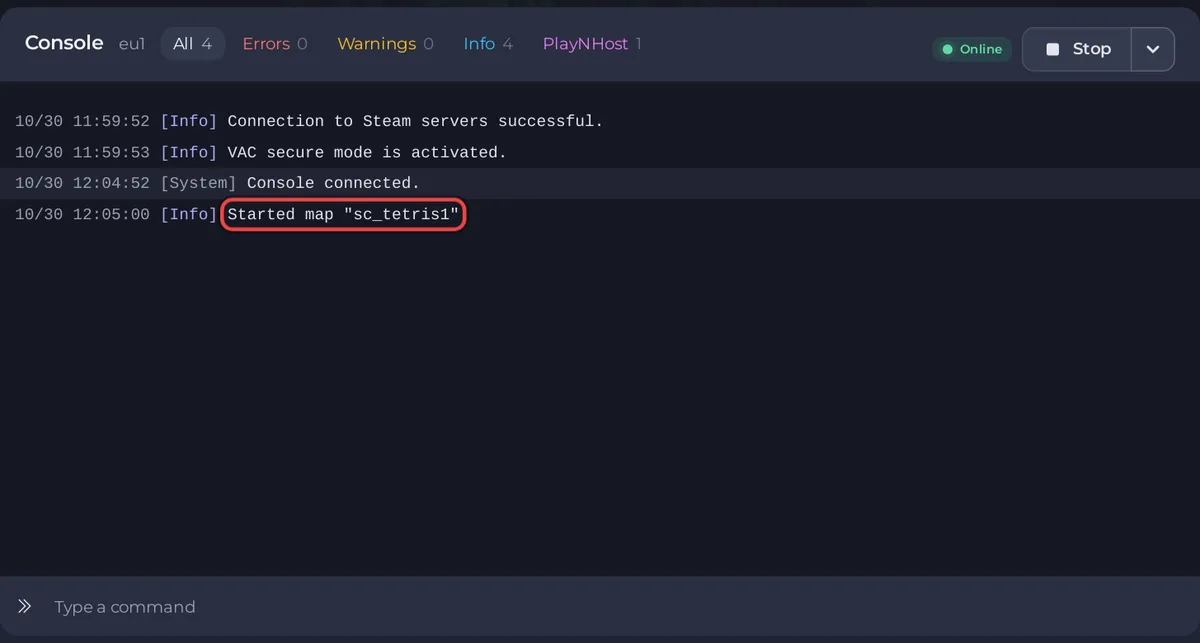
changelevel sc_tetris1in the Type a command box, with the map you want, and press Enter. - Wait for the Console line
Started map "sc_tetris1"with your map's name. The server is on the new map.
Use the map's file name without .bsp. Official maps have names such as svencoop1, osprey and sc_tetris1. Maps you added are the .bsp files in svencoop_addon/maps, on the Files tab.
Change the map with a task on Quick Tasks
The Change Map task on Quick Tasks sends the same changelevel command. It is handy to pin to Overview or to put on a schedule.
- Click Quick Tasks in the left menu.
- Under All tasks, open Default tasks and find Change Map. It says
Loads a different map right away, without restarting the server. There is no world to save on these match-based games. - Click Run. The Configure task window opens.
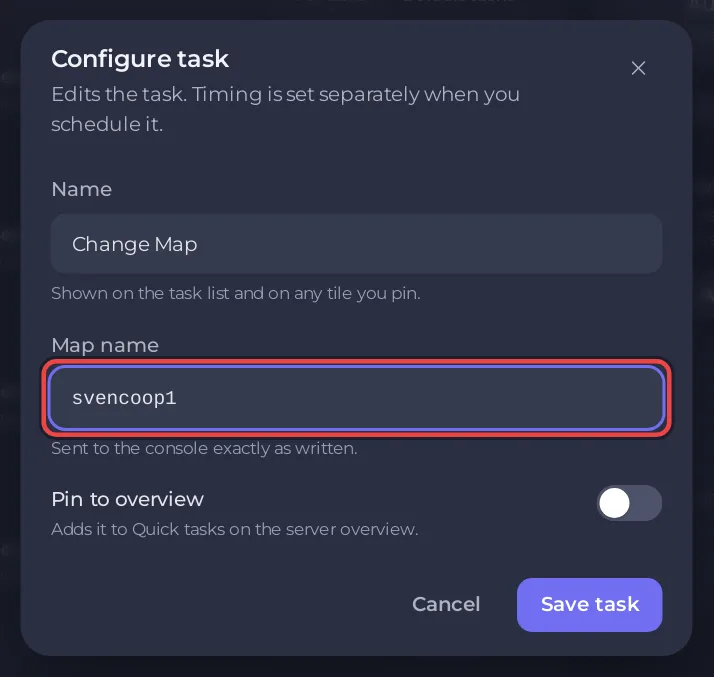
- Type the map in Map name, for example
svencoop1, and click Save task. The example in the empty field,dod_anzio, is a map from another game: replace it with a Sven Co-op map. - Click Your tasks above the list and click Run next to your saved task.
Only letters, digits and underscores are kept in Map name, up to 32 characters. A map whose name starts with a hyphen, such as -sp_campaign_portal, loses the hyphen and does not load: load it in the Console with changelevel "-sp_campaign_portal", quotes included.
How do I choose the map the server starts on?
- Click the Settings tab, then Game Settings under Server Settings.
- Type the map in Default Map, for example
osprey. It issvencoop1on a new server. Press Enter or click outside the field to save it. - Click Restart now when the panel shows
Saved. The server must restart before these take effect.
Default Map is loaded at every start and every restart, whatever map was played last. It cannot contain spaces, quotes, \, * or ?.
Which maps come with Sven Co-op?
The official map list names each map by its file name. A few to start with:
| Map | Type it as | Size |
|---|---|---|
| Sven Co-op series | svencoop1 | Series of 2 maps |
| Tetris | sc_tetris1 | Series of 6 maps |
| Toonrun | toonrun1 | Series of 3 maps |
| New Hope's Last Stand | last | Series of 4 maps |
| Osprey Attack | osprey | Small |
| Stadium 4 | stadium4 | Small |
| Polar Rescue | polar_rescue | Medium |
| Hostile Planet | hplanet | Medium |
| Another Unit | sc_another | Large |
| They Hunger: Escape | th_escape | Large |
Start a series with its first map. The official list says a map "will progress onto additional maps in its own way if it has them".
How do I play the Half-Life campaign?
The official list says: "To play the Half-Life story, Opposing Force story, or Uplink story on Sven Co-op use the portal map made by Puchi." Its name is -sp_campaign_portal. The Sven Co-op wiki says a map name that begins with a hyphen must be written in double quotes. In the Console, type:
changelevel "-sp_campaign_portal"The name cannot go in Default Map, which does not accept quotes, or in the Change Map task, which drops the hyphen.
How do I choose the next map?
Type mp_nextmap_cycle and a map name in the Console, for example mp_nextmap_cycle stadium4. The official manual describes it as "Sets the next map for the server". Players see the change on the scoreboard after they respawn. The map cycle itself is the file svencoop/mapcycle.txt, and the maps players can vote for are listed in svencoop/mapvote.cfg. Keep that vote list under 200 maps: the manual warns that more "may prevent players joining".
Does changing the map lose progress?
There is no world to save on a Sven Co-op server. A map always starts fresh when it loads, so changing it loses only the progress made on the current map.
To play a map that is not on the server yet, upload it first: How to add custom maps to your Sven Co-op server. To change maps on a timer, put Change Map on a schedule: How to restart your Sven Co-op server on a schedule. Other console commands: How to use the Console and commands on your Sven Co-op server.


