

To change the name, join password or region of a Sven Co-op server on PlayNHost, open Settings, then Game Settings, and edit Server Name, Password or Region. Each field saves when you press Enter or click outside it, and the change applies when the server restarts. The panel writes these three values into svencoop/server.cfg at every start.
Change them
- Open your server in the panel and click the Settings tab.
- Click Game Settings in the Server Settings card. The page shows
Options this game exposes. Changes apply the next time the server starts. - Type the new value into Server Name, Password or Region, then press Enter or click outside the field to save it.
- Wait for
Saved. The server must restart before these take effect. - Click Restart now. When the badge says Online again, the server uses the new values.
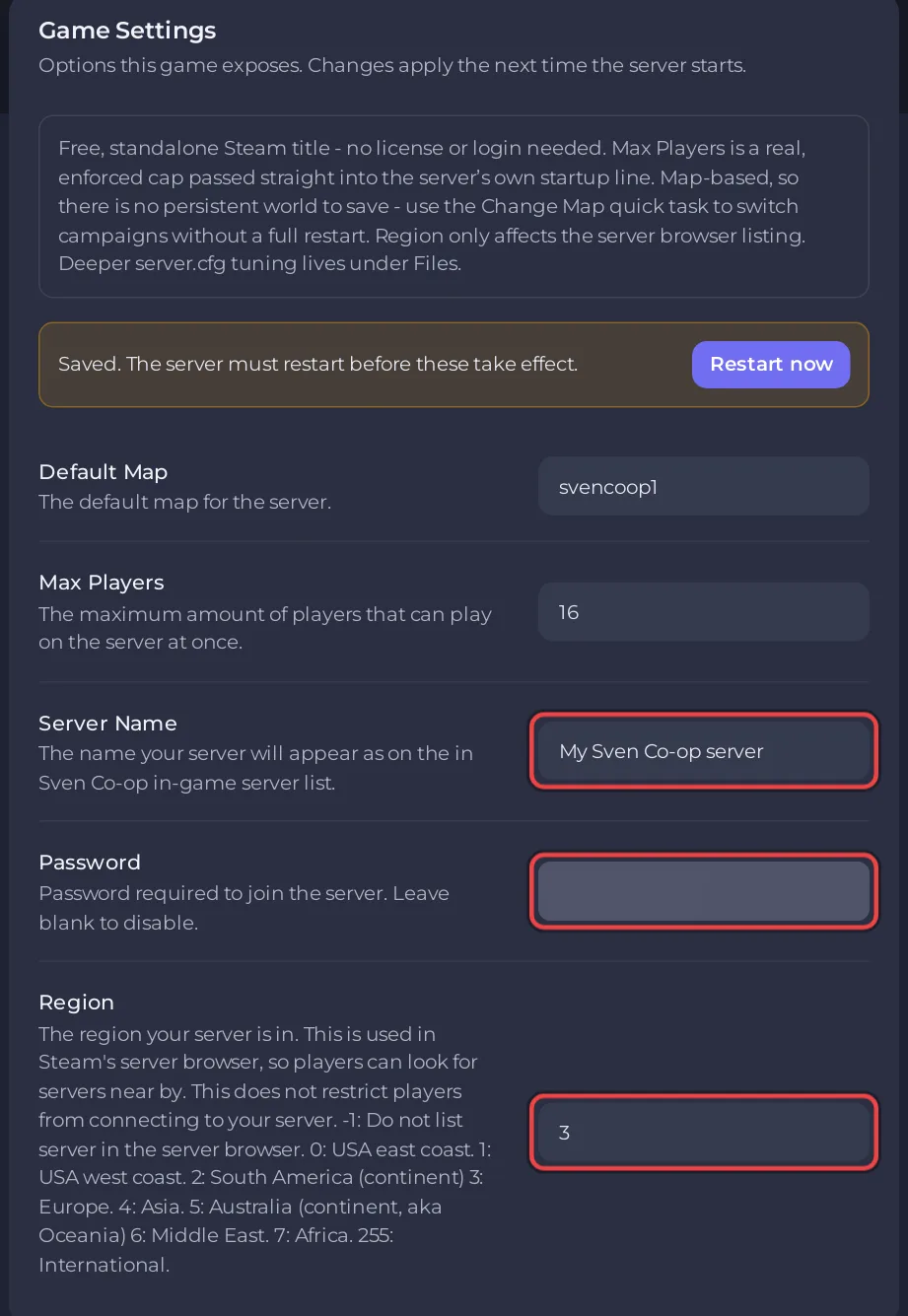
What can each field hold?
| Field | Allowed | On a new server | What it does |
|---|---|---|---|
| Server Name | Required, up to 40 characters | Sven Co-op server | The name players see in the server list |
| Password | Empty or up to 20 characters | Empty (no password) | Players must type it to join. Leave it empty for a public server |
| Region | A number from -1 to 255 | 255 (International) | Where the server shows in the server browser |
The panel refuses a value outside these limits, shows an error and keeps the old value.
Which Region number should I pick?
These are the numbers the field help lists:
| Region | Meaning |
|---|---|
-1 | Do not list the server in the server browser |
0 | USA east coast |
1 | USA west coast |
2 | South America |
3 | Europe |
4 | Asia |
5 | Australia (Oceania) |
6 | Middle East |
7 | Africa |
255 | International |
Pick the part of the world where your server runs and most of your players are. The Location row on Overview shows where your server runs. Region changes only the listing: the official manual says it "does not restrict players from connecting to your server". A server on -1 is hidden from the list, and players join with connect and the address.
Why did my edit of hostname in server.cfg disappear?
The panel rewrites the hostname, sv_password and sv_region lines of svencoop/server.cfg from Game Settings before every start. A value you typed into those lines by hand is replaced at the next start. Use Game Settings for these three, and server.cfg for everything else: How to edit server.cfg on your Sven Co-op server.
Is Server Name the same as the name in the panel?
No. Server Name in Game Settings is the name players see in the game. The name at the top of the server card on Overview, with the pencil Rename this server, is only your label in the panel. See How to rename your server and change player slots.
How do players use the password?
Each player types password "the-join-password" in the game console before connect. See How to join your Sven Co-op server. To send friends a ready message with both lines: How to invite friends to your Sven Co-op server.


