

To kick a player from a Sven Co-op server on PlayNHost, type kicksteamid and the player's Steam ID in quotes in the Console tab, for example kicksteamid "STEAM_0:1:12345678". Players can also vote to kick, and to ban when you turn ban votes on in svencoop/server.cfg.
Kick a player
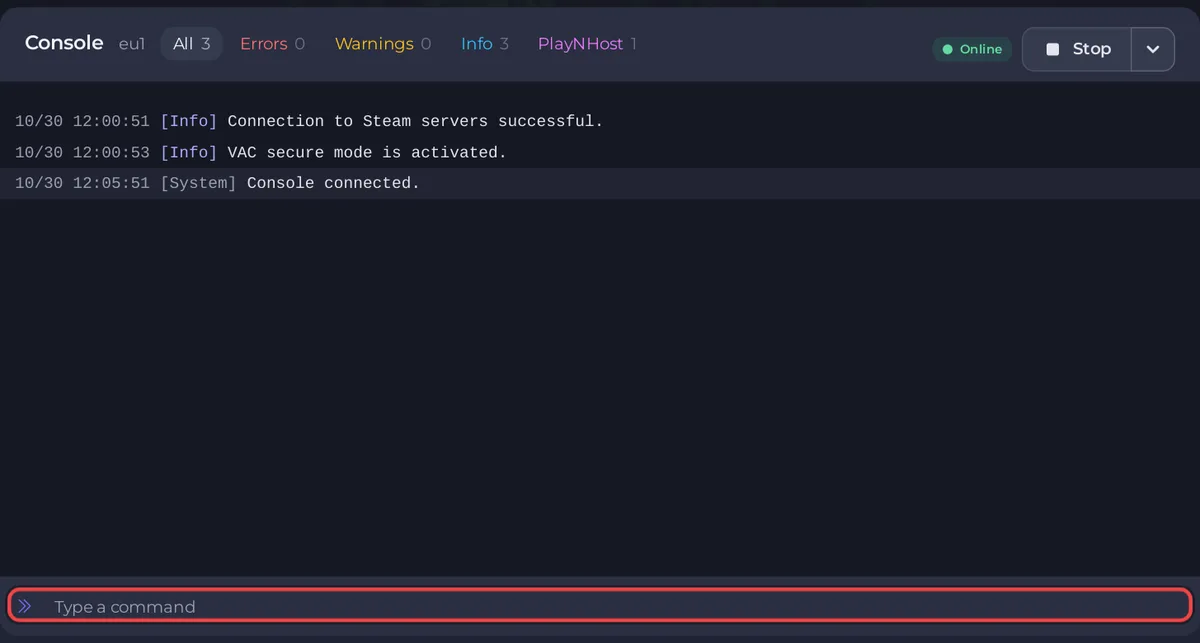
- Open your server in the panel and click the Console tab. The badge must say Online.
- Type
statusin the Type a command box, press Enter and look for the player's Steam ID, in the formSTEAM_0:1:12345678.statusis in the official command list, but the Sven Co-op team does not document what it prints: if you see no Steam ID there, ask the player for theirs. - Type
kicksteamidand the Steam ID in double quotes, for examplekicksteamid "STEAM_0:1:12345678", and press Enter. - The player leaves the server. They can join again unless you lock the server with a join password.
The official manual describes kicksteamid as "Kicks a players based on their Steam ID case-insensitively. You must surround the Steam ID with quotes."
How do players vote to kick or ban?
Sven Co-op has built-in votes. Their limits are lines in svencoop/server.cfg. These are the values the server configuration manual gives for its sample file; read the lines in your own file before you rely on them:
| Line | Value in the manual | Meaning |
|---|---|---|
mp_voteallow | 1 | Players can use the built-in voting |
mp_votekickrequired | 66 | A kick vote passes with 66 percent yes votes. -1 turns kick votes off |
mp_votebanrequired | -1 | Ban votes are off. A number turns them on, as the percent of yes votes needed |
The manual recommends leaving ban votes off "so bans are left up to the server administrators". To change a line, see How to edit server.cfg on your Sven Co-op server.
Where are bans kept?
In two files in the svencoop folder that server.cfg loads with exec: banned.cfg holds banned Steam IDs and listip.cfg holds banned IP addresses, as the official manual describes. Keep both files in your backups. The official command list names the engine's ban commands (banid, removeid, listid, writeid, addip, removeip, listip, writeip) but the Sven Co-op team does not document how to type them, so this guide does not either.
How do I keep one player out for good?
The sure way with what the panel offers is a join password that only your group knows:
- Click the Settings tab, then Game Settings.
- Type a password in Password and press Enter to save it.
- Click Restart now.
- Send the new password to the players you want, and kick the unwanted player with
kicksteamid.
See How to change the name, password and region of your Sven Co-op server.
Do I need to be admin in the game to kick?
No. The panel Console speaks to the server directly, so commands typed there work without any entry in admins.txt. In the game, Sven Co-op admins get cheat commands only: How to become admin on your Sven Co-op server. Other commands: How to use the Console and commands on your Sven Co-op server.


