

To change the game rules of a Palworld server on PlayNHost, open Settings, then Gameplay Settings under Config files. Change the values, then click Save only to apply them at the next start or Save & restart to apply them now. The page edits PalWorldSettings.ini for you, one value at a time.
Change a setting
- Open your server in the panel and click the Settings tab.
- Under Config files in the list on the left, click Gameplay Settings.
- Find the setting. Type part of its name in the search box at the top (it says Search and the number of settings), for example
capture, or scroll through the groups. - Change the value: a switch for on or off, a list for a choice, a box for a number.
- The bottom of the page counts your changes, for example
2 unsaved changes.. Click Save only or Save & restart. Revert throws your changes away.
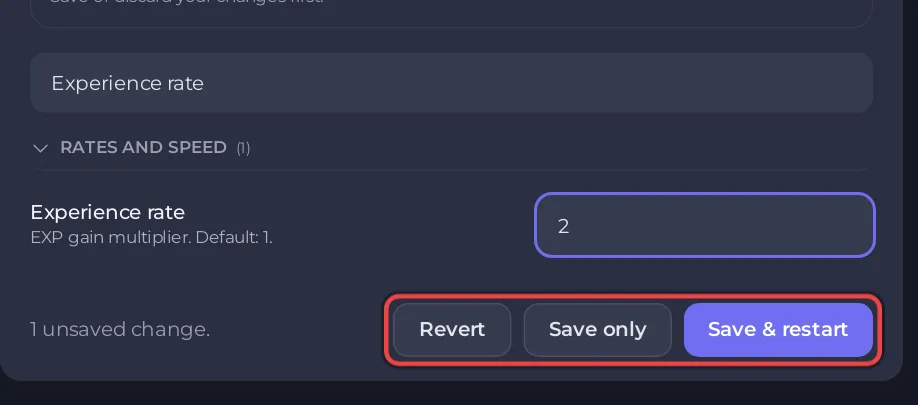
After Save only the page says Saved. Changes take effect the next time the server starts. After Save & restart it says Saved, and the server is restarting.
The five groups
| Group | What is in it |
|---|---|
| Rates and speed | Experience, capture, gathering, drops, work speed, Egg hatching time, day and night length, damage, hunger and stamina: How to change rates on your Palworld server |
| Gameplay rules | PvP, hardcore, fast travel, raids, voice chat, which stats players can raise: How to turn on PvP, hardcore |
| Base, guild and limits | Bases, Pals working per base, guild size, dropped item limits, autosave: How to change base and guild limits on your Palworld server |
| Server behaviour | Player list in the Esc menu, chat limit, join messages, world backups, supply drops, global Palbox |
| More settings | Difficulty, Death penalty, the Pal randomizer, voice chat distances and other rarely used values |
The groups appear in capitals on the page. Every setting with its default is in Palworld server settings: every option explained.
Values the page accepts
- Numbers are written with a dot for decimals, for example
1.5. A comma is refused withmust be a number, written with a dot for decimals (for example 1.5). - Whole-number settings, such as Pals working per base, refuse decimals.
- A choice list only offers the values Palworld accepts.
When do Palworld gameplay changes take effect?
- You can save while the server runs. Palworld reads the file only when it starts, so nothing changes in the game until the next start.
- The server name, passwords, player limit and crossplay are not on this page. They are under Game Settings, because the panel writes them at every start: How to set up your Palworld server.
- Presets change a group of settings in one click: How to use presets on your Palworld server.
- If the page says
Palworld has not written its settings yet. Start the server once and try again., start the server once and open the page again. - If nothing changes in the game after a restart, your world has its own settings file: Palworld Gameplay Settings changes do nothing.
- These settings stay when you reset or switch the world.


