

To make a Palworld server hardcore, open Settings, Gameplay Settings and switch on Hardcore in the Gameplay rules group: players cannot respawn after death. Add Lose Pals on death to lose the party's Pals too. Save and restart. The Hardcore preset sets all of this, plus the harshest death penalty, in one click.
The quick way: the Hardcore preset
- Open your server in the panel, click the Settings tab, then Gameplay Settings under Config files.
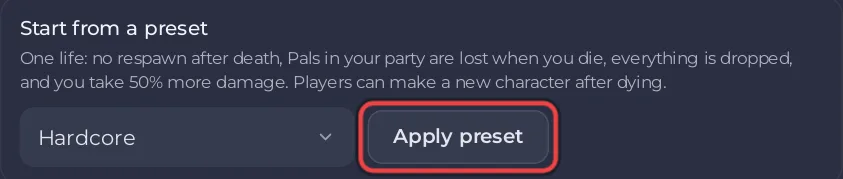
- Under Start from a preset, choose Hardcore, click Apply preset and confirm.
- Restart the server.
The preset's description: "One life: no respawn after death, Pals in your party are lost when you die, everything is dropped, and you take 50% more damage. Players can make a new character after dying." It sets Hardcore on, Lose Pals on death on, New character after a hardcore death on, Death penalty All, Damage taken by players 1.5 and Experience rate 1.
Set it by hand
| Setting | What it does | Default |
|---|---|---|
| Hardcore | Enables hardcore: you will not be able to respawn on death | Off |
| Lose Pals on death | Permanently lose Pals on death | Off |
| New character after a hardcore death | Whether a player may make a new character after dying in hardcore | Off |
| Death penalty (in More settings) | What is dropped on death: None, Item, ItemAndEquipment or All | Item |
| Damage taken by players (in Rates and speed) | Damage taken by players multiplier | 1 |
Switch them on or change them, then click Save & restart.
Before you switch it on
- Tell your players. A character that dies on a hardcore server is gone unless New character after a hardcore death is on.
- Take a backup if the world already has progress: How to back up and restore your Palworld world.
- To go back, switch Hardcore and Lose Pals on death off, or apply Palworld defaults.
More on what players drop: How to change the death penalty on your Palworld server. Every preset: How to set up your Palworld server with a preset.


