

To change the name, join password or description of your V Rising server on PlayNHost, open Settings, Game Settings, edit Server Name, Server Password or Server Description, and restart the server. The new values are written into the game's settings file at the next start.
Change them
- Open your server in the panel and click the Settings tab.
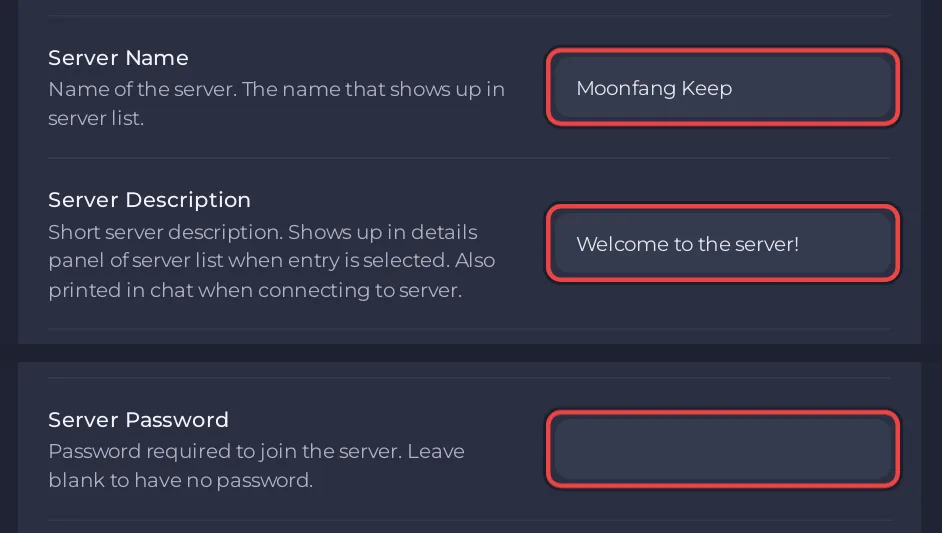
- On Game Settings, type the new Server Name. This is the name players see in the in-game server list. It cannot be empty.
- Type a Server Password, or leave it empty for a server anyone with the address can join.
- Type a Server Description. The game shows it in the details of the server list and prints it in chat when a player connects.
- Click outside each field to save it. The panel answers Saved. The server must restart before these take effect.
- Click Restart now.
Good to know
- Players who are already connected keep playing until the restart. After it, everyone who joins needs the new password.
- Change these on Game Settings, not in
ServerHostSettings.json: the panel writes its values into that file at every start, so an edit in the file is replaced. - The pencil next to Server Name on the Overview page renames the server in the panel only, for your own use. It does not change the name players see in the game: How to rename your server and change player slots.
- A V Rising RCON tool can change the name, description and password while the server runs (
name,description,passwordin Stunlock's RCON list), but the panel values come back at the next start. See How to use RCON on your V Rising server.
Tell your players
Send friends the address, the name and the password: How to invite friends to your V Rising server. Other settings: How to set up your V Rising server: key settings. Plans and features: V Rising server hosting.


