

Most of what you want to change on a V Rising server is on one page of the panel.
Open Game Settings
- Open your server in the panel and click the Settings tab.
- Click Game Settings.
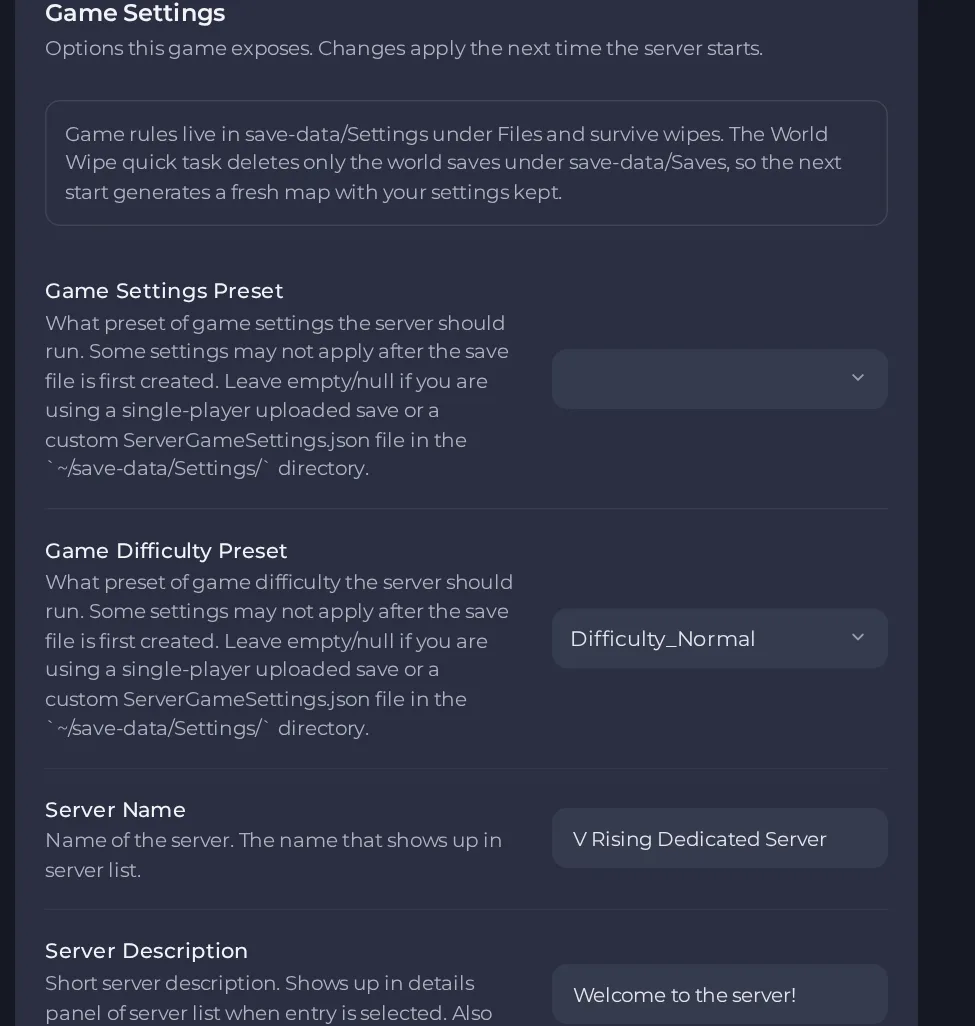
- Change a value and click outside the field, or press Enter. The panel saves it. Switches save as soon as you flip them.
- Restart the server so the change takes effect. See How to start, stop, restart and force-stop your server.
Options most owners change first
- Server Name. The name shown in the in-game server list, so pick something easy to search for.
- Server Description. Shown in the details panel of the server list and printed in chat when a player connects.
- Server Password. Leave it blank for a public server, or set one to make the server private.
- Game Settings Preset. Picks a ready-made ruleset such as StandardPvE, StandardPvP, SoloPvP or DuoPvP. Some settings do not change once the save has been created. Leave it empty when you use an uploaded single-player save.
- Game Difficulty Preset. Choose Difficulty_Easy, Difficulty_Normal or Difficulty_Brutal. Leave it empty too when you use an uploaded single-player save.
- Max Connected Admins. Number of admins who can still connect when the server is full. The player limit itself is set by your plan.
- Save Name. Name of the save folder the server loads. Changing it to a name that does not exist yet creates a new world with the current Game Settings Preset and Game Difficulty Preset, and the old world stays on disk. Changing it to a name that exists loads that world.
- Auto Save Interval. Seconds between automatic saves.
- Auto Save Count. How many automatic saves to keep before the oldest are deleted.
- Server FPS. Target server framerate; the official default is 30.
- Lower FPS When Empty. Runs the server at a lower framerate target while nobody is online; the target is set by Lower FPS When Empty Value.
- List On Epic. The game client looks for servers on the Epic list by default, so keep this on if you want players to find the server by name.
- List On Steam. Also lists the server on the Steam server list.
- Secure Server. Turns on VAC protection so VAC banned players cannot connect. Turning it off lowers protection, because cheaters can then join.
- Enable RCON. Allows remote admin tools to connect. Set your own RCON Password as well, because the server refuses an empty one.
Settings are written into the server's settings file when the server starts, so restart the server after changing them. Hand edits to the fields that have a panel setting are overwritten at the next start, so change them in the panel. Max Connected Users is set by your plan and cannot be edited.
Every option is listed in V Rising server settings: every option explained.





