

 MINECRAFT HOSTING
 GAME SERVERS
 Game Panel
Your players join your Satisfactory server with its Server Address, shown on the server's Overview page in the panel. Satisfactory is a first-person factory-building game on an alien planet, and a hosted server keeps your shared factory running so friends can join and build any time, even when you are offline.
Join in a few steps
- Open your server in the panel. If the status badge says Offline, click Start and wait until it says Online. See How to start, stop, restart and force-stop your server.
- On the Overview page, click the copy icon next to Server Address. It looks like
address:port.
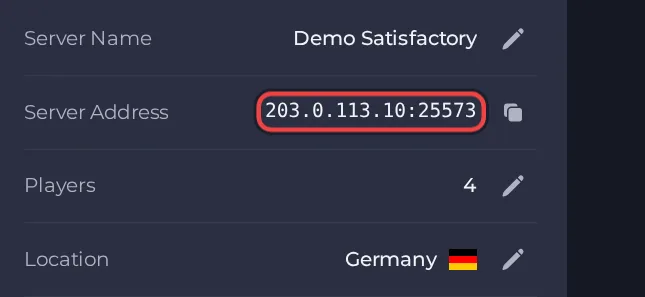
- Launch Satisfactory and open Server Manager from the main menu.
- Add the server using its address and port (the Server Address from the Overview page).
- The first time, the server is unclaimed: set a name for the server and an administrator password. This claims the server.
- Optionally set a player password in the server's settings in Server Manager if you want to keep strangers out.
- Create a new game from the server's Create Game tab, or bring an existing save with the Manage Saves tab.
- Other players add the same address and port in their own Server Manager and join from there, not through Join Game.
Ports
Players only use the port in the Server Address on the Overview page. The server also uses a second port, shown read-only as Reliable Messaging Port in Settings, then Game Settings. Players never type it in. If players connect but get stuck on the loading screen, contact support.





