

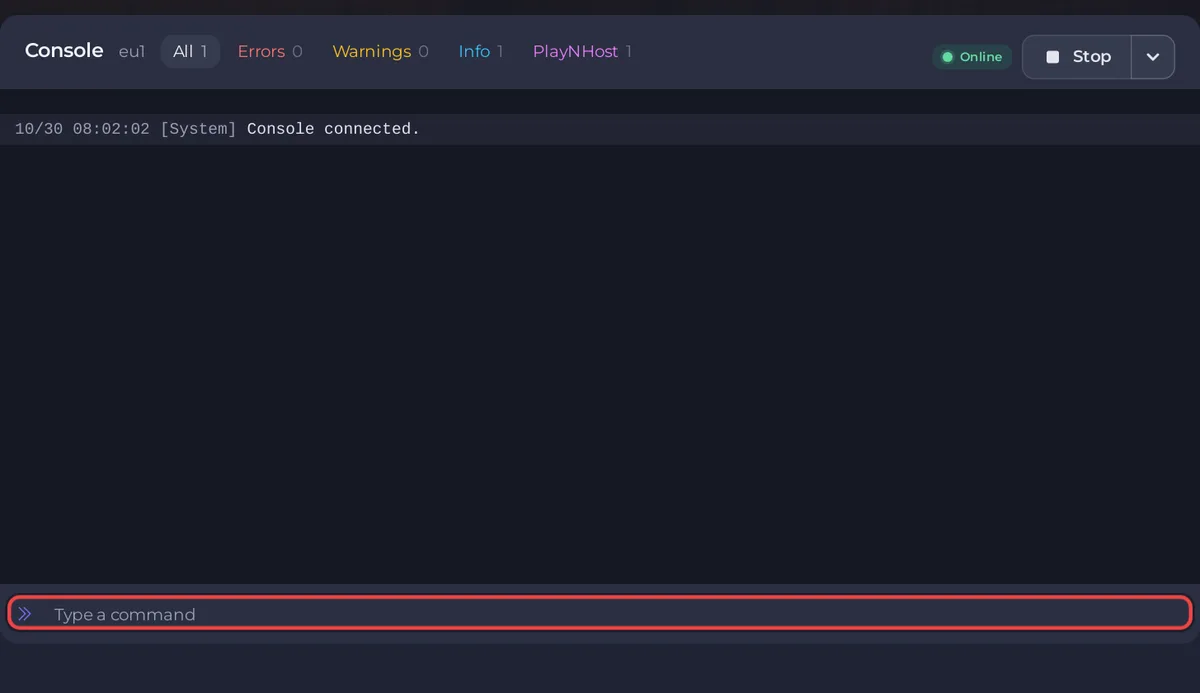
To run a command on an open.mp server on PlayNHost, click Console in the left menu, type the command in Type a command without a slash, and press Enter. The Console sends it straight to open.mp, so every open.mp server command works, and you need no RCON login. Type cmdlist to see them all.
Send a command
- Open your server in the panel. The badge must say Online.
- Click Console in the left menu.
- Click in Type a command at the bottom, type for example
players, and press Enter. - open.mp answers in the Console.
playersprints a table with the columnsID,Name,PingandIP, or nothing when nobody is online.
In the game, the same commands work for a logged-in admin with /rcon in front, for example /rcon players: How to become admin on your open.mp server.
Which commands does open.mp have?
These are the commands you will use most, as open.mp 1.6 defines them in its source code, with what they print. cmdlist shows the full list. Player numbers are the IDs from players.
| Command | What it does |
|---|---|
cmdlist | Lists every command the server knows, under Console commands: |
players | Lists online players with ID, name, ping and IP |
say <text> | Sends * Admin: <text> to every player in chat |
kick <id> | Kicks a player, prints <name><# id - ip> has been kicked. |
ban <id> | Bans a player, prints ... has been banned. |
banip <ip> | Bans an IP address, prints IP <ip> has been banned. |
unbanip <ip> | Removes the ban on an IP address |
reloadbans | Reads bans.json again after you edited it, prints Banlist reloded. |
password <text> | Sets a join password until the next restart. password 0 removes it, password alone shows it |
changemode <name> | Switches to the gamemode gamemodes/<name>.amx right away |
gmx | Ends the current gamemode and starts the next one in the rotation |
loadfs <name> | Loads filterscripts/<name>.amx, prints Filterscript '<name>' loaded. |
unloadfs <name> | Unloads a filterscript |
reloadfs <name> | Reloads a filterscript after you uploaded a new version |
weather <id> | Changes the weather for everyone |
worldtime <hour> | Changes the world time |
gravity <value> | Changes gravity, 0.008 is normal |
echo <text> | Prints the text in the Console only |
Typing a command open.mp does not have prints Unknown command or variable: and your text. More on commands: open.mp's Controlling a Server guide. To change the server name for good, use config.json: How to change your open.mp server name, password and player slots.
What lasts after a restart?
Bans from ban and banip are saved in bans.json and last. Everything else, such as password, weather or changemode, lasts only until the server restarts: at the next start open.mp reads config.json again. To make a change permanent, put it in config.json: open.mp config.json settings reference.
How do I stop the server from the Console?
Use Stop at the top of the page. The panel stops open.mp cleanly with its exit command. Kill is only for a server that does not stop by itself: the panel warns that killing "could result in irreversible data loss!".
Can I send a command on a schedule?
Yes. On Quick Tasks, Send Command sends any text to the Console, now or on a schedule. For example say Server restarts in 5 minutes before a scheduled restart: How to restart your open.mp server on a schedule.
Where is the server log?
The Console shows the live output. open.mp also writes everything to log.txt in the server folder, which you can open under Files. More on the Console page itself: How to use the console and run commands.


