

To change the gamemode of an open.mp server on PlayNHost right away, type changemode and the gamemode's name in the Console, for example changemode derby. To keep it after a restart, put its name in main_scripts in config.json under Files. A new server has three gamemodes: gungame, derby and simpletdm.
Which gamemodes does a new server have?
The open.mp release PlayNHost installs comes with three example gamemodes in the gamemodes folder:
| Name to type | Gamemode | Files |
|---|---|---|
gungame | Gun Game, the one a new server runs | gungame.amx, gungame.pwn |
derby | Neverending Derby | derby.amx, derby.pwn |
simpletdm | Simple TDM | simpletdm.amx, simpletdm.pwn |
The .amx file is the one the server runs. Any gamemode you upload works the same way: How to upload your own gamemode to your open.mp server.
Switch gamemode now
- Open your server in the panel and click Console in the left menu. The badge must say Online.
- Type
changemodeand the name without.amx, for examplechangemode derby, and press Enter. - The current gamemode ends, and about 12 seconds later (open.mp's default pause) the new one starts. Players stay connected and the Console shows the new gamemode's start lines.
A logged-in admin can do the same in game with /rcon changemode derby. If the name is wrong, the Console prints Could not find: and the name, and the current gamemode keeps running.
The switch lasts until the server restarts. Then open.mp starts the gamemode written in config.json again.
Make a gamemode the one the server starts with
The list of gamemodes is in the pawn part of config.json. The config.json card under Settings cannot edit it, because it is a list, so edit the file itself.
- Click Files in the left menu and click
config.json. The text editor opens. Find the
pawnpart. On a new server it looks like this:"pawn": { "legacy_plugins": [], "main_scripts": [ "gungame 1" ], "side_scripts": [] },
- Change
gungameto your gamemode's name, for example"derby 1". Keep the quotes. - Click Save content.
- Restart the server. The Console shows the new gamemode starting.
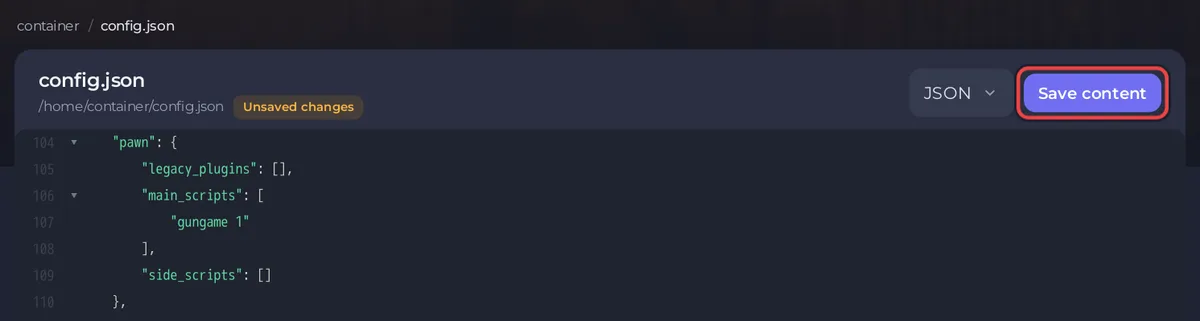
The number after the name is how many times the gamemode runs before the next one in the list. With one gamemode in the list it does not matter.
Set up a rotation of several gamemodes
Put several entries in main_scripts, with a comma between them:
"main_scripts": [
    "gungame 1",
    "derby 2",
    "simpletdm 1"
],
When a gamemode ends, open.mp starts the next one in the list, and after the last it goes back to the first. Here derby runs twice in a row before simpletdm. To move to the next gamemode at once, type gmx in the Console. With only one gamemode in the list, gmx restarts that same gamemode. The format is from open.mp's installation guide.
What if something goes wrong?
- The server will not start after the edit: the Console shows
Error while parsing config filewhen a comma or quote is missing. Fix the line, or see open.mp server problems and fixes. - "Could not find" at start: the name in
main_scriptsdoes not match an.amxfile ingamemodes. Names are case-sensitive.
All other config.json options: open.mp config.json settings reference.


