

To become admin on an open.mp server on PlayNHost, copy the RCON Password from Settings, Game Settings, then type /rcon login followed by that password in the game's chat. The server answers "SERVER: You are logged in as admin." and you can run any server command with /rcon in front of it.
Keep the RCON Password private
Every new server gets its own random RCON Password. Keep it to yourself, or change it to one only you know: whoever has it can log in as admin and kick, ban, change the gamemode or shut the server down.
- Open your server in the panel and click Settings in the left menu.
- Click Game Settings in the list on the left.
- Click in RCON Password, delete the old one and type your own, up to 32 characters. Do not use
changeme: open.mp refuses it and shuts down. - Click outside the field. The panel saves it and says "Saved. The server must restart before these take effect."
- Click Restart now.
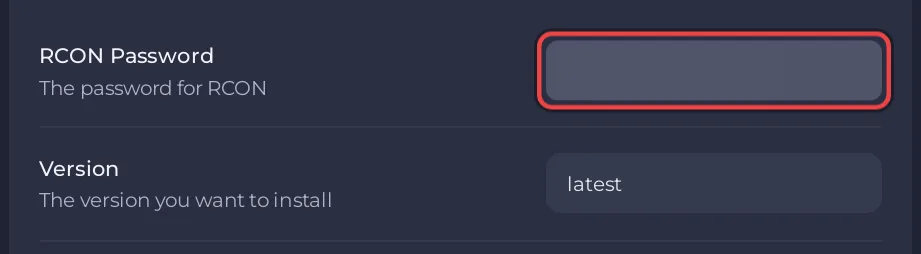
Change the RCON Password here, not in config.json. The panel writes it into the rcon part of config.json before every start, so a password typed straight into the file is replaced at the next start.
Log in as admin in the game
- Join your server: How to join your open.mp server.
- Open the chat in the game and type
/rcon login, a space and your RCON Password, then press Enter. - The server answers "SERVER: You are logged in as admin."
Now type /rcon in front of any server command, for example /rcon players to list who is online or /rcon kick 3 to kick player 3.
If the answer is "SERVER: Bad admin password. Repeated attempts will get you banned.", the password is wrong, or you changed it and the server has not restarted yet. These are the in-game messages open.mp prints; the commands are from open.mp's server guide.
Do I need to log in to use the Console?
No. The Console in the panel is the server's own console: type a command without /rcon, for example players, and press Enter. Anyone you give console access in Team & Roles can do the same without knowing the RCON Password. See How to use the Console and commands on your open.mp server.
Can I use an RCON tool from my PC?
Yes. Your server has remote RCON switched on, and the panel keeps it on at every start. A SA-MP RCON tool connects with your server's address, its port and the RCON Password, as in the open.mp Remote Console guide.
What about admin levels inside my gamemode?
RCON admin is open.mp's own admin. Many gamemodes and admin filterscripts add their own admin levels and commands, such as /ban or /goto, stored in the gamemode's files or a database. Those are set up the way the gamemode's author describes, often by logging in with RCON first. See How to upload your own gamemode to your open.mp server.


