

To run a command on a Sven Co-op server on PlayNHost, click the Console tab, type the command in the Type a command box and press Enter. The command goes straight to the server, as if you typed it on the server itself, so it works without being an admin in the game.
Send a command
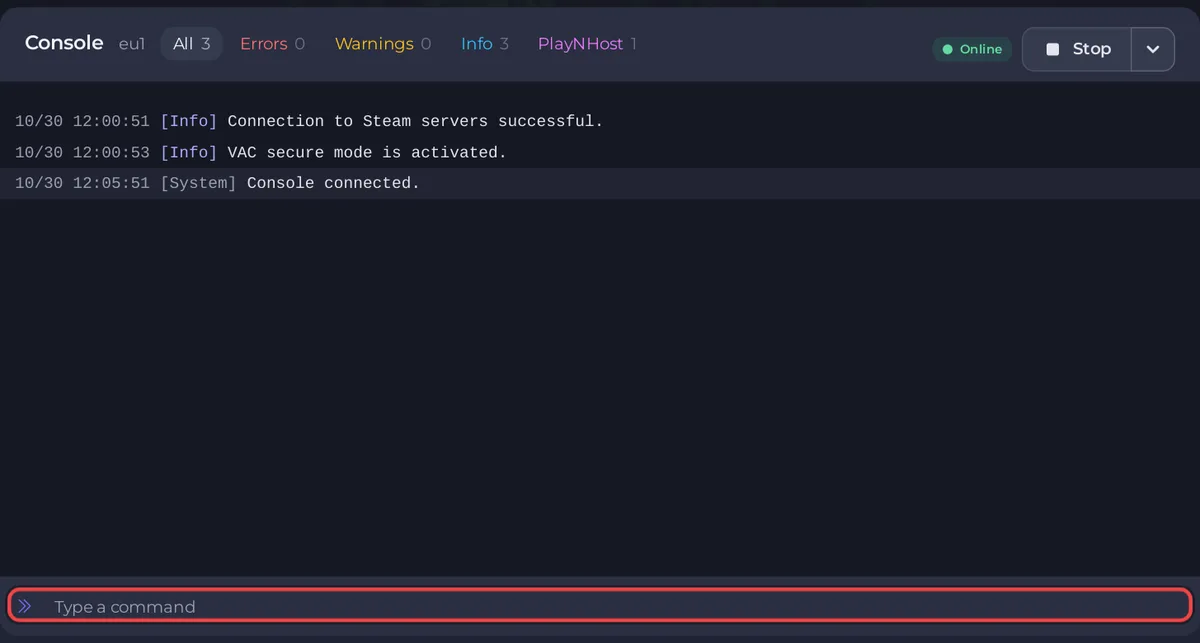
- Open your server in the panel and click the Console tab. The badge must say Online.
- Click the Type a command box at the bottom.
- Type a command, for example
changelevel sc_tetris1, and press Enter. - Read the server's answer in the lines above. For
changelevelit isStarted map "sc_tetris1".
Which commands can I use?
These have their syntax in the official Sven Co-op documentation or are sent by the panel itself:
| Command | What it does | Source |
|---|---|---|
changelevel <map> | Loads another map right away, without a restart | Sent by the Change Map task |
mp_nextmap_cycle <map> | "Sets the next map for the server" | Official manual |
kicksteamid "<Steam ID>" | Kicks the player with that Steam ID. The quotes are needed | Official manual |
quit | Shuts the server down. Use Stop instead: it sends quit for you | Sent by Stop |
The official command list also names status, say, users, reloadadminlist, toggle_survival_mode and the AngelScript commands as_listplugins and as_reloadplugins. To change a setting such as the time limit or survival mode for good, put it in server.cfg, which the server reads again on the next map. See How to edit server.cfg on your Sven Co-op server.
How do I run a command from Quick Tasks?
The Send Command task sends any text to the console. It is handy to pin to Overview or to put on a schedule.
- Click Quick Tasks in the left menu.
- Under All tasks, open Default tasks and find Send Command. It says
Sends text to the console - whatever the game supports. - Click Run. The Configure task window opens.
- Type the command, for example
mp_nextmap_cycle stadium4, and click Save task. - Click Your tasks above the list and click Run next to your saved task.
Tick Pin to overview in the Configure task window to get a button for it on Overview. For changing the map, the ready-made Change Map task is quicker: How to change the map on your Sven Co-op server.
How do I find something in the console output?
Click Search the console above the output and type a word, such as a player name. More console actions has Download log to save the output as a file, and Clear Log to empty the view.
Can I use remote console (RCON) instead?
You do not need it: the Console tab does the same from your browser. rcon_password is empty in the official configuration, which keeps remote console off.
More: How to kick and ban players on your Sven Co-op server and the general guide How to use the console and run commands.


