

To invite friends to a Sven Co-op server on PlayNHost, click Join on your server's Overview page to copy its address and send it to them with the word connect in front. They paste that line into the game console, opened with the backtick or ~ key. To let a friend help run the server, invite them on Team & Roles.
Send your friends the address
- Open your server in the panel and stay on Overview.
- Click Join on the server card. The Server Address is copied, in the form
address:port. - Paste it into your message after the word
connect, as in the example below. - If you set a join password, add the line
password "the-join-password"above theconnectline. Players type it first.
A message your friends can follow, with your own address in it:
Join my Sven Co-op server: open the console with ~ and type
connect address:port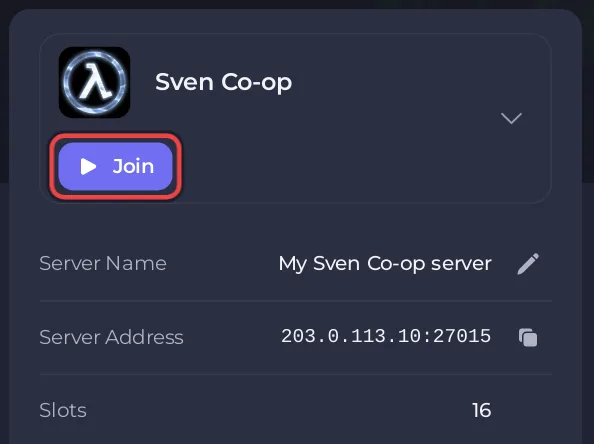
Your friends need Sven Co-op from Steam. It is free and does not need Half-Life. The server must show Online in the panel when they connect. Sven Co-op has no Play with friends card in the panel: the Join button and the Server Address row are where the address lives. Step by step for your friends: How to join your Sven Co-op server.
How many friends can play?
As many as Max Players in Game Settings allows: from 2 up to your plan's player slots, and never more than 32. The Slots row on Overview shows the same number. The official manual notes that "Most maps become overcrowded with more than 12 players." See How many players can a Sven Co-op server have.
How do I keep strangers out?
Set a join password in Settings, Game Settings, Password, and restart the server. Only players who type the password in the console can join. You can also hide the server from the server list with Region -1. See How to change the name, password and region of your Sven Co-op server.
How do I let a friend help run the server?
Invite them to the panel. They sign in with their own account and see only this server.
- Click Team & Roles in the left menu.
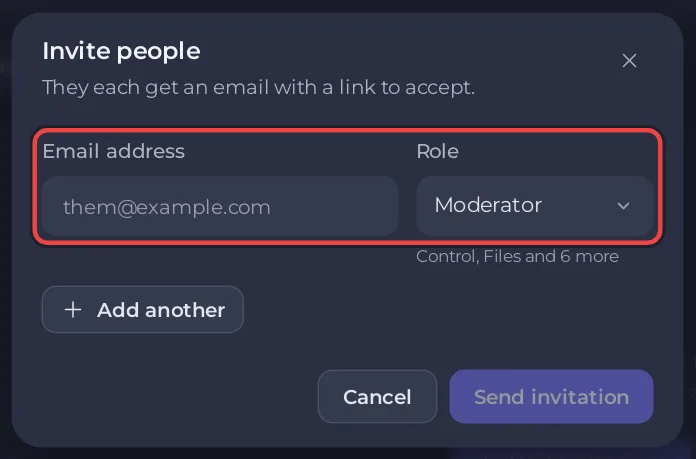
- Click Invite someone, or Invite people at the top of the server page.
- Type their Email address.
- Choose a Role, such as Moderator or Member, or a role you created on the Roles tab.
- Click Send invitation. They get an email with a link to accept.
Panel access is not the same as admin status in the game. To give a friend the admin icon and cheat commands while they play, add their Steam ID to admins.txt: How to become admin on your Sven Co-op server.
More on roles and permissions: How to invite friends and give them access.


