

A Rising World server on PlayNHost has five settings under Settings, Game Settings: Server Name, Server Password, Game Mode, World Name and Auto Update. Every other option is a line in the game's server.properties file, which you edit under Files. Changes apply at the next start.
How do I change a setting?
- Open your server in the panel and click the Settings tab.
- Click Game Settings in the list on the left. The card says "Options this game exposes. Changes apply the next time the server starts."
- Change the value. Text boxes save when you press Enter or click outside them; switches and lists save at once.
- When the panel shows Saved. The server must restart before these take effect., click Restart now.
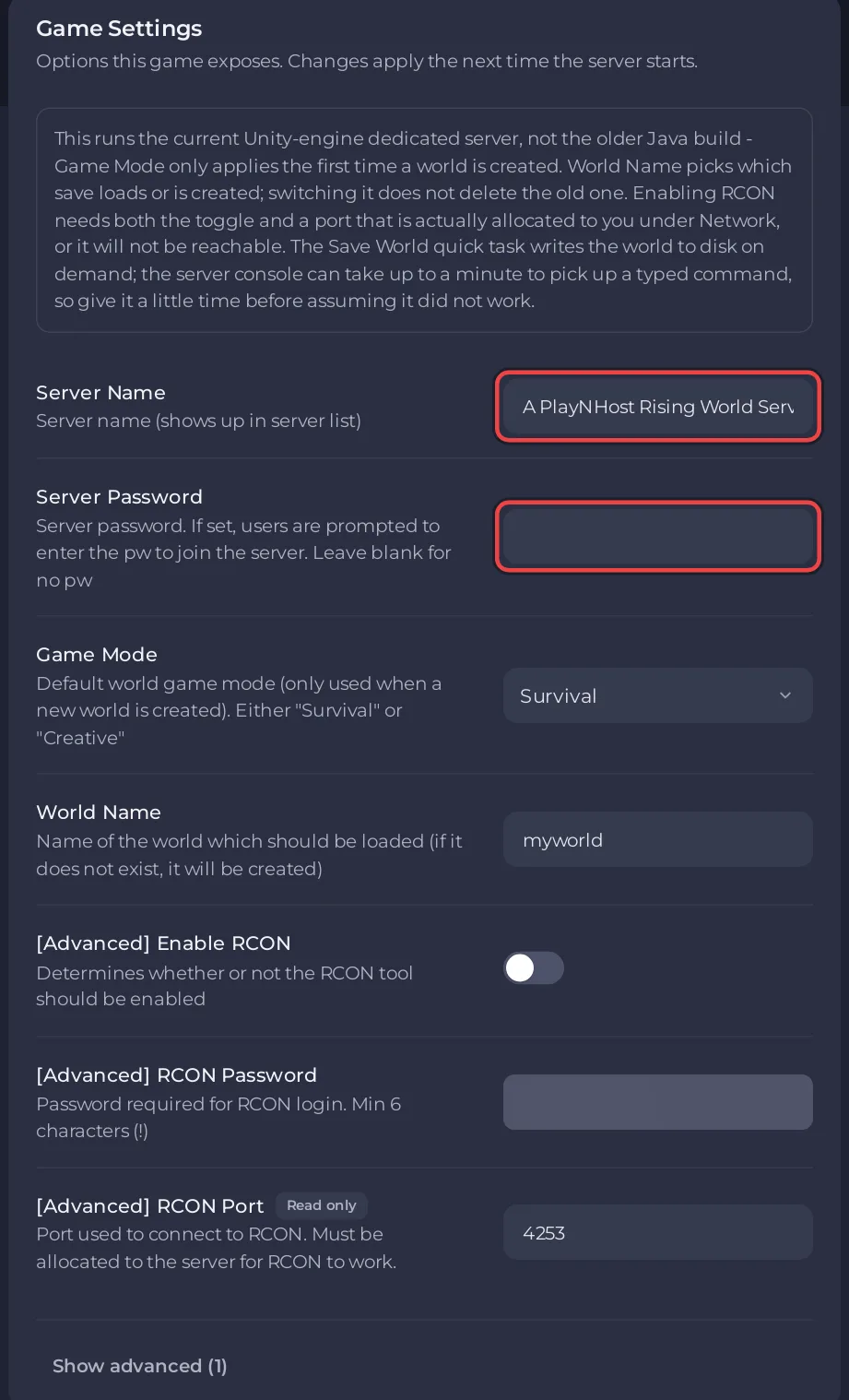
People you invited can edit this card only if their role has the Change startup permission.
What does each setting in Game Settings do?
| Setting | Default | What it does |
|---|---|---|
| Server Name | A PlayNHost Rising World Server | The name players see. Up to 40 characters. |
| Server Password | empty | Players must type it to join. Empty means no password. |
| Game Mode | Survival | Survival or Creative. Used only when a new world is created. |
| World Name | myworld | The world that loads. If no world has this name, a new one is created. Up to 20 characters. |
| Auto Update | on | Checks for a Rising World server update at every start and restart. |
Auto Update sits behind Show advanced (1), with the note: "These control how the server is installed and updated rather than how it plays. Changing them can stop the server installing correctly."
There are no RCON settings: RCON is not offered on Rising World servers at PlayNHost. Use the Console tab instead: Can you use RCON on your Rising World server?
More on each one:
- Name and password: How to change your Rising World server name and password
- World Name and Game Mode: How to start a new world on your Rising World server
- Auto Update: How to update your Rising World server
What is in Startup Parameters and Launch Details?
Startup Parameters says: "This game does not take extra launch flags. Its start command is fixed and is built from your Game Settings, so change those instead." Launch Details shows the exact line the server starts with. There is nothing to change in either for Rising World.
Where are the other Rising World settings?
In server.properties, in the main folder under Files. The Settings tab lists the file, with the note that it "is not editable here yet" and that you can edit it in the file manager.
At every start, the panel writes the Game Settings above into these lines of server.properties: Server_Name, Server_Password, Password, World_GameMode and World_Name. Change those in Game Settings. It also writes RCON_Enabled, RCON_Password and RCON_Port from values you cannot change, so edits to those three lines do not stay either. The panel leaves every other line as you write it.
Lines named by the developer, in the dedicated server guide and the official 2021 sample server.properties:
| Line | What it does |
|---|---|
Server_ShortName | Optional short name, up to 32 characters. |
Server_Description | Server description, up to 4096 characters, rich text allowed. |
Server_CustomHeaderImage | Path to a .png or .jpg header image, 1024 x 512 pixels recommended. |
Settings_MaxPlayers | "Maximum number of online players on the server". |
Server_Admins | "UIDs of server admins (separated by semicolon)". |
Server_UseWhitelist | When true, only whitelisted players can join. |
Server_UseBlacklist | When true, blacklisted players are blocked. |
Server_Visible | Whether the server should appear in the server list. |
World_Seed | The seed for a new world. Used only when a world is created. |
World_SaveWorld | When false, the game no longer saves world changes. Keep it true. |
The sample file is from 2021, so check the exact names in your own file before you change a line.
How do I edit server.properties?
- Click Stop and wait for Offline.
- Open Files and click
server.properties. - Change the value after the
=on the line you want. - Click Save content.
- Click Start. Rising World reads the file when it starts.
More about the file editor: How to upload, edit and manage your server files.


