

To change a Rising World server's name or password on PlayNHost, open Settings, then Game Settings, type the new Server Name or Server Password, press Enter, and restart the server. The name takes up to 40 characters. An empty password lets anyone with the address join.
How do I change the name and password?
- Open your server in the panel and click the Settings tab.
- Click Game Settings in the list on the left.
- Type the new name in Server Name, up to 40 characters.
- Type a password in Server Password, or clear the box to remove it.
- Press Enter or click outside the box. The panel shows Saved. The server must restart before these take effect.
- Click Restart now. The new name and password apply once the Console shows
Dedicated server is ready!.
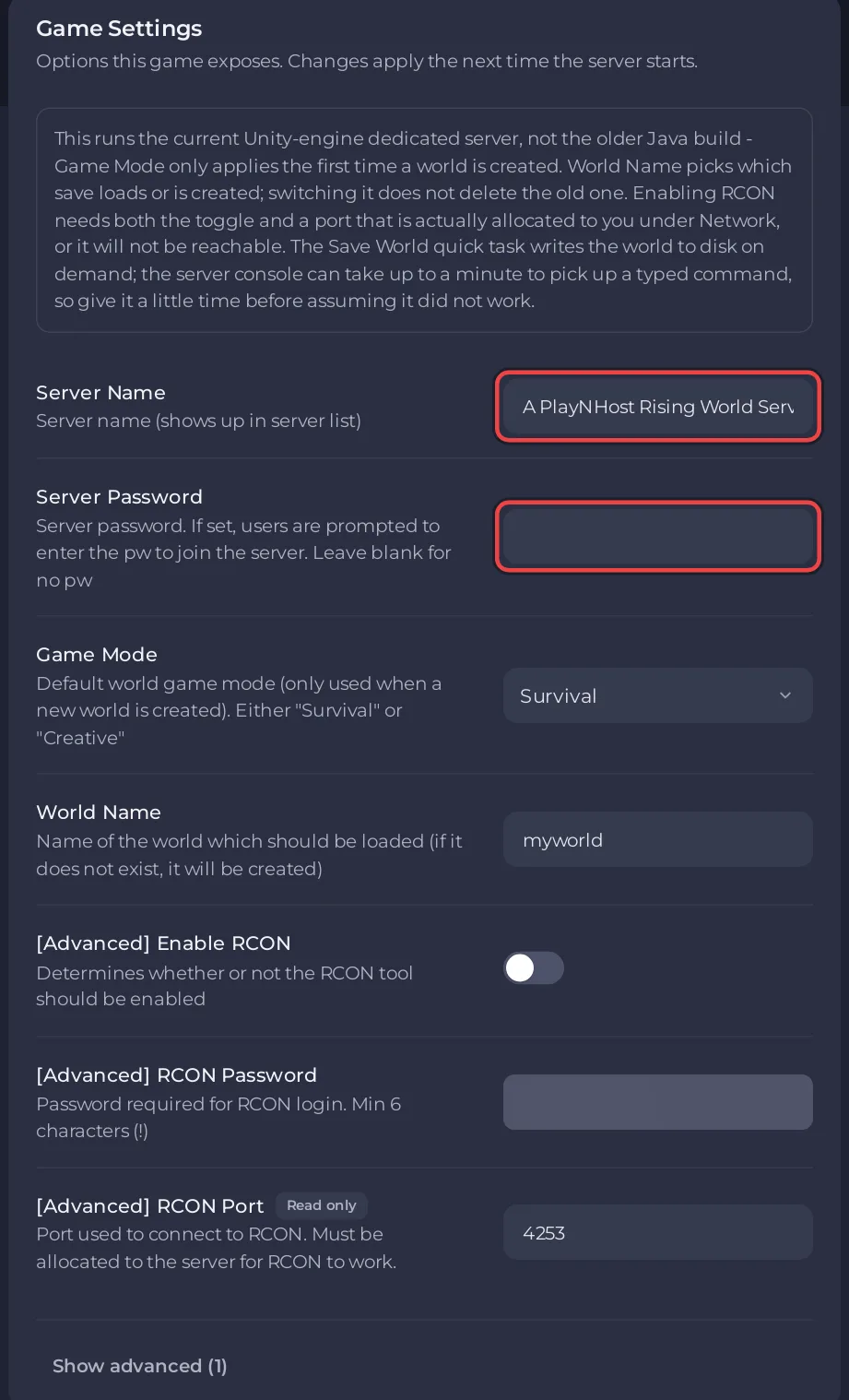
At every start, the panel writes Server Name and Server Password into the game's server.properties file, as Server_Name and Server_Password. Change them in Game Settings, not in that file: a value typed into the file for these two lines is replaced at the next start.
Is the name on Overview the same as the Server Name?
No. The pencil next to Server Name on the Overview page renames the server in your panel only, so you can tell your servers apart. Players never see it. The name in Rising World comes from Server Name under Settings, Game Settings.
Who is asked for the password?
Every player who connects. The developer's description of the setting: "If set, users are prompted to enter the pw to join the server." Send the password to your friends with the address: How to invite friends to your Rising World server.
Can I add a short name or a description?
Yes, in server.properties, the game's settings file in the main folder under Files. Rising World's dedicated server guide names these lines:
Server_ShortName: an optional short name, up to 32 characters.Server_Description: a description of up to 4096 characters, which may use rich text.Server_CustomHeaderImage: the path to a.pngor.jpgheader image inside the server folder, 1024 x 512 pixels recommended.
To change them:
- Click Stop and wait for Offline.
- Open Files and click
server.properties. - Find the line, for example
Server_Description=, and type your text after the=. If your file has no such line, add it on a new line. - Click Save content.
- Click Start.
The panel leaves these lines as you write them. More about the file: Rising World server settings reference.


