

To update a Rising World server on PlayNHost, restart it while Auto Update is on. Auto Update is on for every new server: at each start and restart, the server checks Steam for a newer Rising World server build and installs it before the game starts. Type version in the Console to see which version is running.
How do I update after a Rising World patch?
- When Rising World releases an update, players get it through Steam. The server waits for its next start.
- Take a backup first for a big update: open Backups in the left menu and click Start backup.
- Open your server in the panel and click Restart.
- Open the Console tab. The update downloads first, then the world loads.
- Wait for
Dedicated server is ready!. - Type
versionin the Console and press Enter to see the server version. It can take up to a minute to answer.
If the server still shows the older version after a restart while players have the update, contact PlayNHost support through the website chat or a ticket, 24/7.
Rising World's patch notes are on the game's Steam news page. To update every day without thinking about it: How to restart your Rising World server every day.
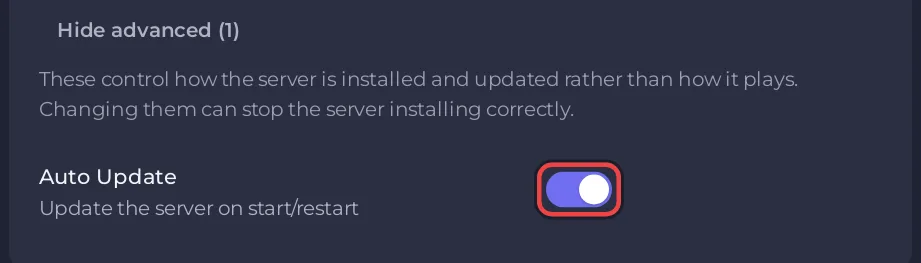
Where is Auto Update?
Under Settings, Game Settings, behind Show advanced (1). Its description is "Update the server on start/restart". Leave it on: Steam updates the game for players on its own, so a server that stops updating can fall behind the players' version.
What does a big update do to my world?
A world may be converted the first time it loads after an update. Update 0.9.3 (31 August 2026) added new caves, and the developer wrote that the conversion is "performed when loading a world for the first time after the update". That first start takes longer. Let it run: as long as new lines appear in the Console, the server is working. A backup taken before the restart lets you go back: How to back up and restore your Rising World server.
Can I keep my server on an older version?
Switching Auto Update off keeps the version the server has. Players who have the newer game from Steam may then be unable to join. Steam updates the game for players on its own, so this rarely helps.
Which Rising World does my server run?
The current version, built on the Unity engine, which replaced the old Java version on 31 January 2025. The server installs and updates from Steam's normal branch, the same version players get when they have not picked a beta. Players who switched their game to the "java - Legacy Version" beta branch in Steam must switch back to the normal version to join.
If players cannot join after an update: Rising World server problems and fixes.


