

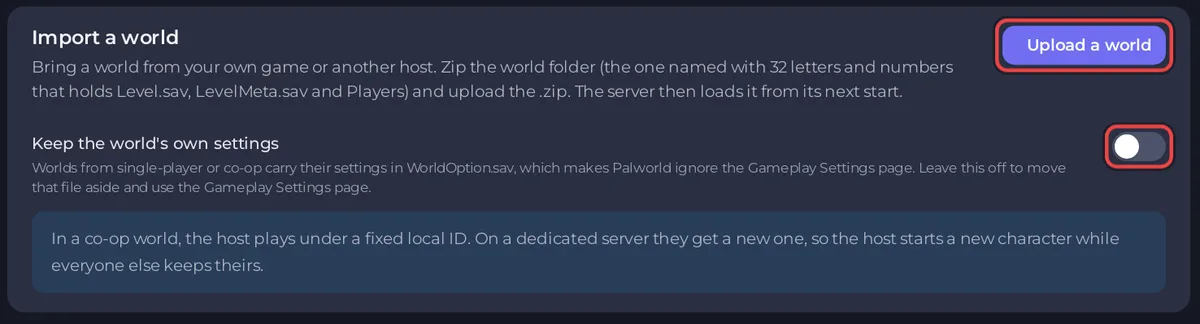
When an uploaded Palworld world does not load, the most likely cause is a .zip of the wrong folder: it must hold the world folder named with 32 letters and numbers, with Level.sav, LevelMeta.sav and Players inside. Zip that folder, stop the server, and upload it again on the Worlds page with Upload a world.
Messages and what they mean
| The page says | Fix |
|---|---|
Choose a .zip of your world folder. | Only .zip files are accepted. Compress the folder to a .zip first. |
The upload has no Level.sav in it. Zip the world folder itself: the one named with 32 letters and numbers that holds Level.sav, LevelMeta.sav and Players. | You zipped a folder above or beside the world. Zip the world folder itself. |
Stop the server first: Palworld writes its current world back when it stops. | Click Stop, wait for Offline, then upload. |
No uploaded world was found. Upload a .zip of your world folder first. | The upload did not finish. Try again on a steady connection. |
The import worked but the old world starts
- Open Worlds and check which world says Loaded. The import makes the imported world the one that loads, under its own ID or a new one if that ID was already on the server.
- If another world is Loaded, stop the server and click Load this world beside yours: How to switch between Palworld worlds on your server.
- Start the server.
The world loads but the settings are wrong
If you switched on Keep the world's own settings, the world keeps its WorldOption.sav and Palworld ignores Gameplay Settings. The world shows Own settings on the Worlds page: Palworld Gameplay Settings changes do nothing.
The host's character is missing
That is expected for a world from co-op: The co-op host has a new character on your Palworld server.
The full import guide: How to upload your own Palworld world.


