

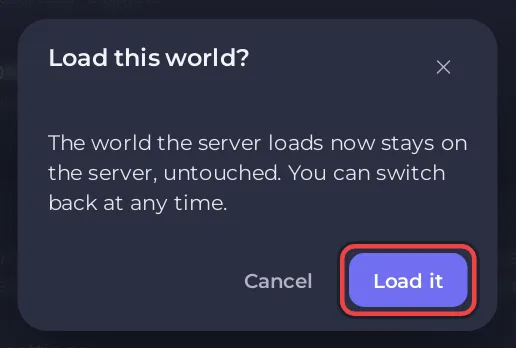
To switch a Palworld server to another world, stop the server, open Worlds in the left menu and click Load this world beside the world you want. Confirm with Load it, then start the server. The world that was loaded stays on the server, untouched, so you can switch back at any time.
Switch the world
- Open your server in the panel and click Stop. Wait until the badge says Offline.
- Click Worlds in the left menu.
- Under Worlds on this server, click Load this world beside the world you want. Only worlds that have a
Level.savoffer it. - The window Load this world? says: "The world the server loads now stays on the server, untouched. You can switch back at any time." Click Load it.
- The page says
The server will load this world from its next start.and the Loaded badge moves to that world. - Start the server.
Tell the worlds apart
Palworld names every world with an ID of 32 letters and numbers, so the page also shows each world's last save time and how many players have a character in it, in the form saved and a date, then for example 3 players. Note down which ID is which world before you import more.
Where the worlds come from
- The world your server made on its first start.
- Worlds you imported with Upload a world: How to upload your own Palworld world.
What carries over when you switch worlds?
- Characters belong to a world. Players start fresh in a world they never played in.
- Gameplay Settings apply to whichever world loads, unless that world has Own settings: Palworld Gameplay Settings changes do nothing.
- Bans and the panel's whitelist cover the whole server, every world on it.
- The switch is written in the Activity log: "Made the world ... the one the server loads".
- The World Reset task deletes every world on the server, not only the loaded one: How to reset your Palworld world and start fresh.


