

To run your own gamemode on an open.mp server on PlayNHost, upload its compiled .amx file to the gamemodes folder under Files, put its name in main_scripts in config.json, and restart. A .pwn file is source code: compile it to .amx on your PC first. SA-MP gamemodes run on open.mp, which is built to be backwards compatible with SA-MP scripts.
What do I need?
- The gamemode as an
.amxfile. open.mp runs compiled.amxfiles only. If you have only the.pwnsource, compile it on your PC with the Qawno editor and compiler that come with the open.mp server download for Windows, as in open.mp's installation guide. Your PlayNHost server cannot compile. - Its other files, if it has them: filterscripts (
.amx), data files forscriptfiles, and plugins. Include files (.inc) are only for compiling and are not needed on the server.
Upload the gamemode
- Open your server in the panel and click Files in the left menu.
- Open the
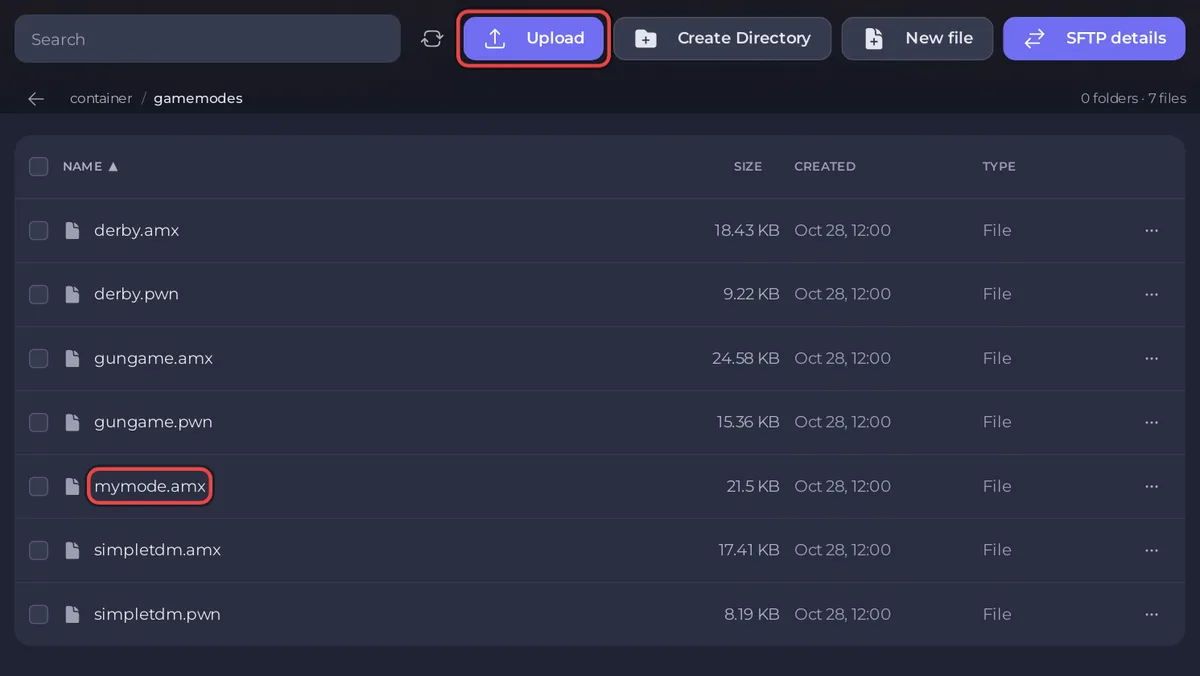
gamemodesfolder. - Click Upload and choose your
.amxfile, for examplemymode.amx. Wait until it appears in the list. - Go back to the main folder and click
config.jsonto open it in the text editor. - In the
pawnpart, changemain_scriptsto your gamemode's name without.amx:"main_scripts": ["mymode 1"],. - Click Save content and restart the server.
The Console shows your gamemode's start lines. To try it first without changing config.json, type changemode mymode in the Console: the switch lasts until the next restart. More on switching and rotations: How to change the gamemode on your open.mp server.
Add filterscripts
Filterscripts run beside the gamemode, for example an admin system or a map.
- Upload the filterscript's
.amxto thefilterscriptsfolder. - In
config.json, add it toside_scriptswith the folder in front and without.amx:"side_scripts": ["filterscripts/myadmin"],. Separate several with commas. - Click Save content and restart.
To load one now without a restart, type loadfs myadmin in the Console. The Console answers Filterscript 'myadmin' loaded. After you upload a new version, reloadfs myadmin loads it again.
Upload many files at once
Gamemodes often come with a whole folder of files. Put them in a .zip on your PC, upload the zip to the main folder, tick its box and click Unzip in the bar that appears. Check that the folders end up as gamemodes, filterscripts and scriptfiles in the main folder, not inside an extra folder. For big uploads, SFTP is faster: How to connect to your server files with SFTP.
Where does my gamemode keep its data?
Most gamemodes save accounts and stats in the scriptfiles folder, or in a MySQL database through a plugin. Files in scriptfiles are part of every backup. To start a gamemode fresh, stop the server, take a backup, and delete the gamemode's own files in scriptfiles. Which files those are depends on the gamemode, so check its instructions. If it needs a database, see How to use databases with your server.
What if it does not start?
- "Could not find" in the Console: the name in
main_scriptsdoes not match the.amxfile, or only the.pwnwas uploaded. - "Could not load plugin": the gamemode needs a plugin that is missing or built for Windows: How to add plugins to your open.mp server.
More fixes: open.mp server problems and fixes.


