

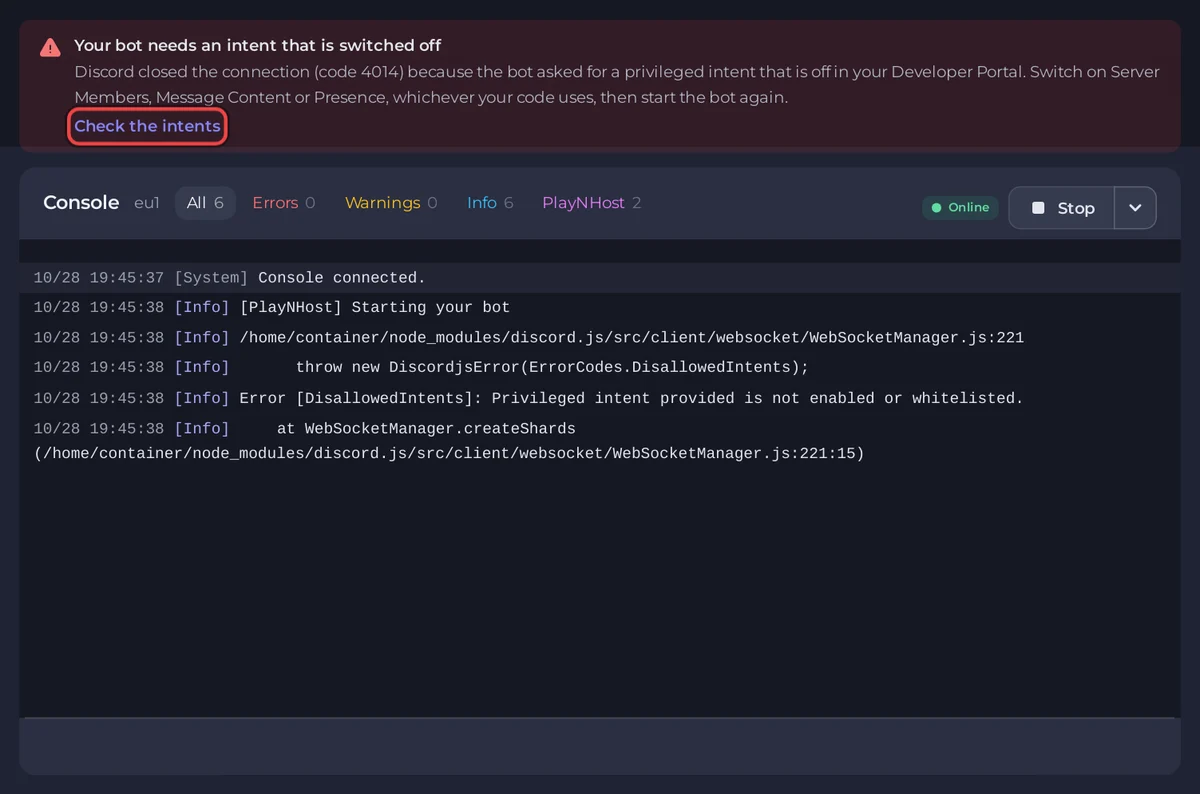
Your bot asked Discord for a privileged intent that is switched off for it, so Discord closed the connection (close code 4014). Switch that intent on in the Developer Portal, or stop asking for it in your code, then restart the bot.
What you see
In Console, one of these lines, depending on your library:
- discord.js:
Error [DisallowedIntents]: Privileged intent provided is not enabled or whitelisted. - discord.py:
discord.errors.PrivilegedIntentsRequired - Other libraries:
Used disallowed intents, or a close code4014
The panel recognises these lines. Above the console you get the banner Your bot needs an intent that is switched off, and the chip on the bot's card on Overview says Missing intents.
Fix it
- Click Check the intents in the banner, or open the Bot page, pane Discord, and scroll to Privileged intents.
- For each intent your code uses, tick My code uses this. The column In your portal shows what Discord has switched on for your bot: On, Off, or a red OFF when your code needs it.
- Click How to switch it on next to a red OFF. Your application opens in the Developer Portal. On its Bot page, under Privileged Gateway Intents, switch on Presence Intent, Server Members Intent or Message Content Intent, then click Save Changes.
- Back in the panel, click Check again. The intent now shows On.
- Restart the bot with Restart. You do not need a new token.
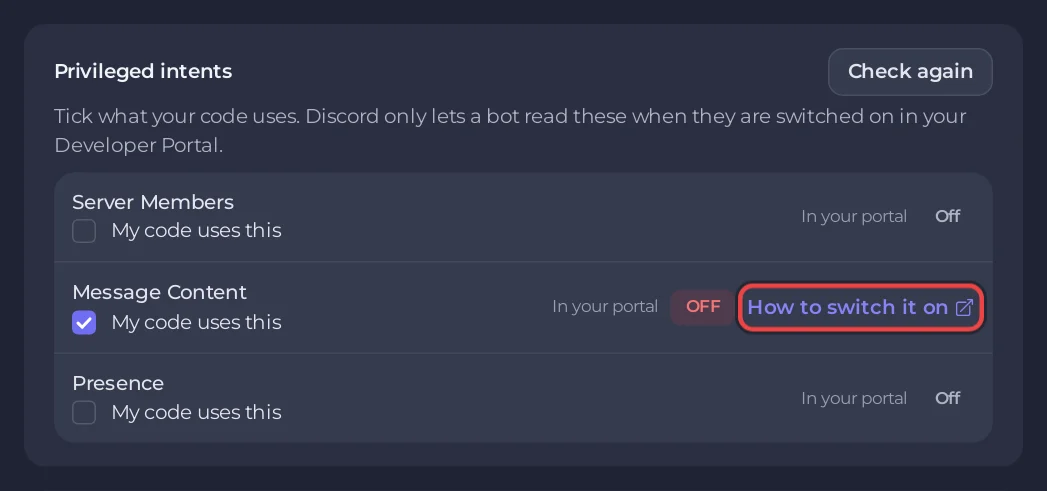
The panel cannot switch an intent on for you: only the Developer Portal can. Ticking My code uses this tells the panel what to check, and the Setup checklist on Overview then lists any of them that are still off.
Which intent does my code ask for?
| Library | Message Content | Server Members | Presence |
|---|---|---|---|
| discord.js | GatewayIntentBits.MessageContent | GatewayIntentBits.GuildMembers | GatewayIntentBits.GuildPresences |
| discord.py | intents.message_content = True | intents.members = True | intents.presences = True |
| JDA | GatewayIntent.MESSAGE_CONTENT | GatewayIntent.GUILD_MEMBERS | GatewayIntent.GUILD_PRESENCES |
| Discord.Net | GatewayIntents.MessageContent | GatewayIntents.GuildMembers | GatewayIntents.GuildPresences |
| discordgo | discordgo.IntentsMessageContent | discordgo.IntentsGuildMembers | discordgo.IntentsGuildPresences |
| serenity | GatewayIntents::MESSAGE_CONTENT | GatewayIntents::GUILD_MEMBERS | GatewayIntents::GUILD_PRESENCES |
discord.py's Intents.all() asks for all three. If you do not need one, remove it from your code instead of switching it on. A bot that only uses slash commands needs none of the three.
Bots in 100 servers or more
While your bot is in fewer than 100 servers you can switch these on yourself. From 100 servers Discord asks you to verify the bot and to apply for each privileged intent it uses.
Related: Discord bot online but not responding, Common Discord bot errors and what they mean.


