

 MINECRAFT HOSTING
 GAME SERVERS
 Game Panel
Account credit is money held on your account. Renewals use it before anything is charged to a card, so a balance is a simple way to pay in advance.
Find your balance
- Open the panel, click Account, then Payment methods in the left menu.
- The Balance card shows your Account credit.
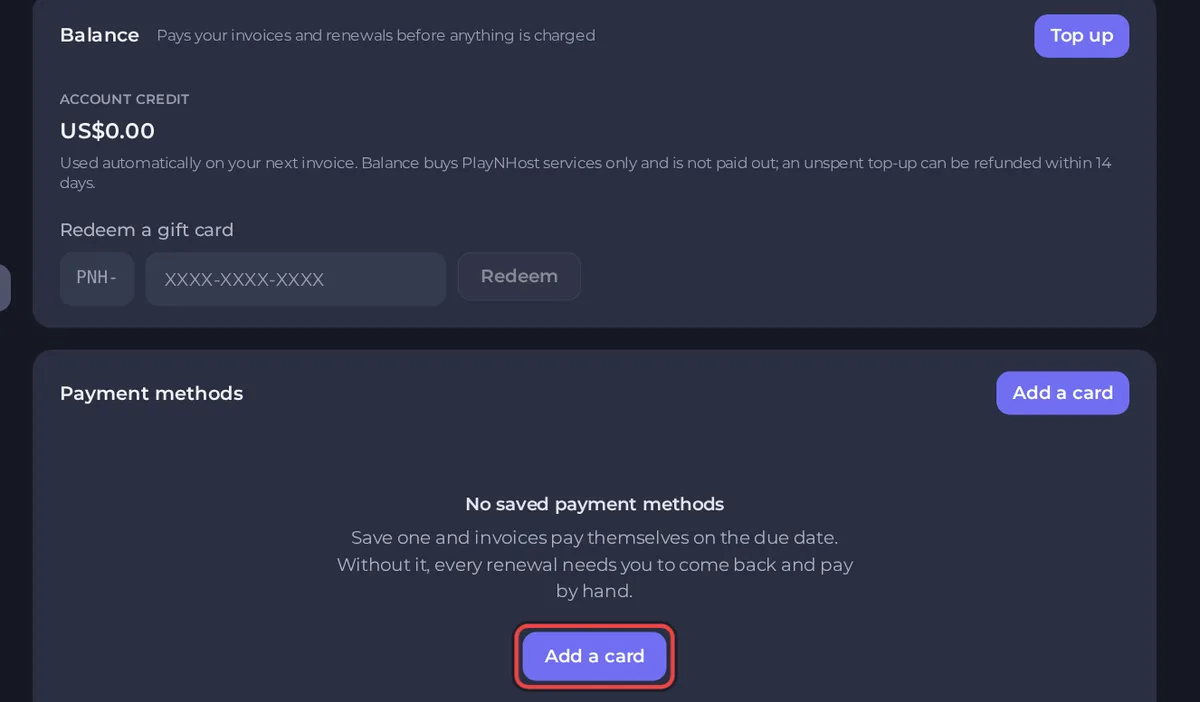
How credit works
- Renewals use it automatically when they come due.
- For other invoices, such as a plan change, click Apply credit in the payment window.
- It cannot be used to buy a gift card or to top up.
- It buys PlayNHost services only. It is not paid out as cash.
- An unspent top-up can be refunded within 14 days.
- It does not expire.
Top up
Click Top up on the Balance card and follow the steps. The money is added to your account when the payment is confirmed.
Redeem a gift card
A gift card has a code that starts with PNH-. Anyone can redeem a code, so keep it private until it is used.
- On the Payment methods page, find Redeem a gift card.
- Type the code in the box. It looks like
PNH-XXXX-XXXX-XXXX. - Click Redeem.
The value is added to your balance. A code can be redeemed once. To buy a gift card for someone else, see How to buy and send a gift card.
Other ways to earn credit
Friends who order through your referral link can earn you credit. See How the referral programme works.
Good to know
- A balance can keep a server running, because renewals use it. See How payment methods and automatic renewals work.
- Credit cannot be transferred to another account.





