

 MINECRAFT HOSTING
 GAME SERVERS
 Game Panel
You choose how renewals are paid: automatically with a saved payment method, or by hand each time.
What you can pay with
Payments are processed by Stripe. In the payment window you can pay with a card, and with Apple Pay or Google Pay where your device supports them. Other wallets may be offered at checkout depending on your country and device. If you need another way to pay, open a ticket and we will sort it out. See How to open a support ticket.
Your card details are entered in a form from Stripe and go straight to them. They never touch our servers.
Automatic renewals
When a payment method is saved, invoices pay themselves, on the due date or a few days before it. Without one, every renewal needs you to come back and pay by hand.
The card on the right of the Billing page shows the amount and date of the next charge. To see which method it will use, open Account, then Payment methods.
Save a card
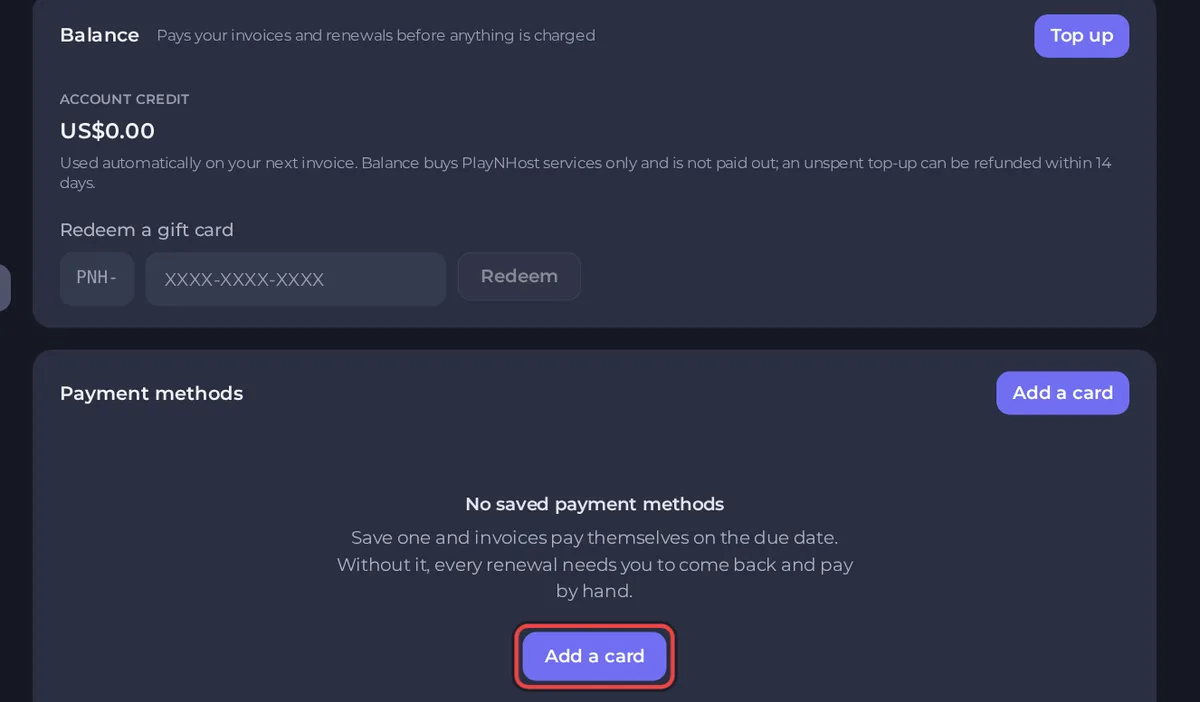
- Open the panel, click Account, then Payment methods in the left menu.
- Under Payment methods, click Add a card.
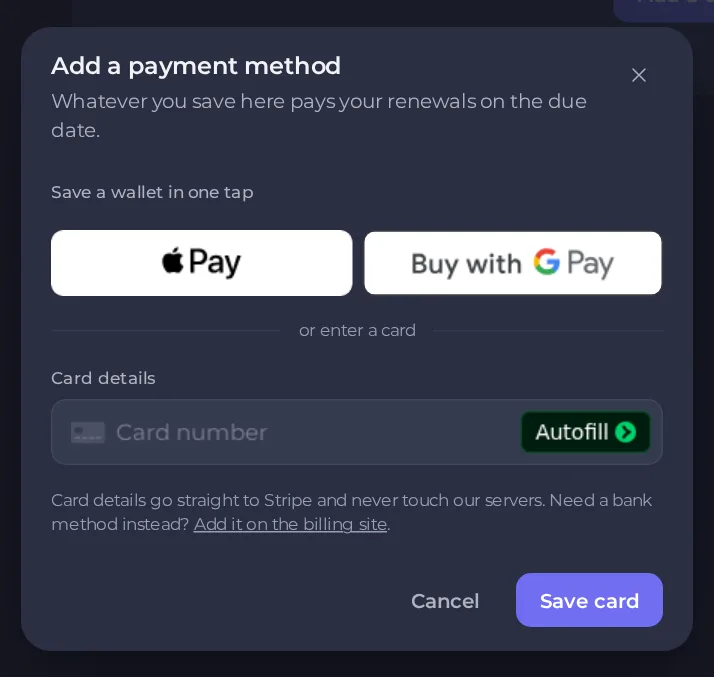
- In the Add a payment method window, either save a wallet in one tap with Apple Pay or Google Pay, or enter your card details and click Save card. If you need a bank method instead, the window has a link to add it on the billing site.
The card or wallet you use to pay an invoice in the panel is saved automatically for renewals. The payment window says so, in a line that starts "By providing your card information, you allow PLAYNHOST LTD to charge your card for future payments". Check this page to see what is saved.
Remove or change a card
Each saved card has an actions menu (the three dots) with Use this for renewals, Update expiry and Remove card. A Pays renewals badge marks the one in use. To switch cards, add the new one and choose Use this for renewals. If a renewal cannot be charged, the invoice stays open until it is paid, so check it on the Billing page.
Pay by hand instead
Paying in the panel saves your method, so renewals become automatic. If you prefer to pay by hand every time, remove the saved methods on the Payment methods page. Then open Billing, click Pay on each invoice when it is due. Remember the due date, because an unpaid invoice leads to suspension. See What happens if an invoice is overdue.
Account credit
If you have account credit, renewals use it automatically before any card is charged. For other invoices, click Apply credit in the payment window. See How to use account credit and redeem a gift card.
If a payment fails
- Check the card number, expiry and security code.
- Make sure your bank allows online payments, and that there is money on the card.
- Try a wallet or another card.
- If it keeps failing, open a ticket with the invoice number.





