

 MINECRAFT HOSTING
 GAME SERVERS
 Game Panel
A gift card is a simple present for a friend who plays: it pays for any PlayNHost server or renewal.
Buy a gift card
- Sign in and open the Gift cards page.
- Under Send it to (optional), type the recipient's email address. We email them the code with your name on it. If you add an email, an optional Message box appears. Leave the field blank and the code is emailed to you, to pass on yourself. Fill this in first, because it is read the moment you pick an amount.
- Click the amount you want, for example US$25. Each amount is its own Buy button, and clicking it opens the payment window.
- Pay by card or wallet. The code is emailed to you as soon as the payment clears. You cannot pay for a gift card with account credit.
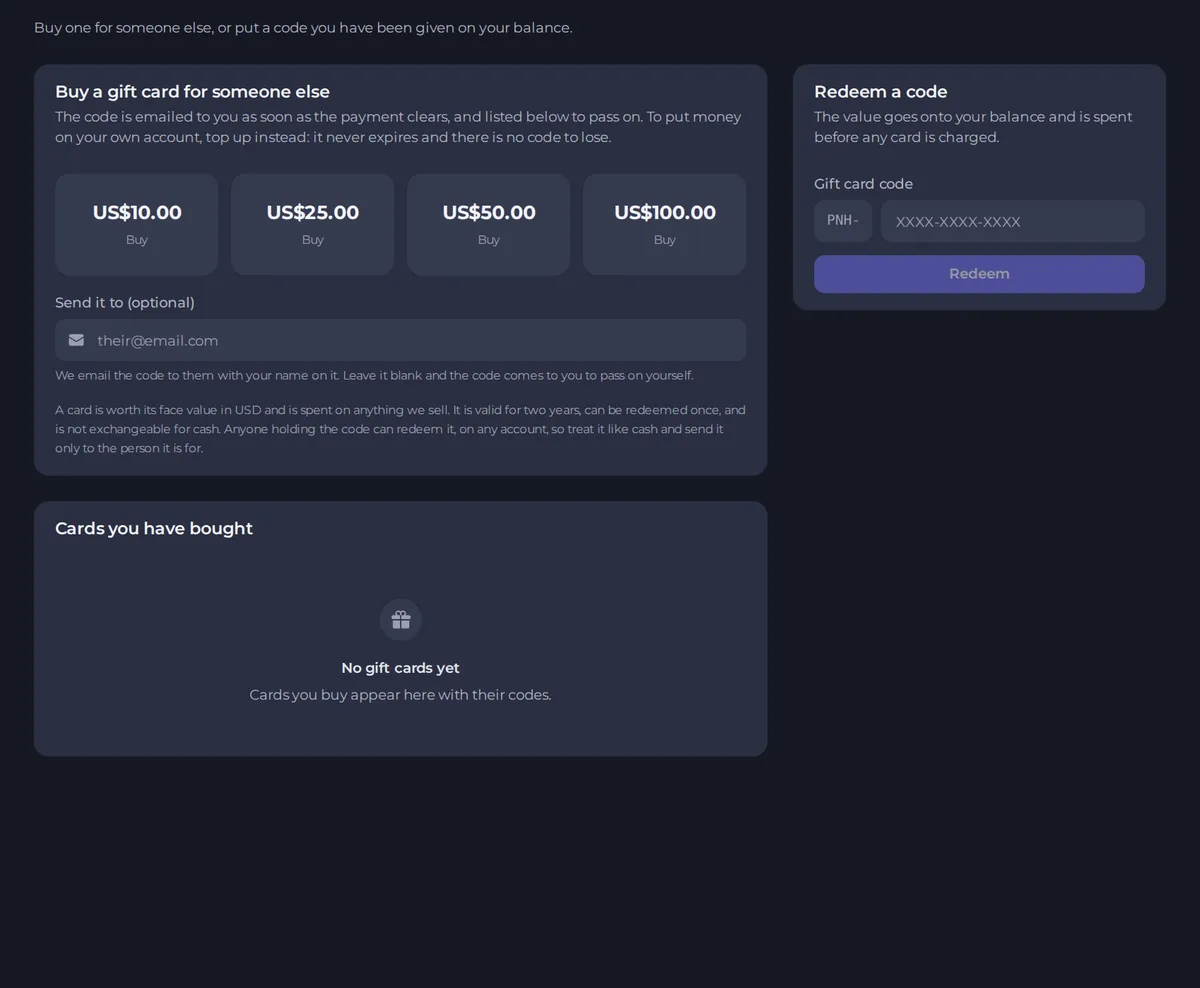
Your cards are also listed under Cards you have bought, with their codes.
What the card is worth
- A card is worth its face value in your account's currency and can be spent on anything we sell.
- It is valid for two years.
- It can be redeemed once.
- It is not exchangeable for cash.
Keep the code safe
Anyone holding the code can redeem it, on any account. Treat it like cash and send it only to the person it is for.
Redeem a gift card
If you were given a code, redeem it on the Gift cards page under Redeem a code, or on Payment methods. The code starts with PNH-. The value goes onto your balance and is spent before any card is charged. See How to use account credit and redeem a gift card.
Gift card or top-up?
To add money to your own account, top up instead. A top-up never expires and there is no code to lose. A gift card is for giving to someone else.





