

 MINECRAFT HOSTING
 GAME SERVERS
 Game Panel
Your profile holds the name and email address of your account.
Open your profile
- Open the panel and click Account in the top menu.
- Profile is the first item under You.
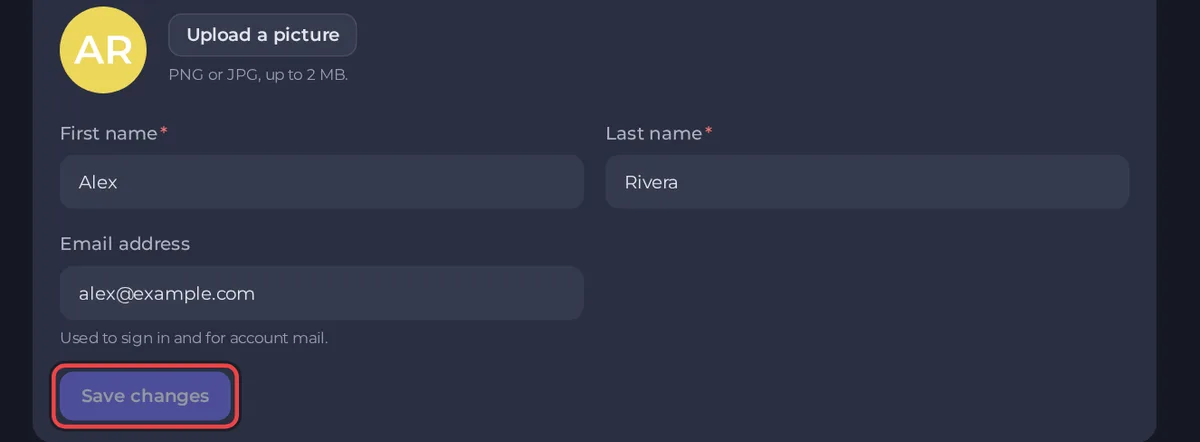
Change your details
- Picture: click Upload a picture and choose a PNG or JPG up to 2 MB. Without one, the panel shows your initials.
- First name and Last name: both are required.
- Email address: it is shown here and used to sign in and for account mail, but you cannot edit it on this page.
- Click Save changes.
What follows to your invoices
The Billing details page says your invoices are made out to the name in your profile, so changing your name here updates it there. Company, address and the rest are under Billing details. See How to update your billing details.
Change your email address
Your email address is also your billing email, the address that links your panel account to your billing account. Because the two must stay in step, it is changed with our help. Open a ticket in the category Account & login, tell us the address you want, and we will change it with you. See How to open a support ticket.
Sign-in methods
You can sign in with your email and password, or with Google or Discord. Use the method you registered with. See How to create your PlayNHost account and sign in.
Good to know
- Choose an email address you control. Password resets and invoices go there.





