

 MINECRAFT HOSTING
 GAME SERVERS
 Game Panel
All support happens through tickets in the panel. A ticket ties your question to your account and your server, so we can look at the right thing straight away.
Open a ticket
- Sign in to the panel and click Support in the top menu.
- Fill in the New ticket form.
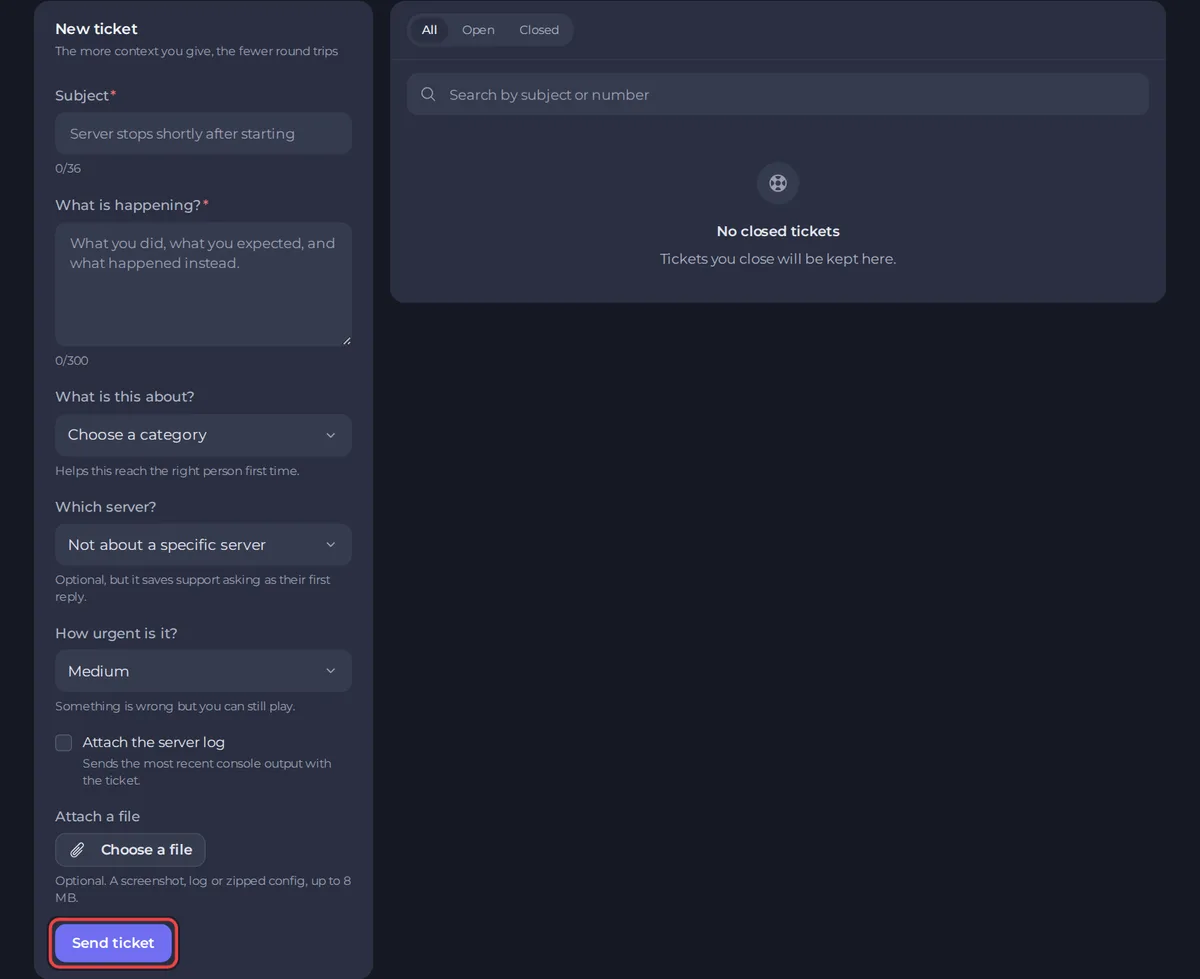
- Subject: a short summary, between 8 and 36 characters. For example "Server stops on start".
- What is happening? Describe the problem, between 15 and 300 characters. Say what you did, what you expected and what happened. You can add more detail in a reply afterwards.
- What is this about? Choose the category that fits best. It sends your ticket to the right person first time.
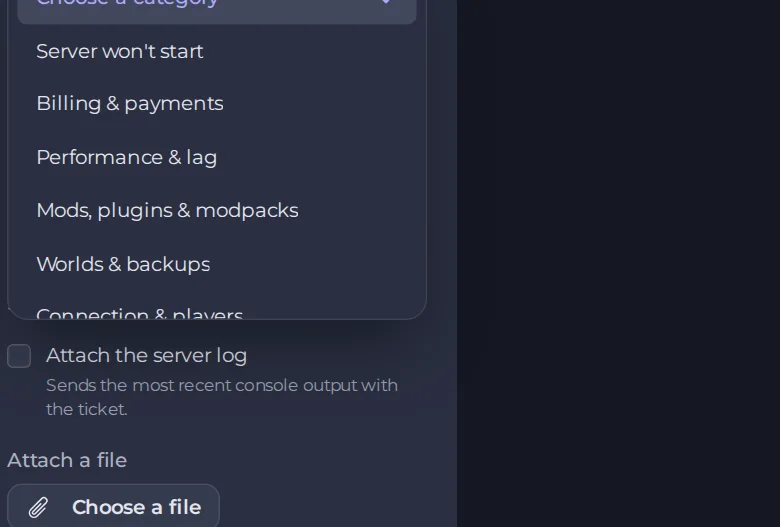
The full list also has Connection & players, Account & login, Feedback or a suggestion and Something else.
- Which server? Choose the server the ticket is about, or Not about a specific server. Choosing it saves us asking as our first reply.
- How urgent is it? See the levels below.
- Tick Attach the server log if the problem is on a server. You must have chosen the server in Which server? and have console access to it. We attach a link to the most recent console output (the last 500 lines, with IP addresses removed, kept for 30 days). If it cannot be attached, a note in the ticket says why.
- Use Attach a file for a screenshot, a log or a zipped configuration. The file can be up to 8 MB.
- Click Send ticket.
Choose the right urgency
- Low: a question or a request with no deadline.
- Medium: something is wrong but you can still play. This is the default.
- High: a server that is down, or players who cannot join. The form says High tickets are escalated if they wait, so use it when it is true.
Please do not mark everything High. It works because it is rare.
What to put in your ticket
The more precise you are, the fewer questions we have to ask. See What to include in a ticket for each kind of problem.
What happens next
Your ticket appears in your list with its status. You are notified when we reply, in the panel and by email, depending on your settings. See How to track, reply to and close a ticket.
Good to know
- Open one ticket per problem. A new problem is a new ticket.
- Never put passwords or card numbers in a ticket. We never need them.
- If you are locked out of your account and cannot open a ticket, see How to reset your password or get back into your account.





