

A V Rising server on PlayNHost updates itself when it starts: with Automatic Updates on (the default), every start checks Steam for a newer V Rising server version and installs it before the game loads. To update after a patch, restart the server. Stunlock also recommends a restart every day, which keeps the server current without you.
Update now
- Open your server in the panel.
- Click Restart.
- Watch the Console: if there is an update, it downloads before the game starts.
- Wait for the badge to say Online before players join.
Players need the same game version as the server. Steam updates the game on their PC, so after a patch the server is usually the one that has to catch up: restart it. Stunlock's server instructions say the same about hosting services: "Some hosting services only update the server when you restart".
Restart every day
Your server does not come with a restart schedule. Stunlock recommends restarting a dedicated server daily, at a quiet hour. Build one schedule and the server updates every day by itself: How to restart your V Rising server on a schedule.
Back up before a patch
Stunlock recommends backing up save files before patching. Take a backup before you restart for a big update: How to back up and restore your V Rising world.
Where is Automatic Updates?
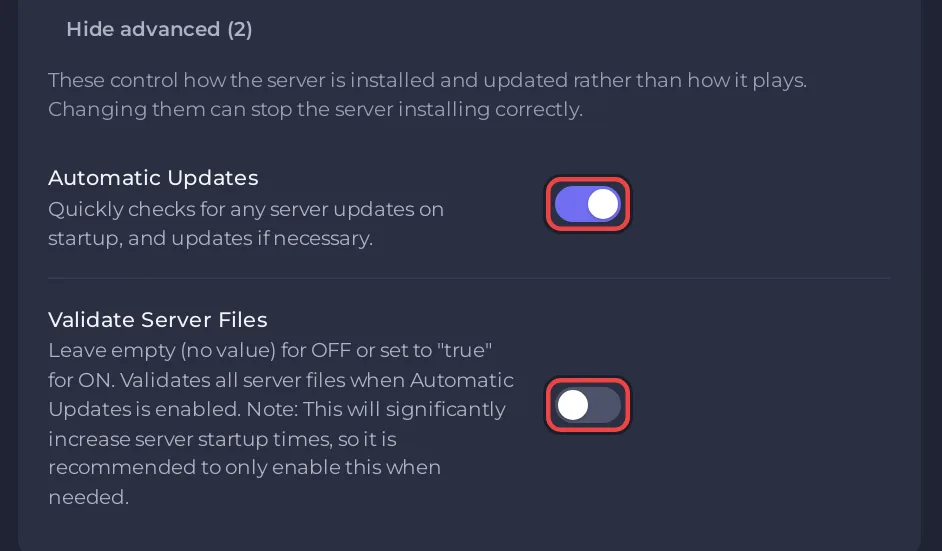
On the Settings tab, at the bottom of Game Settings, under Show advanced (2). Leave it on. If you switch it off, the server stays on the version it has, and players whose game has updated may not be able to join.
Repair the game files
If the server misbehaves after an update or a crash:
- On Game Settings, click Show advanced (2) and switch on Validate Server Files. Automatic Updates must be on too.
- Restart. Every game file is checked and repaired. The panel warns that this makes the start much slower.
- Switch Validate Server Files off again afterwards, so later starts stay fast.
Your worlds and settings in save-data are not part of the game files the check repairs.
Mods after an update
The standard V Rising server type runs no mods, so an update cannot break any. See Can you add mods to your V Rising server?
Plans and features: V Rising server hosting.


