

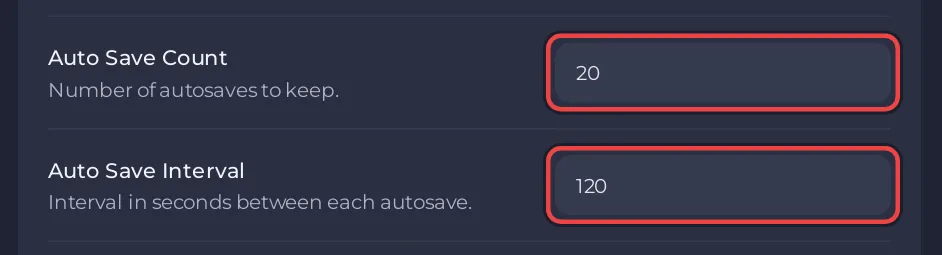
A V Rising server on PlayNHost saves its world every 120 seconds and keeps up to 20 autosaves. Change this with Auto Save Interval (seconds between saves) and Auto Save Count (the most autosaves kept) in Settings, Game Settings, then restart the server.
Change the autosave settings
- Open your server in the panel and click the Settings tab.
- On Game Settings, set Auto Save Interval in seconds. The lowest value is 1. The default is 120.
- Set Auto Save Count, the number of autosaves to keep. The default is 20. When there are more, the oldest are deleted.
- Click outside each field to save it, then click Restart now.
How to choose the values
- Auto Save Interval decides how much play a crash can cost: at most the time since the last autosave. 120 seconds means at most 2 minutes.
- Auto Save Count caps how many autosaves stay on disk. More saves give you more points to go back to, and take more disk space and backup space.
Which autosaves the game keeps under that cap also follows a rule Stunlock calls AutoSaveSmartKeep, which keeps a spread of older saves rather than only the newest. Stunlock's server instructions explain it: the smart rule runs first at each autosave, then Auto Save Count removes the oldest until no more than that number are left. AutoSaveSmartKeep is not on the panel's settings page.
Where are the autosaves?
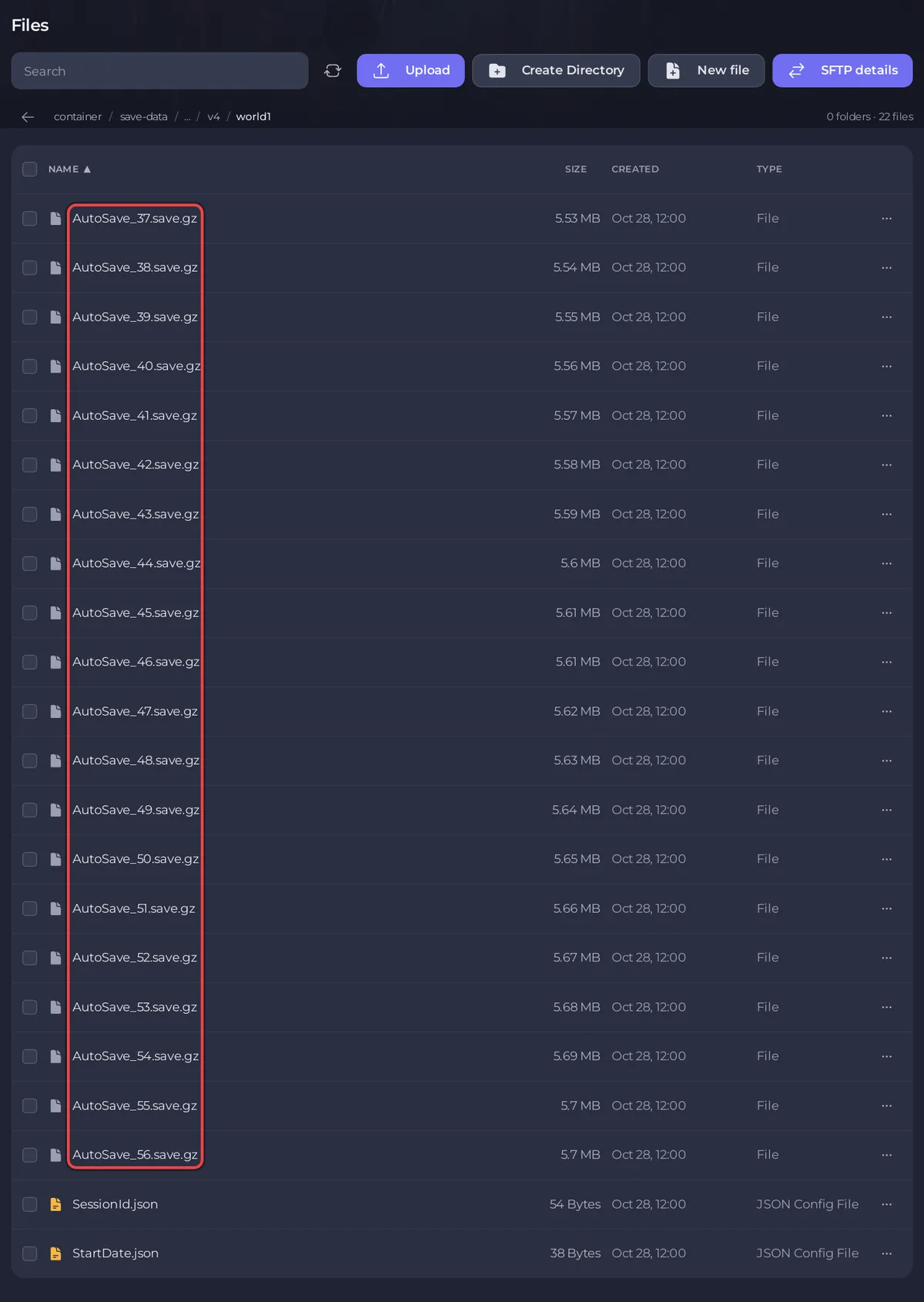
In save-data/Saves/v4/<Save Name> under Files, for example save-data/Saves/v4/world1. Each autosave is a file named AutoSave_ followed by a number. The server loads the newest one when it starts.
Autosaves are not backups
Autosaves sit in the same folder as the world, so a wipe or a deleted folder takes them too. Stunlock recommends backing up save files often and before every patch. See How to back up and restore your V Rising world.
Can I save the world on demand?
Not from the panel: the V Rising server does not read typed console commands, and Stunlock's RCON list has no save command. Lower the Auto Save Interval if you want saves more often. See How to use the Console on your V Rising server.
Plans and features: V Rising server hosting.


