

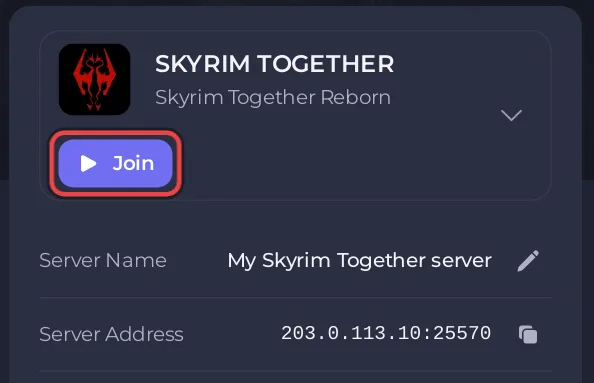
To invite friends to your Skyrim Together Reborn server on PlayNHost, click Join on the server's Overview page to copy the address, then send it with the server password, if any, and your Skyrim Together Reborn version. Each friend needs their own Skyrim Special Edition and that exact mod version.
What do my friends need from me?
Three things, all in the panel:
- The address with its port. On Overview, click Join, or the copy icon next to Server Address. It looks like
203.0.113.10:25570. - The password, if you set one: Server Password under Settings, Game Settings. Never send the Admin Password to someone who should not be admin.
- Your server's Skyrim Together Reborn version. Type
/versionin the Console; the server answers, for example,Server v1.8.4. Friends must install that exact version, or they are refused.
Is there a message I can send?
The panel has no ready-made invite message for Skyrim Together. You can copy this one and fill in your details:
Join my Skyrim Together Reborn server!
Address: 203.0.113.10:25570
Password: (ask me)
Mod version: v1.8.4
1. Get past the Helgen intro in your game first.
2. Press F2 or Right Ctrl, click Connect.
3. Paste the address in Address, the password in Password, click Connect.
The steps follow the official Skyrim Together Reborn connecting guide. Full join steps for your friends: How to join your Skyrim Together server.
What must my friends have installed?
Their own Skyrim Special Edition, latest version, on Steam (the mod team's Supported games page also lists GOG), on a Windows PC, with the Skyrim Together Reborn mod at your server's version. Consoles, Game Pass, Epic Games and VR cannot join. Details: What players need to join a Skyrim Together server.
How do I keep strangers out?
Set a Server Password and keep Announce Server off, then share the password only with your friends: How to make your Skyrim Together server public or private. The Skyrim Together server has no ban or whitelist command, so the password is the way to choose who plays.
How do I let a friend help run the server?
Give them their own panel access instead of your password:
- Click Team & Roles in the left menu.
- Click Invite someone. The Invite people window opens.
- Type their Email address and pick a Role.
- Click Send invitation. They get an email with a link to accept.
With the right role, a friend can start the server, use the Console or run Grant Admin for you. Roles and what each one allows: How to invite friends and give them access to your server.


