

To become admin on a Skyrim Together Reborn server on PlayNHost, set an Admin Password under Settings, Game Settings, restart, and type that password in Password when you connect. Or, while you are connected, run the Grant Admin task on Quick Tasks with your player name. Admin rights end when you leave the server.
How do I join as admin with the Admin Password?
- Open your server in the panel and click Settings, then Game Settings.
- Type a password in Admin Password, different from Server Password. Up to 64 characters.
- Click outside the field, then click Restart now when the panel says
Saved. The server must restart before these take effect. - In the game, press F2 or Right Ctrl, click Connect, paste the address and type the Admin Password in Password.
- Click Connect. You join as a player and as admin. The Console shows
New admin session forwith your connection.
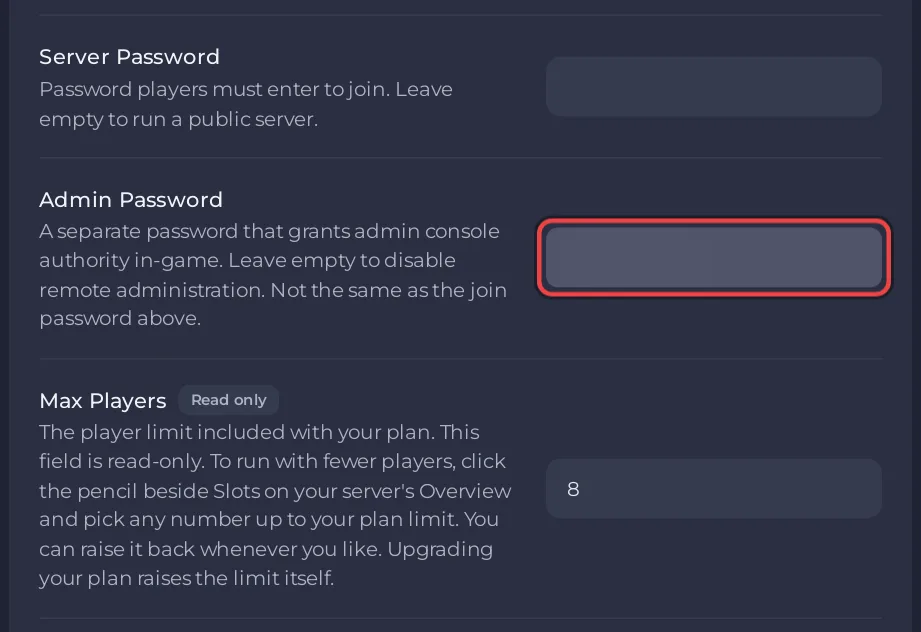
The Admin Password works as a join password too, so anyone who has it can join even if they do not know the Server Password. Share it only with people you trust. The official admin page says: "If you don't set a password, no one will be able to join as an admin."
How do I make a connected player admin from the panel?
Use the Grant Admin task on Quick Tasks. The player must be on the server when you run it.
- Click Quick Tasks in the left menu.
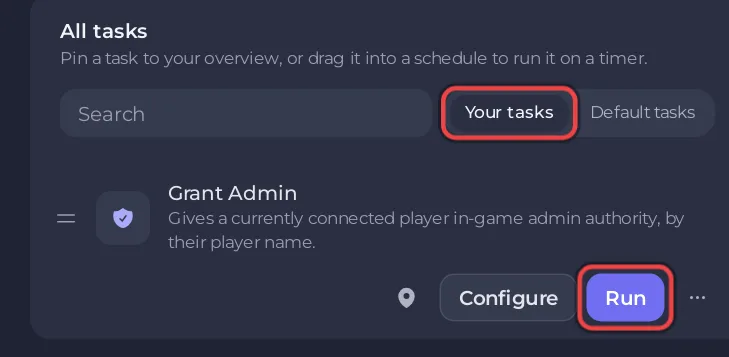
- Find Grant Admin. Its description says
Gives a currently connected player in-game admin authority, by their player name. - Click Run. The first time, the Configure task window opens because the task needs a name.
- Type the player's name in Player Name. Skyrim Together uses the name of the player's Skyrim character, as the in-game player list shows it.
- Click Save task. This saves the name; it does not send anything yet.
- Click Your tasks above the list. Grant Admin is there now with your saved name.
- Click Run on Grant Admin in Your tasks. The panel sends
/AddAdminand the name to the server. - Open the Console.
<name> admin privileges addedmeans it worked.
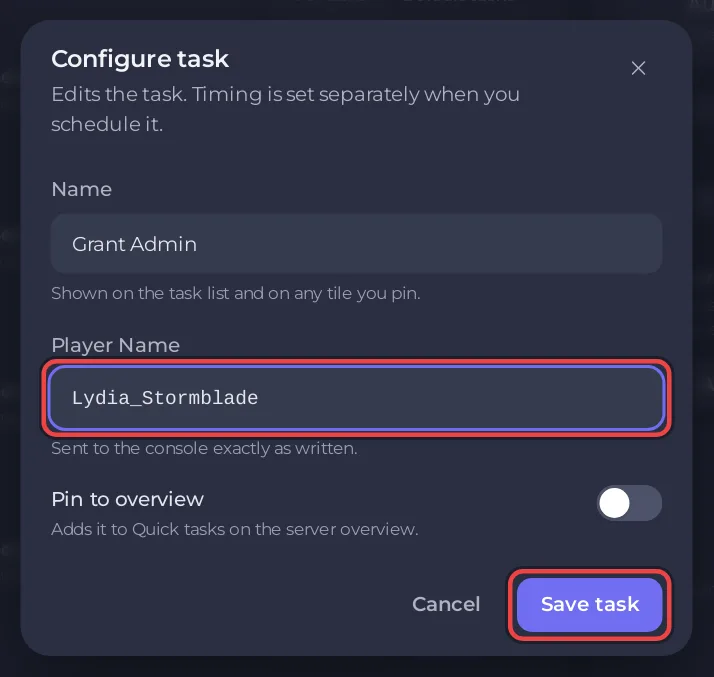
Use Run under Your tasks, not under Default tasks: the Default tasks list runs every task as it ships, without your saved name, so there Run only opens Configure task again. The saved name stays, so next time one click on Run in Your tasks is enough. Tick Pin to overview in the same window to get a Grant Admin tile on your Overview page, which also runs it with the saved name.
What if the player name has a space?
Type the space as _. The panel removes spaces from the name, because a space would split the command in two. Skyrim Together then turns every _ back into a space when it looks for the player: Lydia_Stormblade finds the player Lydia Stormblade.
How do I make someone admin from the Console?
Type /AddAdmin and the player name in the Console, for example /AddAdmin Lydia_Stormblade. This is the same command the Grant Admin task sends. Other admin commands:
| Command | What it does | Reply |
|---|---|---|
/admins | Lists the admins on the server now | No admins or Admins: and the names |
/RemoveAdmin <name> | Takes admin away from a player | <name> admin privileges revoked |
<name> is not a valid player means nobody with that name is connected. <name> is already an admin means there is nothing to do.
Why did I lose admin?
Admin rights belong to the visit, not the player. The admin page says: "Admin privileges are automatically removed when leaving the server". After you reconnect, join again with the Admin Password, or run Grant Admin again. A server restart disconnects everyone, so it also ends every admin session.
What can an admin do?
In the in-game chat, an admin can set the time of day with /settime, for example /settime 11 15 for 11:15. The official in-game chat page lists /settime as admin only. In the Skyrim Together Reborn 1.8 server code, the party leader may also use it on a server that is not listed in Public servers. For anyone else the command does nothing, and the 1.8.4 game shows no message about it. Admin features need Skyrim Together Reborn 1.7.0 or newer; PlayNHost servers run 1.8 releases.
The server Console in the panel needs no admin at all: you can always run server commands there. See How to use the Console and commands on your Skyrim Together server.
Can I ban or kick a player?
No. The Skyrim Together Reborn server has no ban, kick or whitelist command. The Kick button in the Skyrim Together party menu only removes a player from the party, and only the party leader can use it. To keep someone off the server, set or change the Server Password and restart: How to make your Skyrim Together server public or private.


