

To connect an RCON tool to a Quake Live server on PlayNHost, set an RCON Password under Game Settings on the Settings tab, restart, and point a tool that speaks Quake Live's ZeroMQ rcon at your Server Address over TCP, with the username rcon and that password. Classic Quake III rcon tools do not work: Quake Live does not answer them.
How do I open the remote console?
- Open your server in the panel and click the Settings tab.
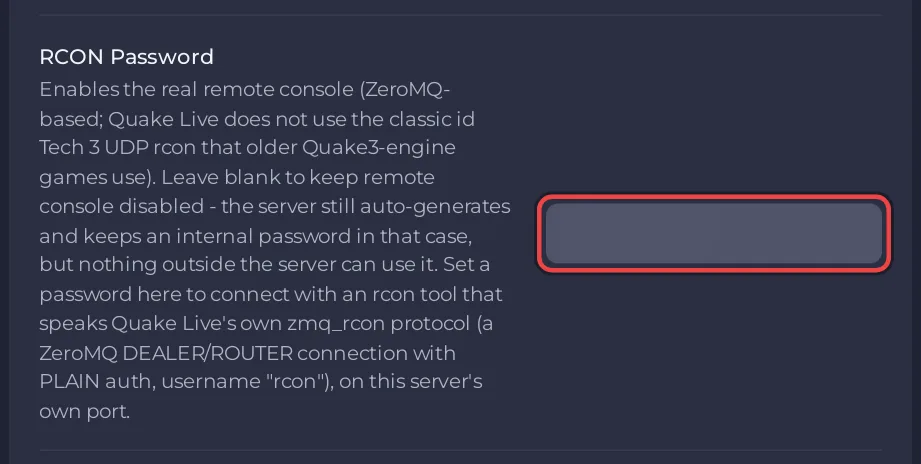
- Under Game Settings, type a password in RCON Password: up to 20 characters, no double quote (
") and no backslash (\). - Click outside the field. The panel shows "Saved. The server must restart before these take effect."
- Click Restart now and wait for the badge to say Online.
- In your rcon tool, enter the IP and the port from Server Address on Overview, the username
rconand your password, and connect.
Why does my Quake III rcon tool get no answer?
Quake Live does not use the classic Quake III rcon. PlayNHost checked it with a packet capture on a real server: a correctly formed Quake III rcon packet got no reply at all. The only working remote console is Quake Live's own, built on ZeroMQ:
| What the tool needs | Value on PlayNHost |
|---|---|
| Protocol | ZeroMQ, Quake Live's own rcon |
| Address | The IP from Server Address |
| Port | The same port as the game, over TCP (the game itself uses UDP on that number) |
| Username | rcon |
| Password | Your RCON Password |
The panel switches the remote console on for every Quake Live server and puts it on your server's own port, so you need no extra port. Quake Live's official server readme says the dedicated server comes with a basic client, zmq_rcon.py, written for Python 2 (Quake Live dedicated server readme, linked from id Software's Steamworks launch notes). PlayNHost's ready email for Quake Live warns about the same thing under "RCON is different here".
What happens with a wrong password?
Nothing comes back: Quake Live drops the connection without an error. If your tool connects but never shows any output, check the password first, then check that you restarted after you set it.
What happens when RCON Password is empty?
The remote console stays closed to everyone outside. Quake Live makes up a random password of its own and keeps it to itself; that is the zmq stats and rcon passwords updated line in the Console. The panel's own Console tab does not use the remote console, so it works either way: How to use the Console and commands on your Quake Live server.
Questions people ask
Is the RCON Password the join password? No. Players join with Server Password: How to change your Quake Live server name and password.
How do I close the remote console again? Empty RCON Password and restart.
Who should get the RCON Password? Only people you trust with every console command, including the ones that stop the server. To share the panel's Console without handing out a password, invite them under Team & Roles; you can change or take away their access at any time: How to invite friends and give them access.
If the tool still cannot connect: Quake Live server problems and fixes.


