

A Quake Live server on PlayNHost takes as many players as its plan includes: 8, 16 or 32. The panel writes that number into Quake Live's sv_maxclients setting, shown as Max Players under Game Settings, and Quake Live itself refuses a connection past it. 32 is the highest value the panel accepts.
Where do I see my limit?
- Open your server in the panel.
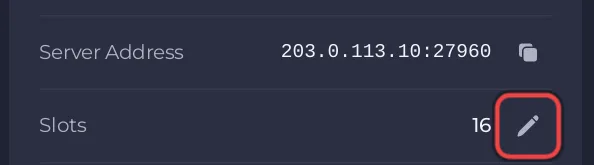
- On Overview, read the Slots row on the server card. It shows the player limit the server runs with.
- For the same number in Quake Live's own terms, open the Settings tab: Max Players under Game Settings carries the Read only badge, because it follows your plan.
Is the limit a real cap?
Yes. sv_maxclients is enforced by the Quake Live server: once that many players are connected, the next one is refused. To lower the limit for a smaller match, use the pencil on the Slots row: How to change player slots on your Quake Live server.
How many players does a match need?
That depends on the game mode, not the server. Quake Live's Steam page lists modes such as Duel, Free-for-All, Team Deathmatch, Capture the Flag and Domination. A Duel is one player against another, so 8 slots cover it. Team modes fill more slots, which is where 16 or 32 help.
Questions people ask
Can I go above 32? No. Max Players accepts 1 to 32 in the panel.
Who can join? Anyone with Quake Live on Steam on a Windows PC: Which players can join your Quake Live server?
How much memory does the server use? Little: PlayNHost measured about 41 MB on a freshly started server with nobody connected. See How much RAM does a Quake Live server need?


