

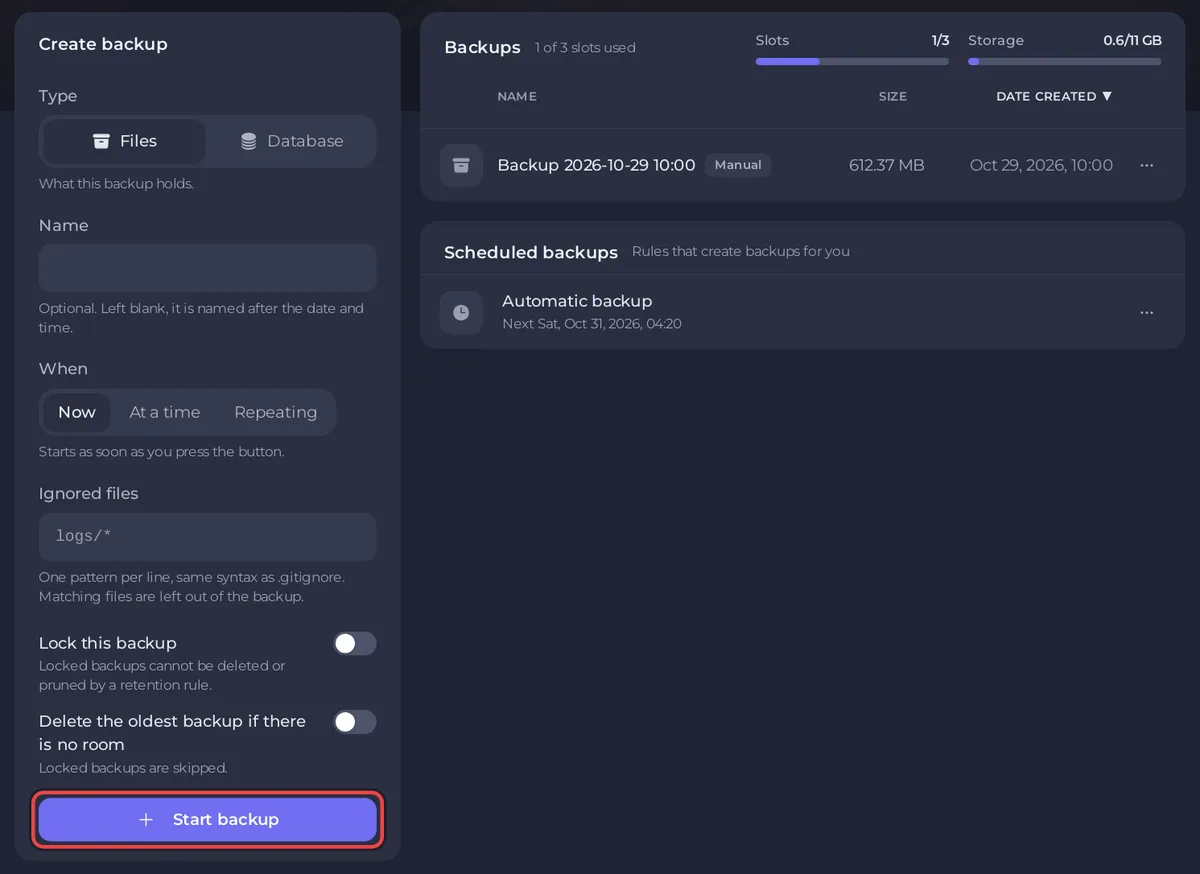
To back up a Quake Live server on PlayNHost, open Backups in the left menu and click Start backup under Create backup. To put a backup back, open its menu and choose Restore to server. A Quake Live backup holds the whole server folder, so your edited files such as baseq3/mappool.txt and your Workshop downloads come back too.
How do I take a backup now?
- Open your server in the panel and click Backups in the left menu.
- Under Create backup, leave the mode on Now. Type a Name if you want one; left blank, it is named after the date and time.
- To keep this backup out of the automatic rotation, turn on Lock this backup.
- Click Start backup. The backup appears in the list and is ready when its row stops showing that it is being created.
Take one before you edit baseq3/mappool.txt or another file by hand, or before a big change to the Workshop list.
How do I restore a backup?
- On Backups, open the menu of the backup you want and choose Restore to server.
- Read the window: it puts the server back the way it was when the backup was taken, and the server stops while files are replaced.
- Leave Delete files that are not in the backup on, unless you are recovering a single file. The panel warns that off "can leave a half-updated server".
- Click Restore backup. When it is done, start the server if it is not running and wait for Online.
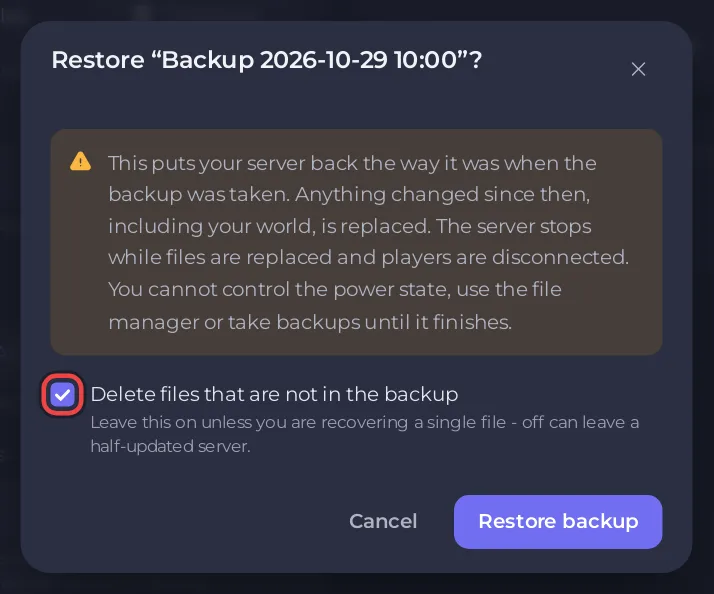
Quake Live keeps no world, so a restore brings back files and settings files, not a match in progress. Game Settings values such as Server Name are kept by the panel, not in the backup.
What does the Automatic backup do?
When your plan has backup slots, a new server comes with an Automatic backup schedule: "Takes a full backup of your server every night. Once your backup allowance is full the oldest one makes room for the newest, so you always have your most recent saves. Lock a backup to keep it out of that rotation." It runs whether the server is on or off.
To change its time, go to Backups, find it under Scheduled backups and click Edit. The schedule also shows under Schedules on Quick Tasks, where its time cannot be changed.
If your plan has no backup slots, the Backups page says "Backups are not included" and there is no Automatic backup schedule.
Can I download a backup?
Yes. Open the backup's menu and choose Download to keep a copy on your own computer. Lock keeps a backup from being deleted or replaced by the rotation.
More on backups, including restoring single files: How to create, download and restore backups. If the server does not start after a restore: Quake Live server problems and fixes.


