

To make a Palworld server run smoother, apply the Lighter server preset on the Gameplay Settings page: it spawns 20% fewer wild Pals, allows 10 working Pals per base instead of 15, and keeps fewer dropped items for less time. Add Restart every 6 hours if memory climbs during the day.
Apply the Lighter server preset
- Open your server in the panel, click the Settings tab, then Gameplay Settings under Config files.
- Under Start from a preset, choose Lighter server and click Apply preset, then confirm.
- Restart the server.
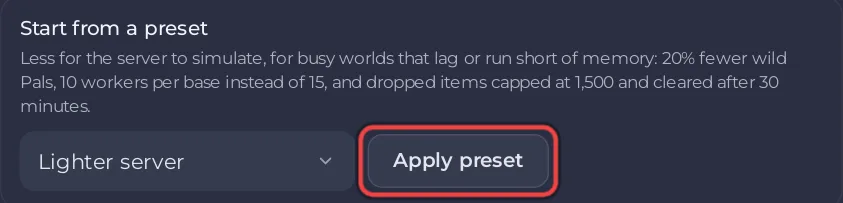
The preset's description: "Less for the server to simulate, for busy worlds that lag or run short of memory: 20% fewer wild Pals, 10 workers per base instead of 15, and dropped items capped at 1,500 and cleared after 30 minutes." It changes only those four settings.
The settings that raise the load
From the descriptions in Pocketpair's settings page:
| Setting | Pocketpair's note | Default |
|---|---|---|
| Pal spawn rate | Impacts performance | 1 |
| Pals working per base | Raising it raises processing load (max 50) | 15 |
| Bases per guild | Raising it raises processing load (max 10) | 4 |
| World backups | Enabling it increases disk load | On |
If you raised any of these, bring them back down first. Keep World backups on unless you have backups another way: it makes the snapshots on the Worlds page.
Restart more often
Palworld's memory use grows the longer it runs. The Daily restart handles that on most servers. For busy worlds, add Restart every 6 hours from Ready-made for Palworld on Quick Tasks: How to restart your Palworld server with warnings.
Check memory and CPU
Open the Usage card on the Overview page while players are on. If memory sits at its limit, the server is stopped by the system: Your Palworld server ran out of memory. How much memory Palworld needs: How much RAM does a Palworld server need?
When one player lags
High ping for one player is their connection or their distance from the server. The Active players card shows each player's ping in milliseconds, so you can compare: How to see, kick, ban and unban players on your Palworld server.


