

 MINECRAFT HOSTING
 GAME SERVERS
 Game Panel
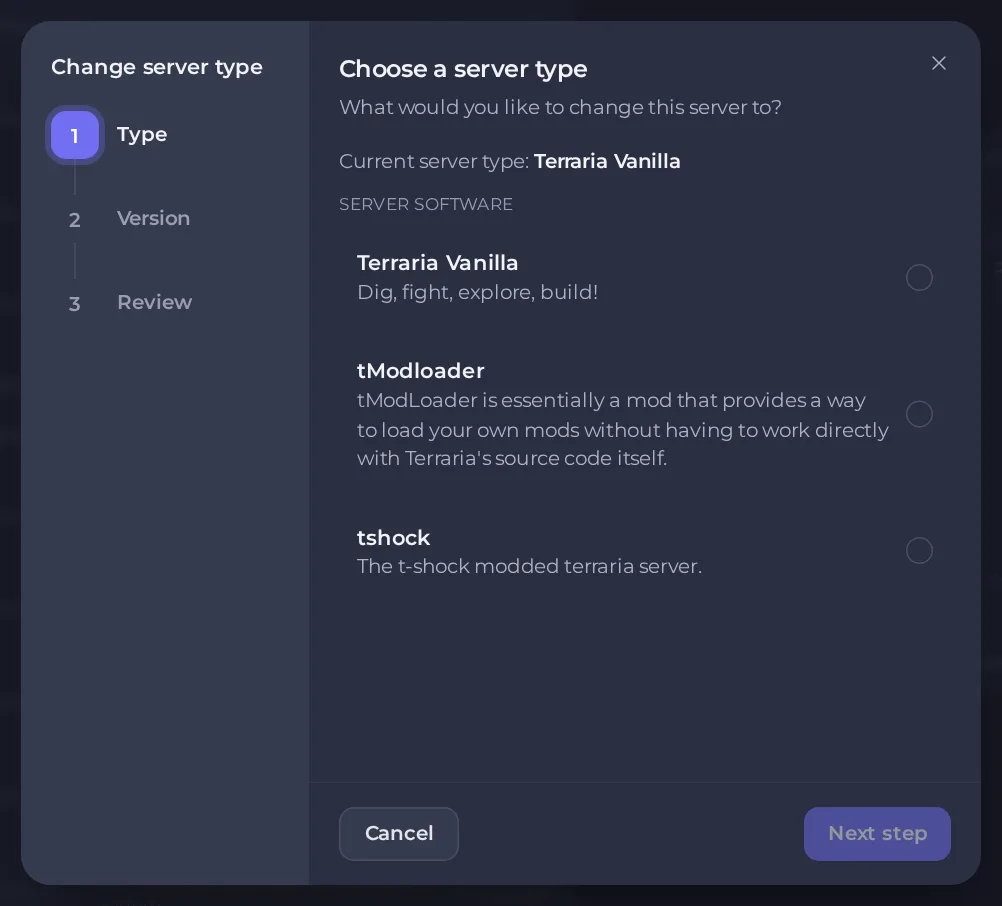
Many games can run on more than one kind of server. Terraria, for example, has vanilla, a plugin server and a mod loader. The Edit Server Type wizard changes which one your server runs, and which version of it.
Changing the server type reinstalls the server, and by default it deletes the server's files, including your world. Download your world and take a backup first. See How to create, download and restore backups.
Change the type
- Open your server in the panel and stay on the Overview page.
- Click Edit Server Type. If the button is greyed out, the tooltip says This game has only one server type. If you do not see the button at all, only the server owner can use it.

- Type: the window shows your current type and lists the types available for this game, each with a short description. Choose one and click Next step.
- Version: choose the version to install, if the type has versions. Choosing the type and version the server already runs is blocked.
Review: read the summary and the two boxes at the bottom.
- Delete my existing files and start clean (recommended) is ticked by default. With it ticked, all the server's files are deleted, including the world. Untick it only if you want the files kept.
- I understand this reinstalls my server and deletes its files. You must tick this before the Change server type button works.
- Click Change server type.
When your plan has room for it, the panel takes a safety backup before it starts.
What happens to your world
Unless you untick the clean-start box, your world is gone after the change, so download it first. Even with that box unticked, a world is not always usable by the new type. Different types can keep their worlds in different places, or run an older or newer version of the game that cannot read a world saved by the other. The wizard warns that once a world has been upgraded to a higher version it cannot be downgraded. Check the game's own guide in this knowledge base for what moves and what does not.
Change only the version
Use the same wizard, keep the type and pick another version at the Version step. The same warnings apply, and the clean start is ticked by default, so this too deletes the world unless you untick it. Take a backup first, and check your mods and plugins support the new version.
Some games have their own version setting in Settings. For example, Terraria's version option set to latest keeps the server on the newest build. Typing a version number there pins the server where it is. It does not install that version, so ask support if you need a specific older build.
If something goes wrong, restore your backup. See How to create, download and restore backups.
Modding
Once you run a type that supports add-ons, the Modding tab becomes useful. See How to add mods, plugins and modpacks.
Good to know
- You can also keep two types side by side with instances instead of reinstalling. See How to use instances to switch between worlds.
- Players need to run a matching game version to join. See How to join your server.





