

To back up a The Bus server on PlayNHost, open Backups in the left menu and click Start backup in the Create backup card. When your plan includes backups, your server also has an Automatic backup every night. A The Bus backup keeps your settings, player data, saves and mods, and leaves out the game files, which your server downloads again from Steam.
How do I make a backup now?
- Open your server in the panel and click Backups in the left menu.
- In the Create backup card, type a Name if you want one. Left blank, the backup is named after the date and time.
- Click Start backup. The backup appears in the list when it is done.
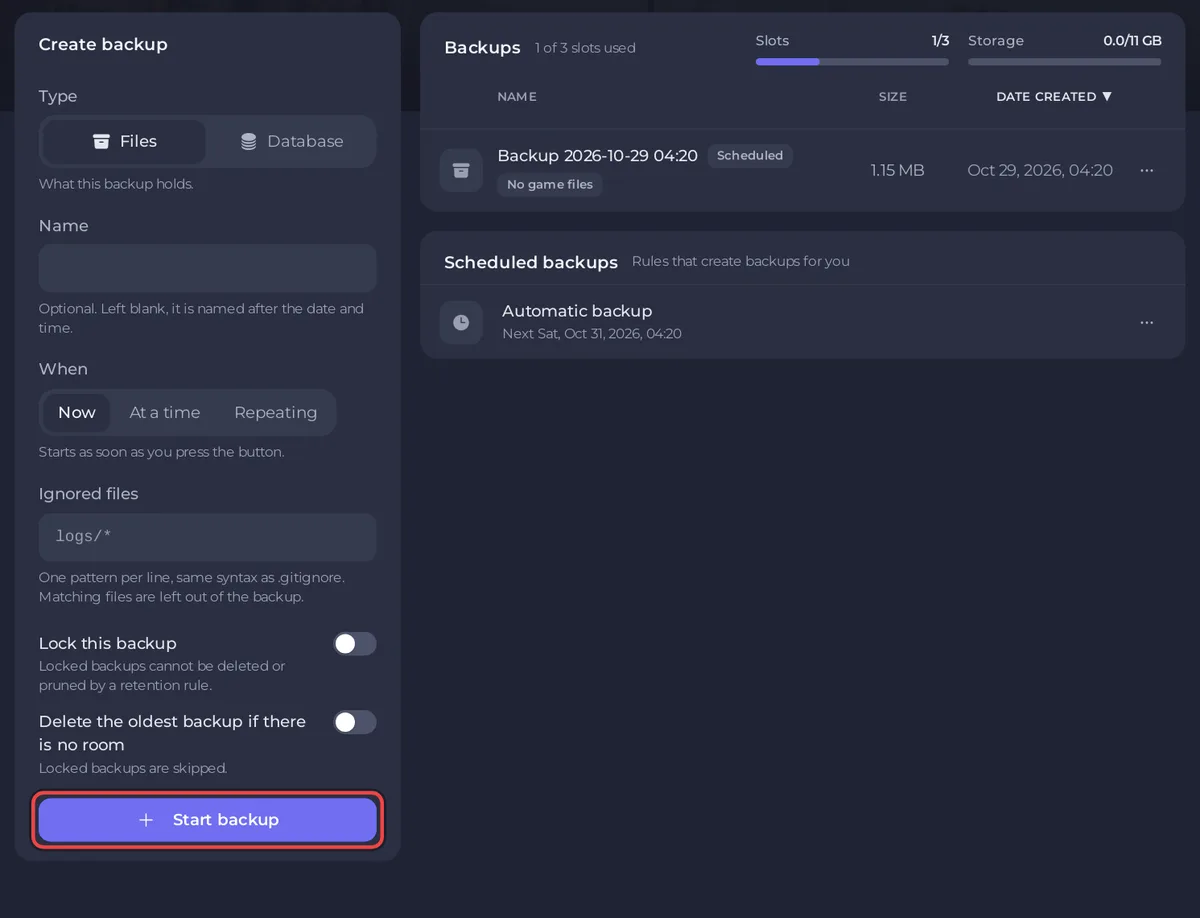
You can make a backup while the server is Online.
What does a The Bus backup keep?
| Kept | What is in it |
|---|---|
TheBus/Settings | ServerSettings.cfg (everything set under Settings and in the Admin Menu) and the game's other settings files |
TheBus/Saved | Player data and ranks (PlayerData.json), profiles, operating plans and logs |
TheBus/Mods | Every mod you uploaded |
Left out: The Bus's own game files and the Steam tools (TheBus/Content, TheBus/Binaries, Engine and similar). Each backup row says No game files, with the note "Game files are downloaded again by your server, so they are not stored in backups". This keeps a The Bus backup small: PlayNHost measured the files you own at about 1 MB, against about 3 GB of game files.
How does the Automatic backup work?
When your plan includes backups, your server has a schedule called Automatic backup. The panel describes it: "Takes a full backup of your server every night. Once your backup allowance is full the oldest one makes room for the newest, so you always have your most recent saves. Lock a backup to keep it out of that rotation." It runs in the middle of the night, around 04:20 panel time, at a time spread up to two hours either way for each server, and it also runs while the server is offline.
To move it, open Backups, then Scheduled backups, and click Edit on the schedule. Full guide: How to create, download and restore backups.
How do I restore a backup?
- Open Backups and find the backup.
- Open its actions menu and click Restore to server.
- Read the window and click Restore backup. The server stops while files are replaced.
- When the restore is done, click Start if the badge says Offline.
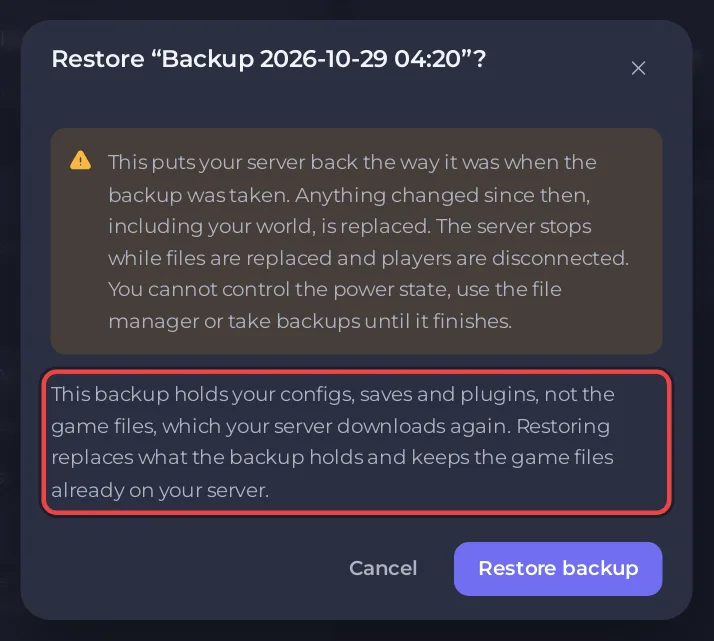
The window says: "This backup holds your configs, saves and plugins, not the game files, which your server downloads again. Restoring replaces what the backup holds and keeps the game files already on your server."
The panel writes your current Game Settings into ServerSettings.cfg at the next start, so after a restore the server name, passwords, public list switch and player limit are the ones on your Settings page now, not the ones in the backup: How to change your The Bus server settings.
How do I keep a copy on my PC?
Open the backup's actions menu and click Download. To keep a backup out of the nightly rotation, click Lock.
Questions people ask
Does a backup keep who is owner and admin? Yes. Ranks are in TheBus/Saved/PlayerData.json, which is in every backup: How to become owner or admin on your The Bus server.
Do I need a backup before a The Bus update? An update replaces game files, which are not in backups. A backup before you change mods or settings is a good habit, and a The Bus backup is small.


