

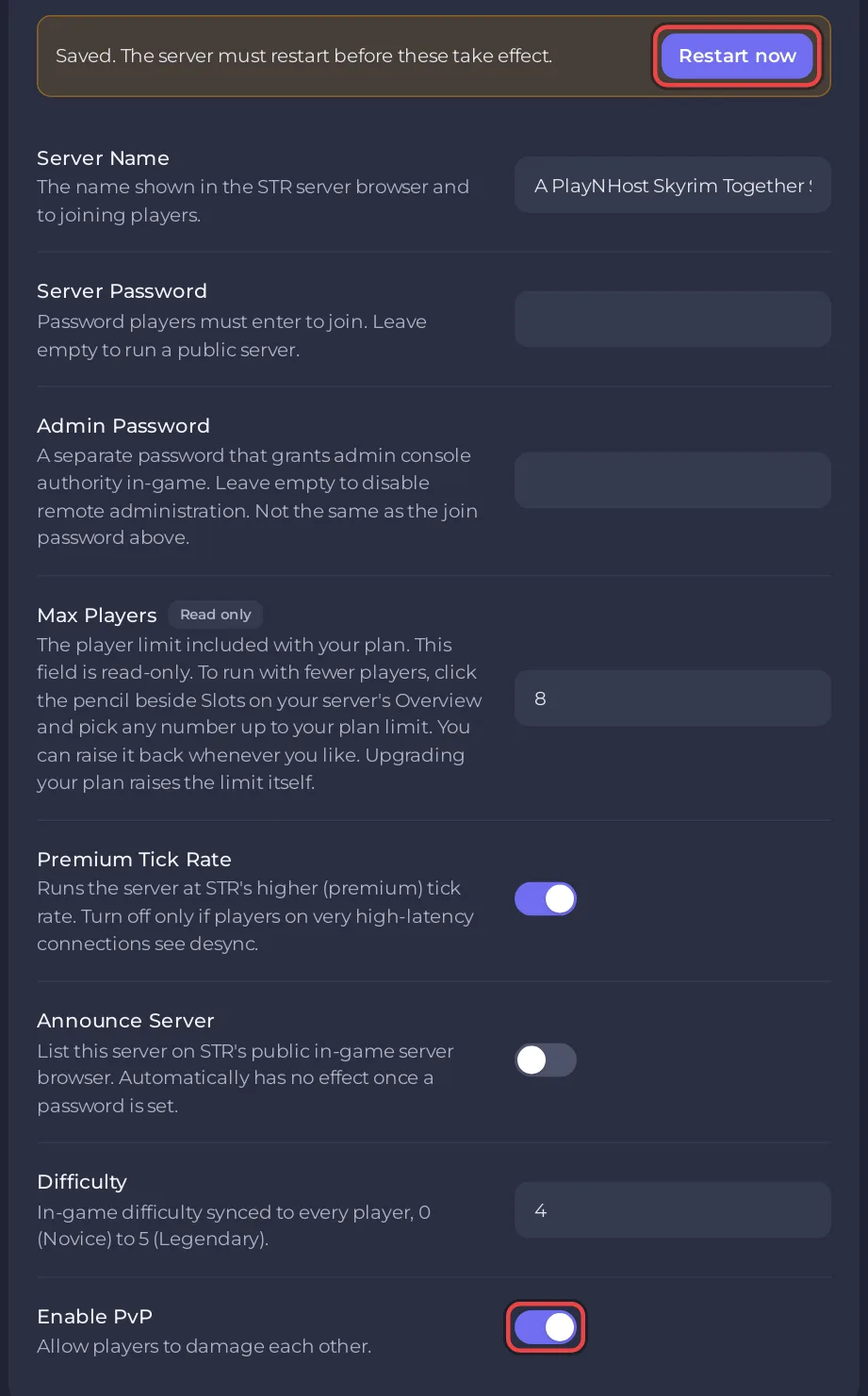
To turn PvP on or off on a Skyrim Together Reborn server on PlayNHost, flip Enable PvP under Settings, Game Settings and click Restart now. A new server has PvP off, so players cannot hurt each other. With PvP on, players can damage each other and shouts such as Fus Ro Dah work on other players.
How do I switch it?
- Open your server in the panel and click Settings, then Game Settings.
- Flip Enable PvP. The panel saves the switch at once and says
Saved. The server must restart before these take effect. - Click Restart now. The restart disconnects everyone; when players connect again, the new rule applies.
What does PvP change?
The official server configuration page says the setting "Determines whether players can damage each other. Shouts on other players, like fus ro dah, also only work when this option is enabled."
So with Enable PvP off, a stray arrow or spell does not hurt a friend, and shouts pass over other players.
Should we turn it on?
Only if your group wants to fight each other. The mod team's features page says: "PvP is default disabled ... This is a co-op mod first and foremost ... We did not build the mod with PvP in mind, and PvP'ing will therefore not be perfect."
Can I switch PvP without a restart?
For one session: type /TogglePvp in the Console. The server answers PvP has been enabled. or PvP has been disabled. The next start sets it back to what Enable PvP says, because the panel writes Game Settings into the server at every start. For a lasting change, use the switch. More commands: How to use the Console and commands on your Skyrim Together server.
Other settings on the same page: How to change your Skyrim Together server settings. Difficulty for everyone: How to change the difficulty of your Skyrim Together server.


