

Lag on a Satisfactory server tends to come with a large factory: the game loop runs on one CPU core, and every machine, belt and train adds to its work. If short freezes come back every few minutes, compare them with the autosave interval. Check the Usage card first, then the steps below.
Check what the server is doing
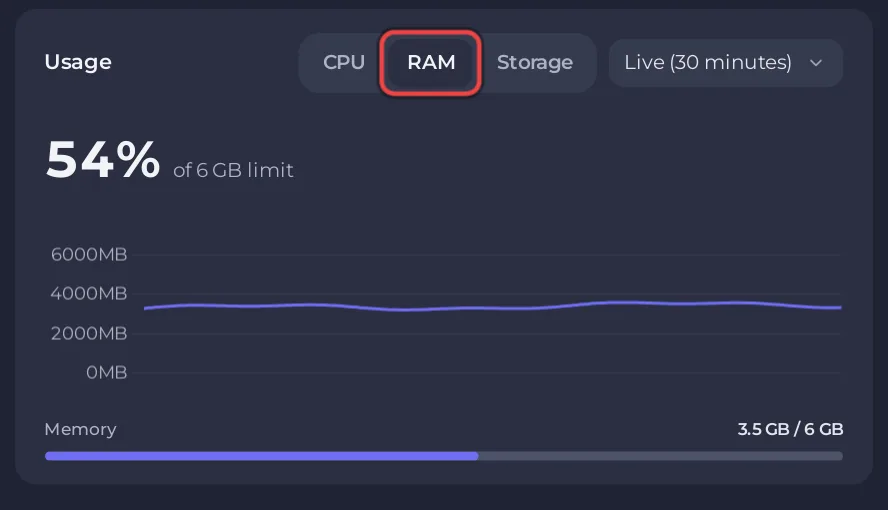
- Open your server in the panel. On Overview, open the Usage card and look at RAM and CPU while players are on.
- Look for the card This server ran out of memory on the same page. If it is there, the server was stopped at its memory limit: How much RAM does a Satisfactory server need?
- While it lags, open Worlds and check the Players row, to know how many people are on.
A short freeze every few minutes
If players notice a hitch that comes back on a steady rhythm, compare it with Autosave Every (Minutes) in Settings, Game Settings (5 minutes by default). If the two match, set a longer interval, for example 10 or 15 minutes, and restart. Saving less often means a crash can cost more minutes, but Stop and Restart from the panel still save first. See How to change autosave settings on your Satisfactory server.
A big late-game factory
The official wiki notes that the game loop is single threaded, so a large factory depends mostly on the speed of one CPU core, however many the server has. What helps:
- Keep memory below the limit: watch the RAM graph as the factory grows.
- Keep the server restarted daily, so it runs the latest patch. The Daily restart schedule does it for you: How to restart your Satisfactory server on a schedule.
- Remove mods you no longer use: How to update or remove mods on your Satisfactory server.
Players drop while joining a big world
A large save takes longer to reach a joining player. If players are dropped before they arrive, or in the middle of play on an unstable connection, raise Client Initial Connection Timeout (30 seconds by default) or Client Established Connection Timeout (20 seconds by default) in Settings, then restart. Both accept up to 300 seconds. See Players are stuck on the loading screen of your Satisfactory server.
Lag for one player only
If only one player lags while the others play smoothly, the cause is more likely on their side: their connection or their PC. Ask them to check their connection, and compare with other players at the same moment.
Still lagging?
Open a ticket with the time it happened and the last 50 to 100 lines of the Console: How to open a support ticket.


