

To upload a Rising World world to a PlayNHost server, stop the server, zip the world's folder, upload the zip into the Worlds folder under Files, unzip it, and type the folder's name in World Name under Settings, Game Settings. The server loads that world at its next start.
Where is the world I want to upload?
Each Rising World world is one folder, named after the world, inside a folder called Worlds.
- On another server or host: in the
Worldsfolder of that server's main folder. Stop that server first, so the world is complete on disk. - On your PC (Steam): in the
Worldsfolder of the game folder,Steam/steamapps/common/RisingWorld. The developer's notes of 31 January 2025 say the game moved all worlds "into the main folder" of the game. Close the game first.
A world folder holds database files such as World.db and Meta.db, sometimes with -wal and -shm files next to them. Copy the whole folder, all of these included.
The developer has not published steps for moving a single-player world to a dedicated server, so keep the original on your PC until you have played the world on your server.
How do I upload it?
- Take a backup of your server: on Backups in the left menu, click Start backup.
- On your computer, zip the world folder itself, so that the zip contains one folder named after the world.
- In the panel, click Stop and wait for Offline.
- Open Files, then the
Worldsfolder. - Click Upload and choose your zip. Wait until the upload finishes.
- Tick the box next to the zip and click Unzip in the bar that appears.
- Check that
Worldsnow has a folder with your world's name, then delete the zip. - Click the Settings tab, then Game Settings, and type the folder's name in World Name, exactly as it is written, up to 20 characters. Press Enter.
- Click Start and wait for
Dedicated server is ready!in the Console.
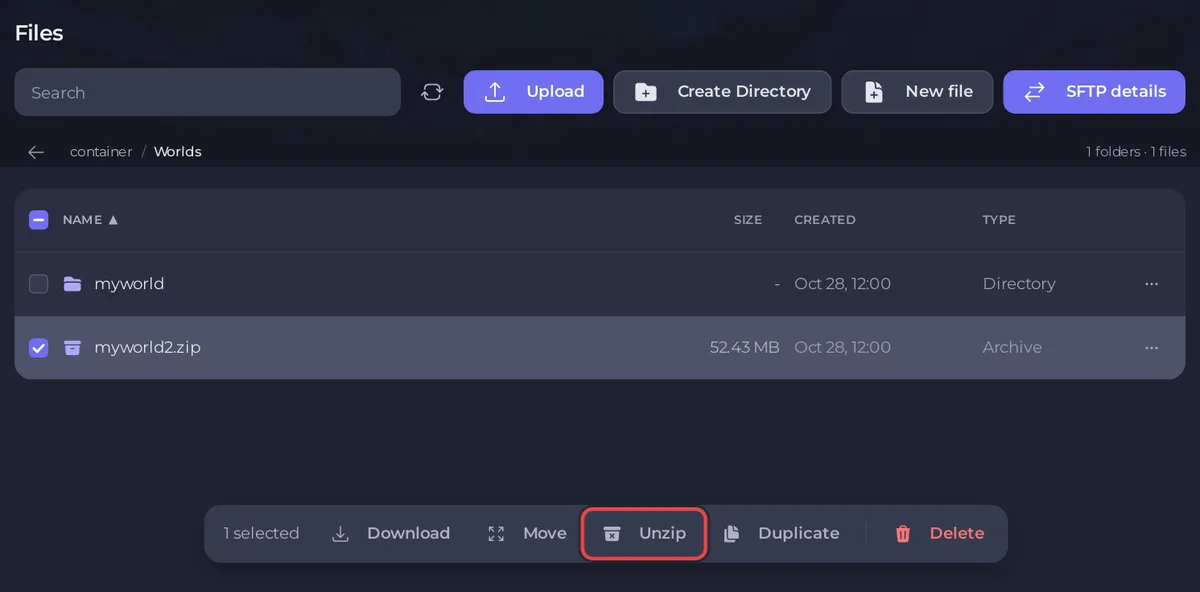
The panel's file manager does not upload folders, which is why the world goes up as a zip. For a big world, SFTP is steadier: How to connect to your server files with SFTP.
What if the world's name is longer than 20 characters?
World Name takes up to 20 characters. Rename the folder in Worlds to a shorter name first: open its ... menu, choose Rename folder, then type that name in World Name.
What if the server makes a new world instead of loading mine?
World Name must match the folder name exactly, capitals included. If it does not, Rising World creates a new world with that name, and your uploaded folder stays untouched. Check the spelling in Files, Worlds, correct World Name and restart: Rising World server problems and fixes.
Can an old world be loaded?
Since update 0.9.3 (31 August 2026), Rising World converts a world the first time it loads it after the update, and the patch notes say the world converter handles worlds "created or last played after November 2022". The first start with an older world can take longer.
Worlds from the old Java version of Rising World are a different game version and are not covered by this guide.
How do I download my world from PlayNHost?
Open Files, then Worlds, open the ... menu of the world's folder and choose Download folder. Or download a whole backup: How to back up and restore your Rising World server.


