

To kick a player from a Rising World server on PlayNHost, type kick with their player name and a reason in the panel's Console tab, for example kick Alex Please read the rules. A kicked player can join again. To keep a player out, ban them in the game's own console with ban.
How do I kick a player?
- Open your server in the panel and click the Console tab.
- Type
kick, the player name and a reason, for examplekick Alex Please read the rules. - Press Enter and wait. Rising World can take up to a minute to pick up a typed command.
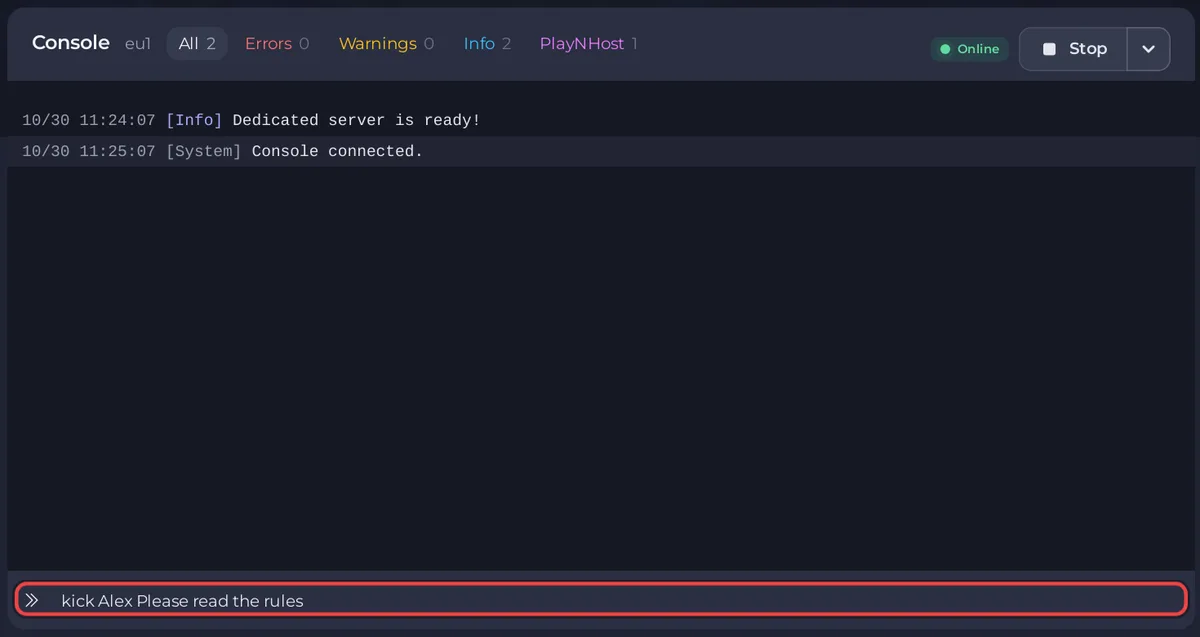
To kick everyone, for example before maintenance, type kickall and a reason: kickall Server maintenance, back in 10 minutes. Both commands come from the developer's list of server console commands.
How do I ban a player?
Bans are typed in the game's own console, while you are on the server. The Rising World community wiki gives the commands.
- Make yourself admin first: How to become admin on your Rising World server.
- Join the server and open the game's console with the
^key (on a German keyboard, the key left of1). - Type
ban, the player name, the length in seconds and a reason. For example,ban Alex 86400 Griefingbans Alex for one day (86,400 seconds). - For a ban with no end, use
-1as the length:ban Alex -1 Cheating.
To ban a player who is not online, use offlineban with their UID, the length in seconds and a reason.
How do I unban a player?
Type unban and the player's UID in the game's console. The command takes the UID, not the name.
Can I let in only the players I choose?
Rising World has a whitelist switch, Server_UseWhitelist, in server.properties under Files. When it is true, the server only accepts players who are on the whitelist, so a whitelist with nobody on it keeps everyone out. If one player cannot join and others can, check this line first. A simpler way to keep strangers out is a Server Password: How to change your Rising World server name and password.
Can someone who helps run the panel ban players?
Only through the Console or the game. A friend you invited in Team & Roles can type kick in the Console when their role has the Use the console permission. For bans in the game, make them admin in the game as well. Other commands: How to use the Console and commands on your Rising World server.


