

On a RimWorld Open World server, every player installs mods in their own RimWorld; the server only decides which mods it lets in. With Enforce Mods off, which is how a new server starts, players can join with any mods. To require or limit mods, upload each mod's .dll files to Mods enforced or Mods whitelisted on the server and turn on Enforce Mods.
How does the server check mods?
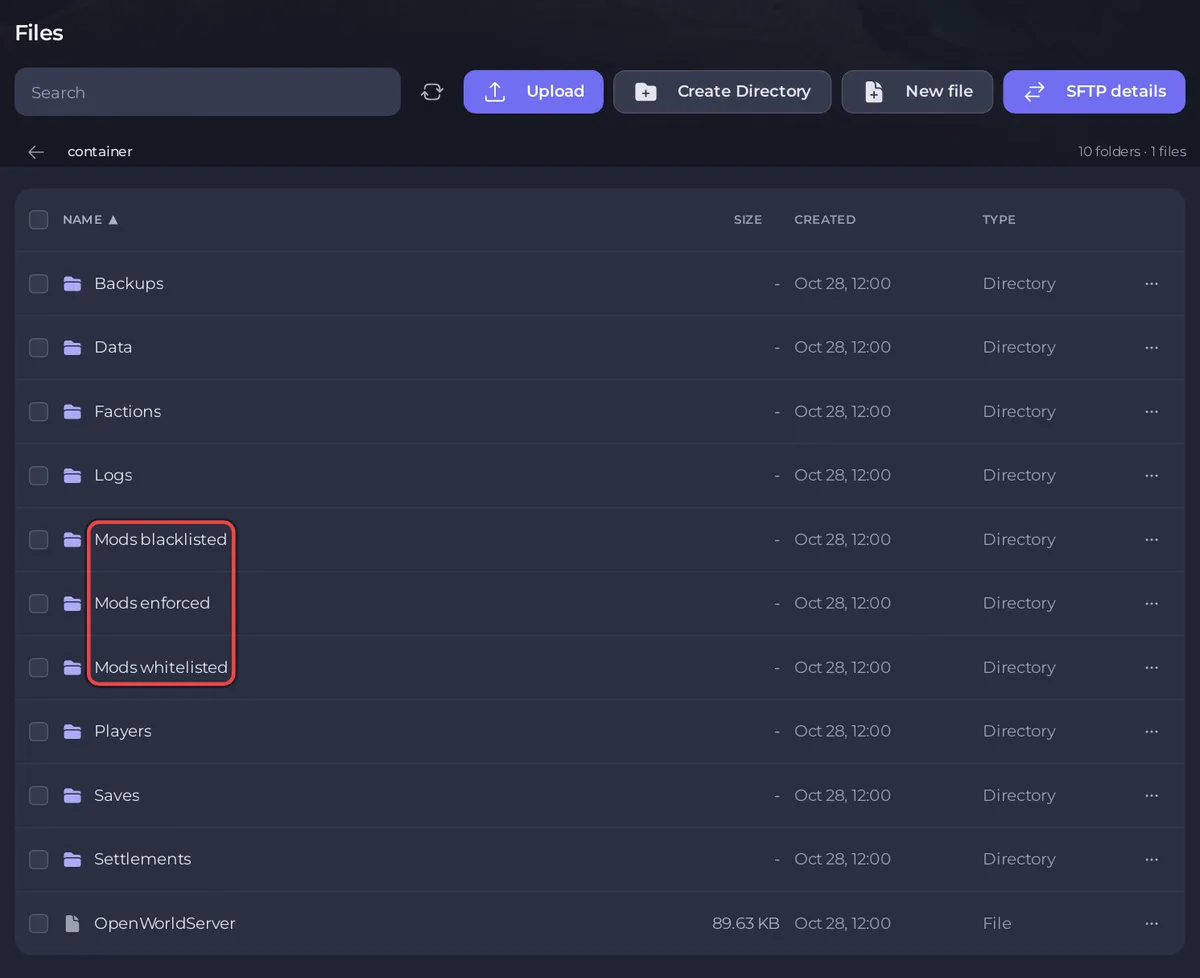
When a player connects, the Open World mod sends the names of the DLL files of every active mod (the files in each mod's Assemblies folder). The server compares those names with the files in three folders:
| Folder | Meaning | Checked when |
|---|---|---|
Mods enforced | Every player must run these | Enforce Mods is on |
Mods whitelisted | Players may run these, or not | Enforce Mods is on |
Mods blacklisted | Nobody may run these | Use Mod Blacklist is on |
With Enforce Mods on, a player is refused if a DLL from Mods enforced is missing, and also if they run any DLL that is in neither Mods enforced nor Mods whitelisted. Harmony, HugsLib and Open World have DLLs too, so put theirs in a list as well. A mod made only of XML files has no DLL, so the server never sees it and never checks it.
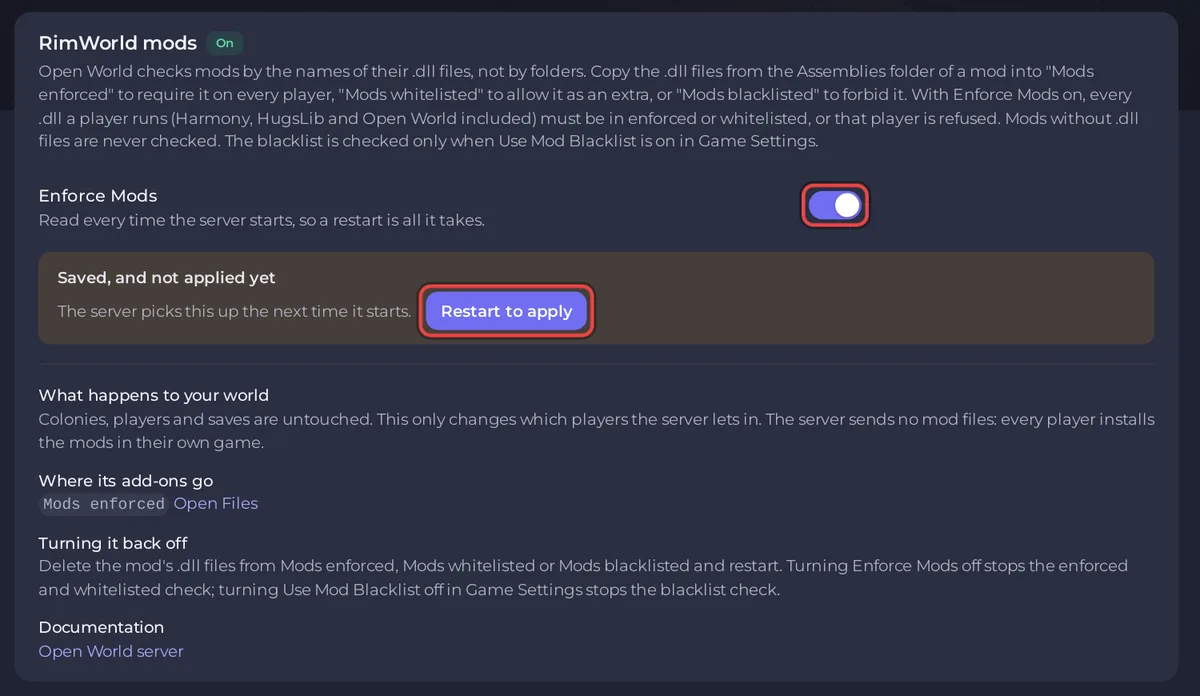
The server reads file names, not folders. A whole mod folder dropped into Mods enforced is ignored: put the .dll files themselves there. The RimWorld mods card on the Modding tab says the same: "Open World checks mods by the names of their .dll files, not by folders."
The server sends no mod files to players. Each player installs the same mods in their own game, for example by subscribing to them on the Steam Workshop.
Require a mod list (Enforce Mods)
- On your PC, open each mod's folder. Workshop mods are in
C:\Program Files (x86)\Steam\steamapps\workshop\content\294100, one folder per mod, named by its Workshop number. Inside, find theAssembliesfolder (some mods keep it inside a folder named after the RimWorld version, such as1.4) and copy the.dllfiles out. - In the panel, click the Files tab and open
Mods enforced. Click Upload and upload the DLLs every player must have. - Open
Mods whitelistedand upload the DLLs of mods players may add if they like. Including Harmony, HugsLib and Open World here or inMods enforcedis required. - Click the Modding tab. In the RimWorld mods card, turn on Enforce Mods. The card says Saved, and not applied yet.
- Click Restart to apply. The server reads the lists at every start.
The Open World wiki's Adding mods page links a free tool that copies all DLLs out of your mod folders at once. Its tip for a first setup: when the server names many mods as not allowed, "moving all mods to whitelisted is the easiest way to fix this issue".
Forbid some mods (Use Mod Blacklist)
- Upload the DLLs of the mods you do not want to
Mods blacklisted. - Click the Settings tab and, in Game Settings, turn on Use Mod Blacklist.
- Click Restart now.
A player who runs a listed mod sees "Mods are forbidden in the server" with its name. This works with Enforce Mods off, so players keep every other mod. Use Mod Blacklist is only in Game Settings: the RimWorld mods card on the Modding tab has the Enforce Mods switch alone.
What players see when their mods do not match
- "Mods are missing from the game": they need to activate the listed mods.
- "Mods are not permitted in the server": they run mods that are not on your lists. Turn those off, or add their DLLs to
Mods whitelisted. - "Mods are forbidden in the server": they run a blacklisted mod.
The list in each message shows the DLL names. The panel Console logs [Missing mods at join], [Extra mods at join] or [Forbidden mods at join] with the player's IP.
Which mods do not work with Open World?
The Open World wiki's Incompatibilities page lists these as not working with it: Save Our Ship 2, Set up Camp, Zetrith's Multiplayer, Realistic Planet Continued, RimSaves, VFE Pirate storyteller, Beautiful Outdoors and RimWorld Together. All mods must also run on RimWorld 1.4: see Which RimWorld version does a RimWorld Open World server need?
How do I turn mod checks off again?
Turn off Enforce Mods on the Modding tab, or Use Mod Blacklist under Settings, Game Settings, and restart. To drop one mod from a list, delete its DLL from the folder in Files and restart. Colonies, accounts and saves are not touched by any of this.
More fixes for join messages: RimWorld Open World server problems and fixes. The general guide to uploading: How to upload, edit and manage your server files.


