

To invite friends to your PlayNHost DayZ server, send them three things: the Server Name to find in the DayZ server list, the Server Address from the Overview page, and the Server Password if you set one. On a modded server, add the list of mods they must install.
Send the invite
- Open your server in the panel. You land on Overview.
- Copy the Server Address with its copy icon.
- Click the Settings tab and open Game Settings. Note the Server Name and, if you set one, the Server Password.
- Send your friends a message with the name, the address and the password.
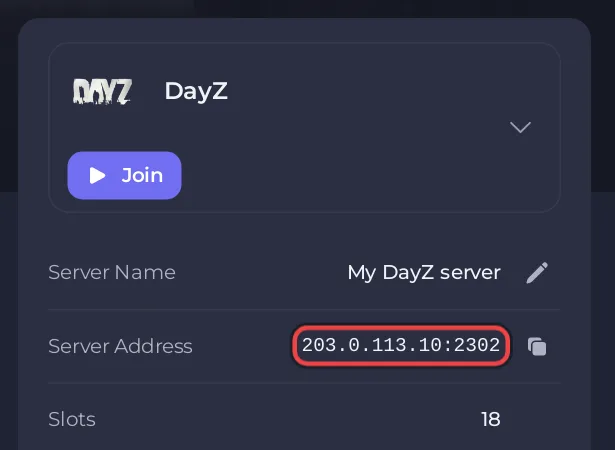
A message like this works:
Join my DayZ server: search for "My DayZ Server" in the server list, or use 203.0.113.10:2302.
Password: ask me.
Put your own name and the address from your Overview page in place of the example. DayZ servers do not have the Play with friends card that some games show on Overview, so the message is written by hand.
If your server runs mods
Every friend needs the same mods as the server. Send them the names of the mods on the Workshop tab, so they install the same mods in DayZ before they join. See How to add mods to your DayZ server.
On Sakhal
Friends need the Frostline expansion to join a server that runs Sakhal. See How to change the map of your DayZ server.
Let a friend help run the server
To let a friend start the server, change settings or manage players without your password, invite them on Team & Roles in the left menu. They get their own sign-in and only the access you choose. Kicking and banning from the Active players card needs the Use the console permission. See How to invite friends and give them access to your server.


