

To add a mod to your PlayNHost DayZ server, copy the mod's folder from the !Workshop folder of DayZ on your PC, upload it as a zip to the top folder under Files, unzip it, copy its .bikey key into keys, then add the folder name on the Workshop tab and restart. DayZ servers on PlayNHost cannot download mods from the Steam Workshop yet, so every mod is a folder you upload.
Add a mod
- On your PC, open the
!Workshopfolder inside your DayZ game folder. Each mod is a folder there. - Copy the mod's folder and give the copy a short lowercase name with no spaces, for example
@cf. - Zip that folder. The panel cannot upload folders, only files.
- Open your server in the panel and click Stop. Wait for Offline.
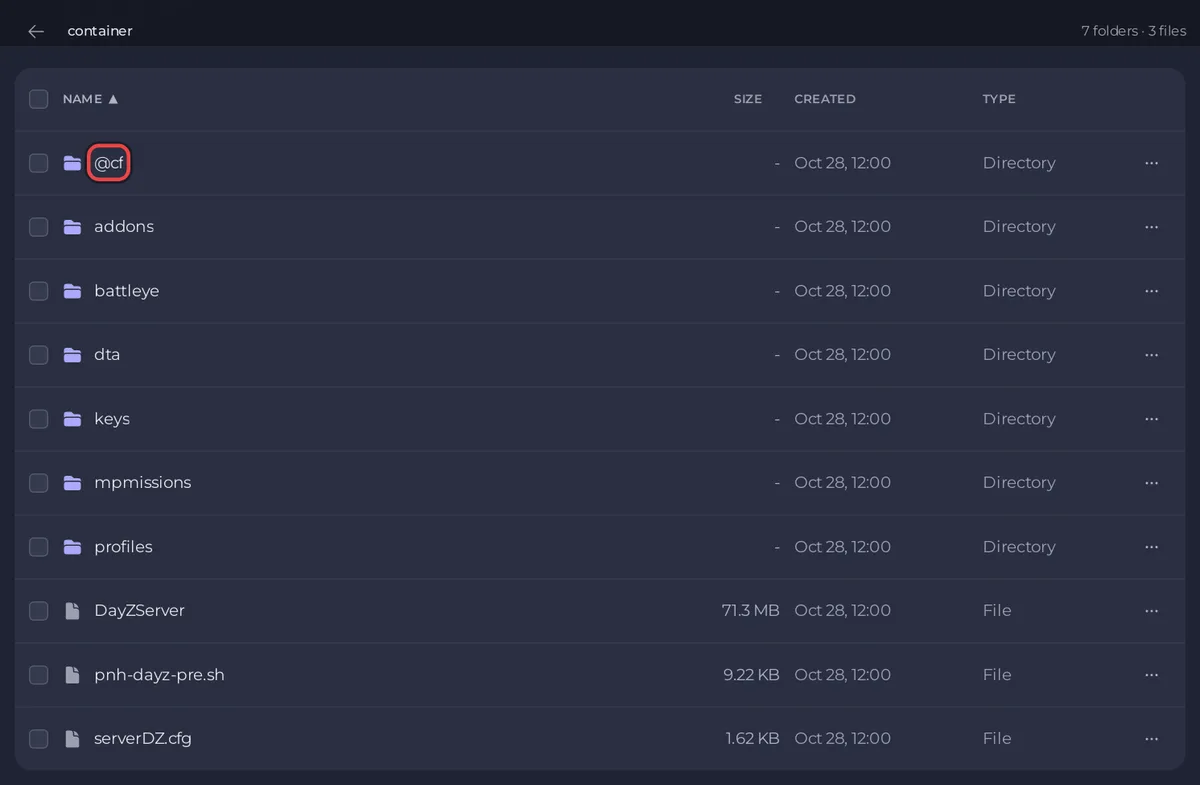
- Click the Files tab and stay in the top folder, the one with
serverDZ.cfg. Click Upload and pick the zip. - Tick the zip's checkbox and click Unzip in the bar that appears. Check that you now have
@cfwith the mod's files directly inside, not a folder inside a folder. Delete the zip. - Open the
keysfolder of the server in Files, click Upload and pick the.bikeyfile from the mod's ownkeysfolder on your PC. Without it, players with the mod are refused. - Click the Workshop tab. In Mods, type
@cfand click Add, then click Save. - Start the server. In the Console, check that no
[pnh-dayz] WARNINGline names the mod, then wait forMission read.
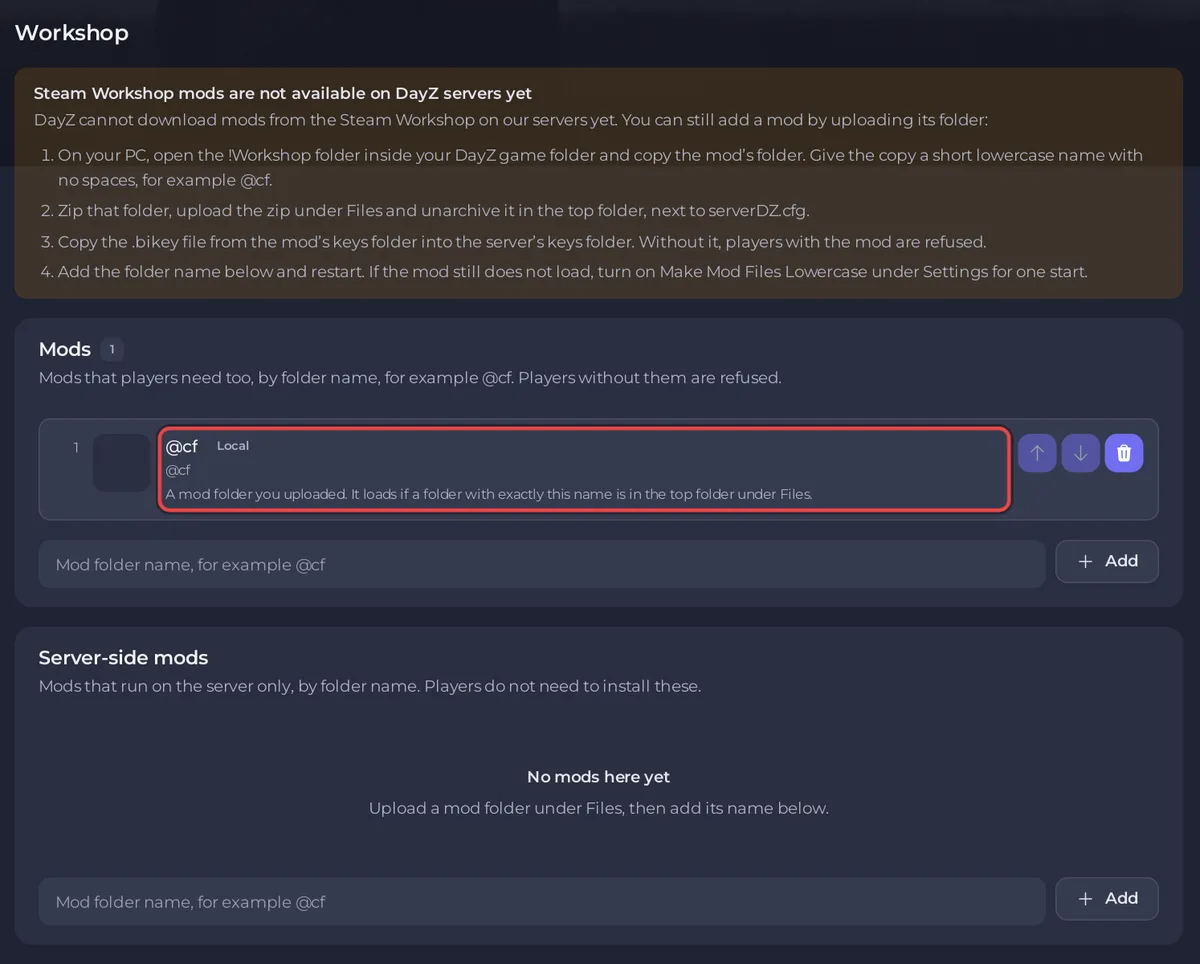
The Workshop tab says the same in short: DayZ cannot download mods from the Steam Workshop on our servers yet. You can still add a mod by uploading its folder: followed by the four steps.
Mods or Server-side mods?
The Workshop tab has two lists:
- Mods:
Mods that players need too, by folder name, for example @cf. Players without them are refused.Most mods go here. - Server-side mods:
Mods that run on the server only, by folder name. Players do not need to install these.Only use it when the mod's author says the mod is server side.
Both are lists of folder names, each starting with @, separated by semicolons. A mod that needs another mod, such as a framework, needs that mod in the list too.
What the panel does for you at every start
- It copies the
.bikeyof every listed mod folder intokeys, and the Console says[pnh-dayz] Copied cf.bikey from @cf into keys/.with the key's real name. Servers created before this helper existed do not do it and print no[pnh-dayz]lines at all, which is why step 7 copies the key by hand. It does no harm either way. - It warns when a listed folder is missing:
[pnh-dayz] WARNING @cf is in your mod list, but there is no @cf folder in the top folder under Files, so it will not load. Upload it there (the Workshop page shows how). - It warns when a mod has no key:
[pnh-dayz] @cf has no .bikey file, so players who have it may be refused.
These checks never stop a start: they only report the problem in the Console, and DayZ starts with the mod list as you saved it. See A mod does not load on your DayZ server.
What players need
Every player needs the same mods, subscribed in DayZ on their PC, at the same version as the folder you uploaded. When a mod updates on the Steam Workshop, players get the new version and your server keeps the old one until you upload the new folder. See Players are kicked for mod signatures on your DayZ server.
Can I paste a Steam Workshop ID?
You can, but it will not download. The Workshop tab marks an ID with Will not download: This server cannot download mods from the Steam Workshop, so this loads only if you uploaded a folder with exactly this name. Upload the folder and list its folder name instead.
Remove a mod
On the Workshop tab, remove the mod from the list, click Save and restart. Then delete its folder in Files if you no longer need it. Players do not need it any more after the restart.


