

To start a Counter-Strike 1.6 server on PlayNHost, open it in the panel and click Start. It is ready when the Console prints Connection to Steam servers successful and the badge changes to Online. A new server starts on de_dust2 with 32 slots and AMX Mod X already running.
Start it
- Open your server in the panel. The badge next to the name says Offline.
- Click Start. The badge changes to Starting.
- Click the Console tab to watch the server load.
- Wait for the line
Connection to Steam servers successful. The badge changes to Online and players can join.
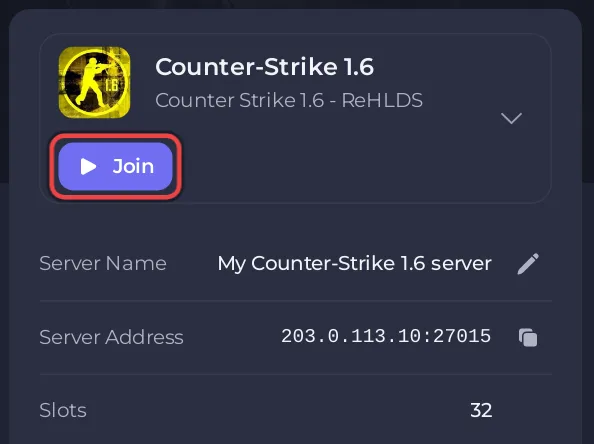
If the badge stays on Starting and the Console stops printing new lines without Connection to Steam servers successful, see Counter-Strike 1.6 server problems and fixes.
What does a new Counter-Strike 1.6 server already have?
The install puts the full community server stack in place for you, from each project's own release on GitHub:
| Part | What it does |
|---|---|
| ReHLDS | An improved build of the Half-Life Dedicated Server engine, with bug and security fixes |
| ReGameDLL | A rebuilt Counter-Strike game library with extra settings in cstrike/game.cfg |
| Metamod-r | The plugin loader that the other add-ons run in |
| AMX Mod X | The admin system and plugin platform, with its admin menu already switched on |
| ReAPI | Extra functions that many AMX Mod X plugins need |
| Reunion | Player authentication for the server |
| ReVoice | Voice chat handling |
The game itself runs on Steam's steam_legacy branch of the Half-Life Dedicated Server, the build ReHLDS is made for. The ReHLDS project says it is compatible with HLDS engine versions up to 8684 from that branch.
Other things a new server has:
- Server Hostname:
Counter-Strike-1.6-Server. Change it before you invite people: How to change your Counter-Strike 1.6 server name. - Map:
de_dust2, loaded at every start. - Players: up to 32 on every plan. The cap is fixed in the server's own start line, so it is not a setting and the Slots row on Overview has no pencil.
- RCON Password: empty, so remote admin is off until you set one.
- Admins: none yet. Make yourself admin: How to become admin on your Counter-Strike 1.6 server.
- Backups: an Automatic backup schedule every night when your plan has backup slots.
There is no world to save: Counter-Strike 1.6 is match-based, so every map starts fresh. What you keep is your configuration, maps and plugins in the cstrike folder.
How can I check that the add-ons loaded?
- On the Console tab, type
versionin the Type a command box and press Enter. A line that starts withReHLDS version:shows the ReHLDS engine is running. - Type
meta listand press Enter. The list shows the Metamod plugins (AMX Mod X, Reunion, ReVoice) with the statusRUN. - Type
amxx pluginsand press Enter. It lists the AMX Mod X plugins, and the last line counts how many are running.
Next steps
If the server does not reach Online, see How to fix a server that will not start.


