

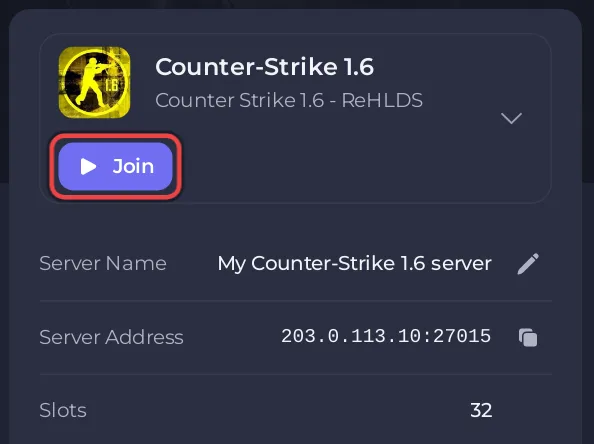
A Counter-Strike 1.6 server on PlayNHost holds up to 32 players at the same time, on every plan. The number is set by +maxplayers 32 in the server's own start line, so it is the same on every plan and cannot be raised or lowered in the panel.
Why is it 32 on every plan?
The plans differ in memory, not in players. The server's start command, shown under Settings, Launch Details, Start command, always carries +maxplayers 32. The help text on Game Settings says the same: The player cap is fixed at 32 in the server’s own startup line and is not a plan setting.
On the Overview page, the Slots row of the server card has no pencil for this reason.
How do I see how many players are on?
Type status in the Console tab and press Enter. The line players : shows how many are on and the maximum, for example 5 active (32 max), and the list under it names each player. See How to use the Console and RCON on your Counter-Strike 1.6 server.
When all 32 slots are taken, the next player sees Server is full.
Do bots count toward the 32?
Yes. Each bot takes a player slot, so 10 bots leave room for 22 people. With bot_quota_mode "fill", bots leave as people join. See How to add bots to your Counter-Strike 1.6 server.
Can many friends from one house join?
Yes. The ReHLDS engine limits how many people from one IP address can be connecting at the same moment: its setting sv_rehlds_maxclients_from_single_ip is 5 by default, and players already in the game do not count. When too many connect at once, some see Too many connect packets from your ip address. At a LAN party, join one after another. To allow more at once, add sv_rehlds_maxclients_from_single_ip 10 to cstrike/server.cfg and restart. See How to invite friends to your Counter-Strike 1.6 server.
Can I keep room for admins?
AMX Mod X, installed on every new server, comes with slot reservation (adminslots.amxx), but no slot is reserved on a new server: amx_reservation is 0 in cstrike/addons/amxmodx/configs/amxx.cfg. Set it to the number of slots to keep, for example amx_reservation 2, save and change the map. Admins with the access flag b can then join on reserved slots. See How to become admin on your Counter-Strike 1.6 server.
How much memory a full server needs: How much RAM does a Counter-Strike 1.6 server need.


